www.megger.comDLRO100E, 100X & 100H – 100A
13
Adjust month with UP and DOWN arrows. Navigate using LEFT
and RIGHT arrows or select OK to accept.
2.8 Set month
Adjust year with UP and DOWN arrows. Navigate using LEFT and
RIGHT arrows or select OK to accept.
2.9 Set year
Adjust time by selecting DOWN arrow or select OK to accept.
2.10 Set Time
Adjust hours with UP and DOWN arrows. Navigate using LEFT
and RIGHT arrows or select OK to accept.
2.11 Set Hours
100A
50A
10A
Ω
100A
50A
10A
Ω
100A
50A
10A
Ω
100A
50A
10A
Ω
OK
100A
50A
10A
Ω
100A
50A
10A
Ω
OK
OK
OK
OK
OK
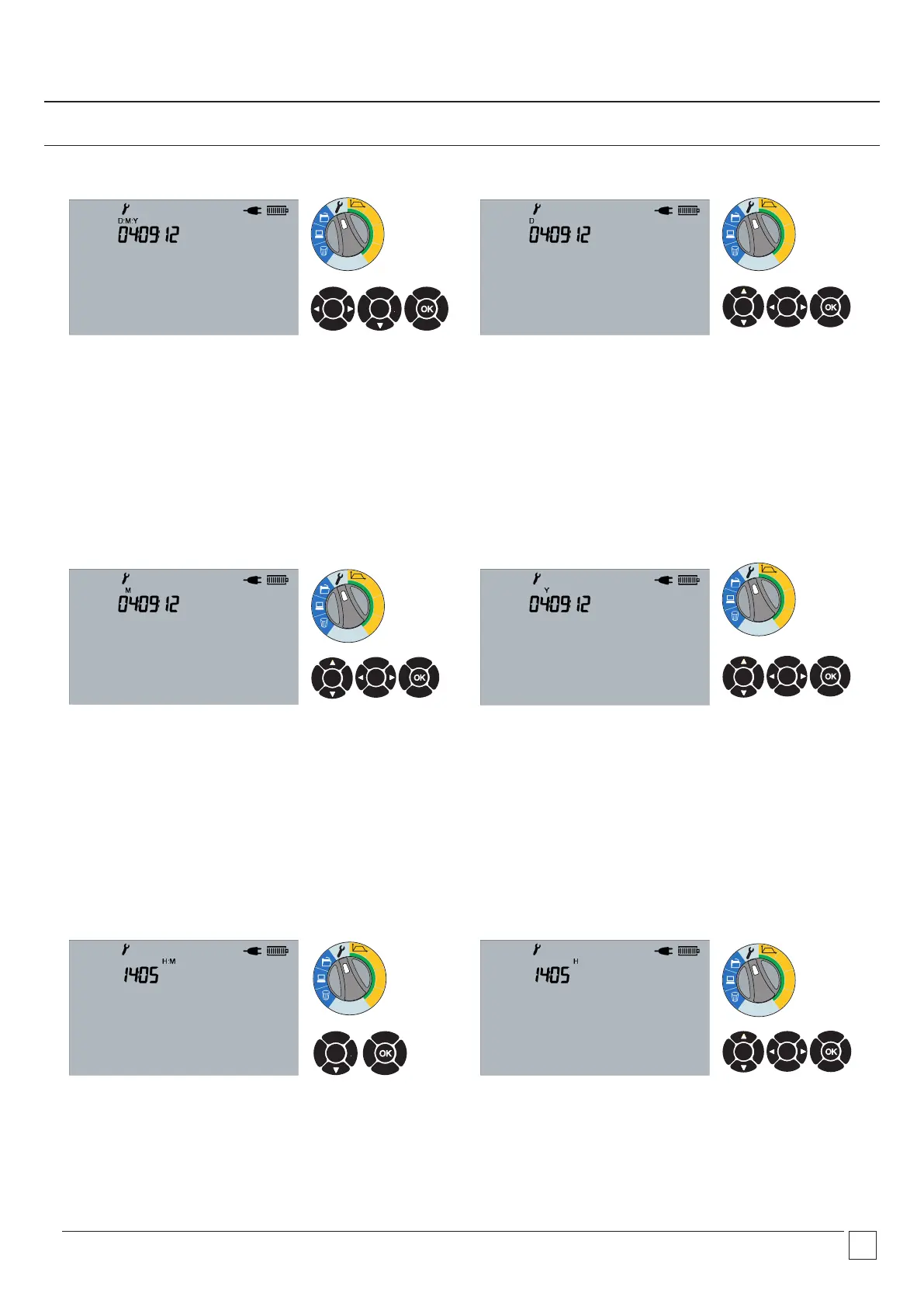
2.6 Set date format
Change format with LEFT and RIGHT arrows. Adjust date by
selecting DOWN arrow or select OK to accept.
2.7 Set date
Adjust day with UP and DOWN arrows. Navigate using LEFT and
RIGHT arrows or select OK to accept.
Time and date (X and H models only)


 To Next Page