www.megger.comDLRO100E, 100X & 100H – 100A
14
Bluetooth
®
(H models only)
100A
50A
10A
Ω
100A
50A
10A
Ω
100A
50A
10A
Ω
100A
50A
10A
Ω
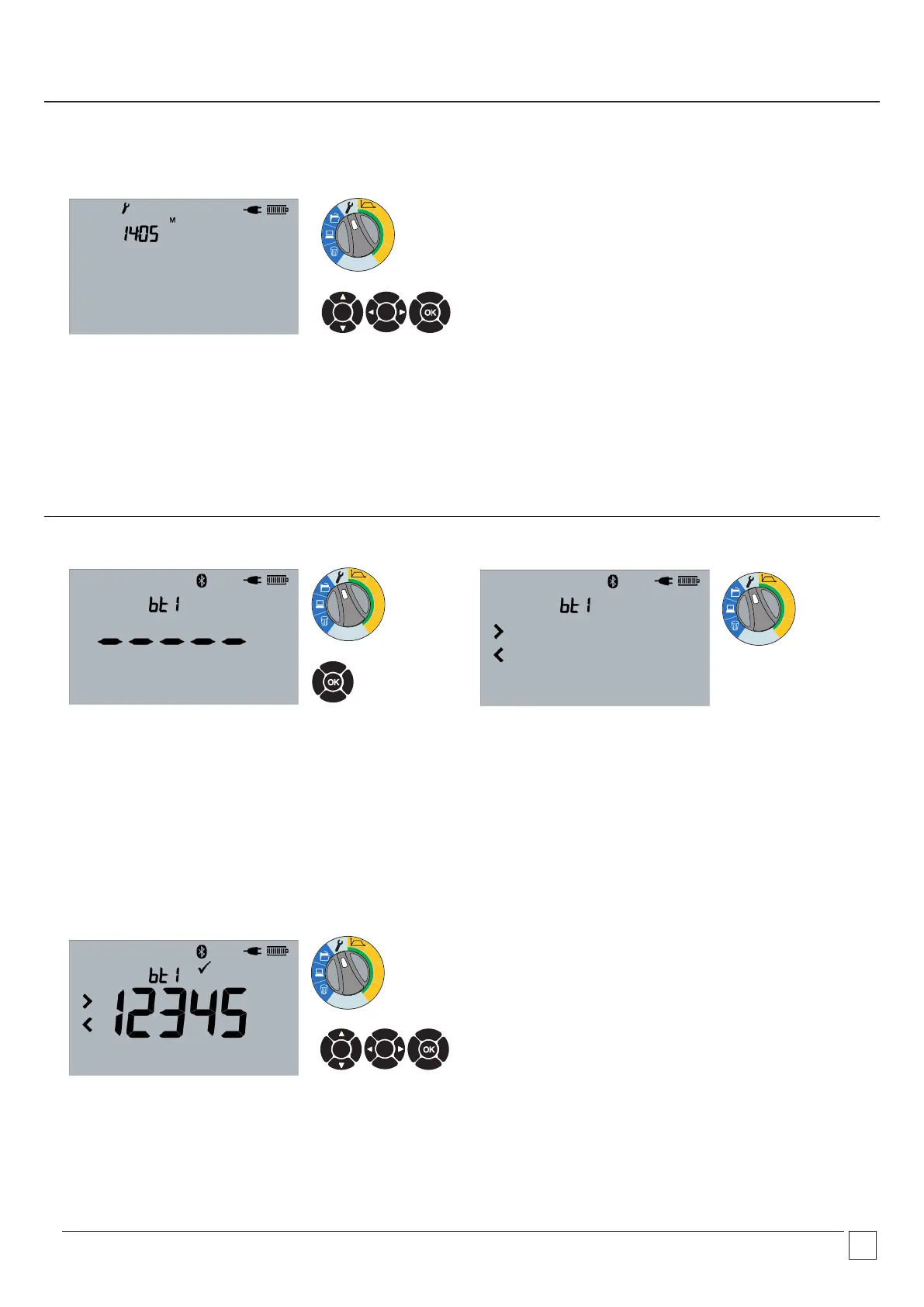
2.12 Set minutes
Adjust minutes with UP and DOWN arrows. Navigate using LEFT
and RIGHT arrows or select OK to accept.
2.14 Bluetooth
®
—Pairing
Pair instrument from PC/Smart Device. Enter PIN 1234 on PC.
2.13 Bluetooth
®
—Begin pair
Press and hold OK for 3 seconds to begin pairing, or press OK to
skip.
2.15 Bluetooth
®
—Paired
Pairing complete for bt1. Scroll using UP and DOWN arrows to
access other Bluetooth
®
pairs. Select current pair with LEFT or
RIGHT arrows.
OK
OK
OK


 To Next Page