4-19
4.3 Logging Function (optional)
Introduction
The measured data gathered by the Easytest system
can be logged in an easy way
using either a USB stick or a WinkisVLF system card.
During sheath fault pinpointing and permanent DC test
s, the measured data is not
logged.
4.3.1 Logging to a USB Stick
Prerequisites For logging measured data, it is recommended to use a
Sandisk Cruzer
®
.
The USB stick must not be plugged in the slot (13) until
to do so. Prior to and during a test, the USB stick must not be plugged in.
Procedure
During operation, the measured data is temporary stored in the internal system
memory.
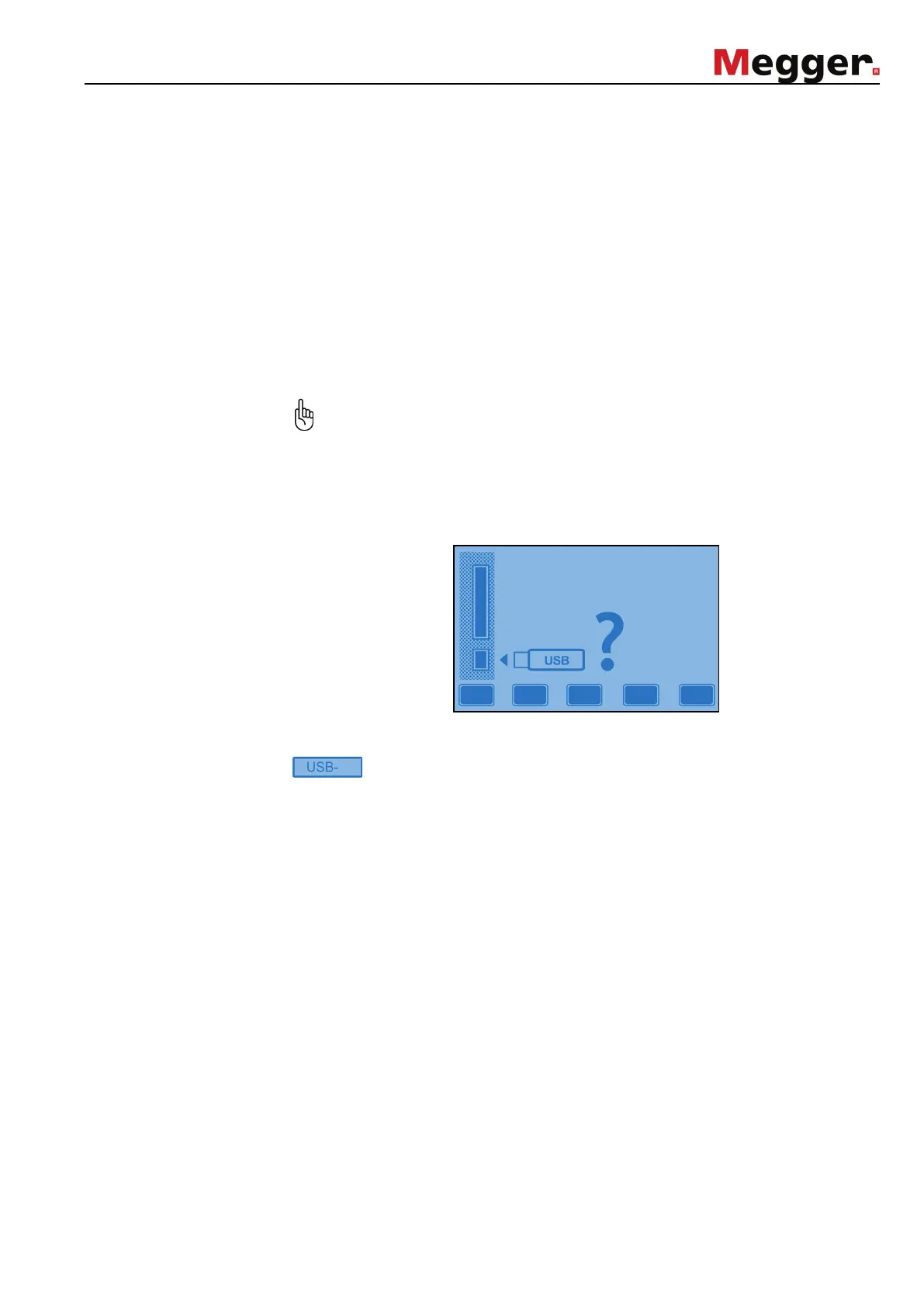
After a test has been finished, the following message appears in the display
for the USB stick to be plugged in:
In order to initiate the data transfer, a USB
stick has to be plugged in the appropriate
slot (13)
. After up to 10 seconds (depending on the memory size of the stick), the
symbol appears in the upper right display reporting that the stick has been
identified by the system.
By pressing the Enter soft key, the measured data
is transferred to the stick which
will take a few seconds. Afterwards, the system returns to the main menu.
By pressing the Esc soft key, the measured data is
immediately returns to the main menu.
Esc
Data storage



 To Next Page