6
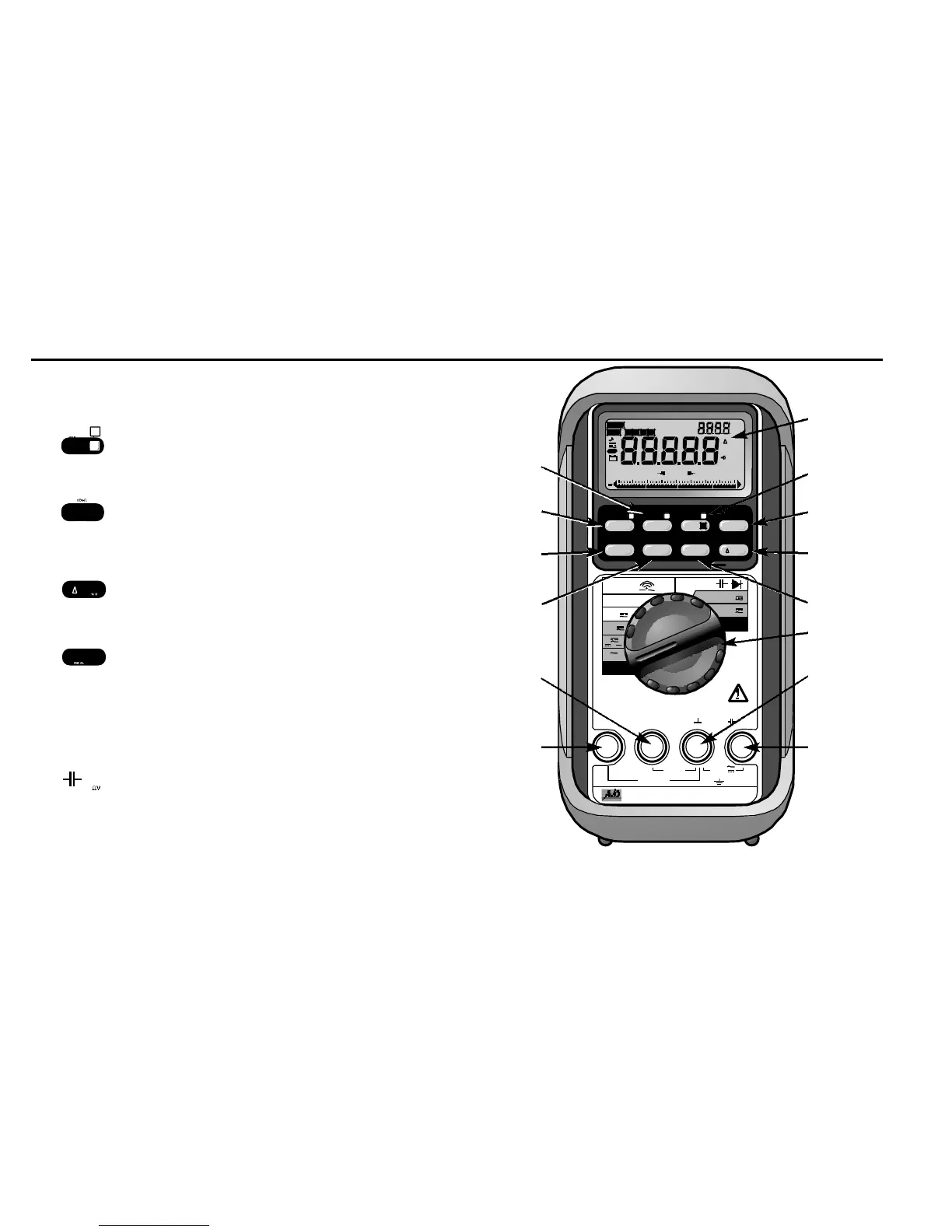
1. LCD display 4
3
⁄4-digit 40000 counts + 4-digit 9999
counts dual display LCD.
2. Pushbutton. Press to activate HOLD, or
press and hold for 1 second to activate
SORT™ function.
3. Pushbutton to select A u t o / M a n u a l
ranging, or to select different reference
impedances in dBm function
(M8037 only).
4. Pushbutton to select Relative Zero,
Relative Percentage Change, or
Relative Per Unit mode.
5. Pushbutton to Recall stored data.
6. Selector Turn the Power On or Off and Select a
function.
7. COM Common (Ground reference) Input
Jack for all functions.
8. Input Jack for all functions ex c e p t
current functions, colour coded.
9. A Input Jack for 4A or 10A c u r r e n t
functions, colour coded.



 To Next Page