BL1448GE ZP-BL16E TM1700-SERIES
49
4 CABA LOCAL
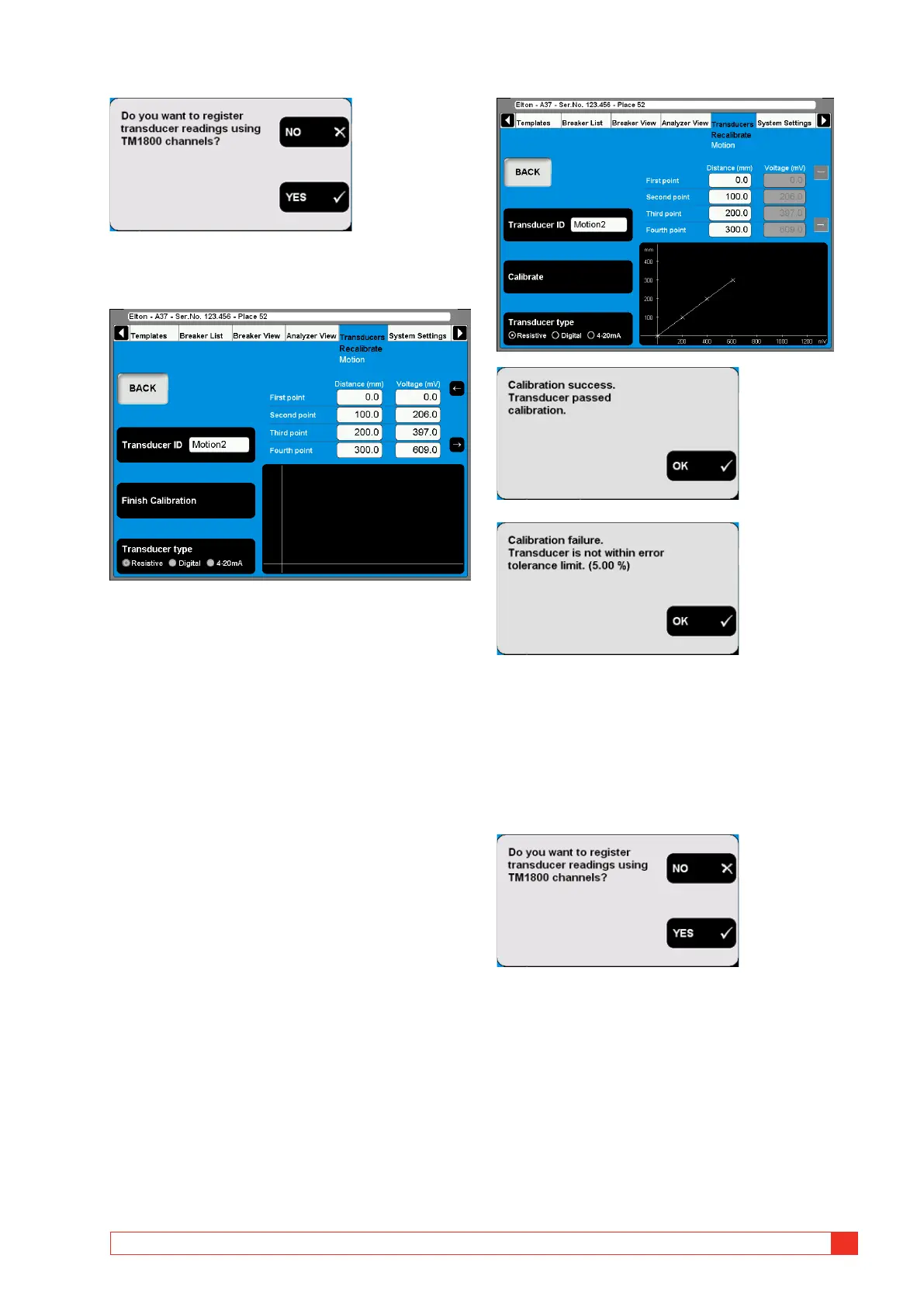
2] Press the “NO” button. The following screen
appears.
3] Enter the calibration values in the fields
shown above the graphic. For quick naviga-
tion between the fields use the arrow but-
tons next to it.
4] Type in a significant name for the transducer
into the “Transducer ID” field.
5] Press the “Finish Calibration” button.
The evaluation starts and you will se the
result. If you get the “Calibration failure”
message you must recalibrate.
6] Press the “BACK” button to leave the screen.
B. TM1700 as reference for calibrating a
resistive transducer
1]
Press the “Calibrate” button. The following
question appears.
2] Press the “YES” button. The following ques-
tion appears.



 To Next Page