10 Settings
56
Intelligent drying
In contrast to a conventional time-controlled drying procedure, with which the duration of the drying phase
is determined by the program, the duration of the intelligent drying is automatically calculated using the re-
sidual moisture in the sterilization chamber. A number of factors play a role in this process including e.g.
the type of the load, wrapped or unwrapped, the load quantity, the distribution of the load in the sterilization
chamber etc. Comply with the specifications in section Loading the steam sterilizer [}page24].
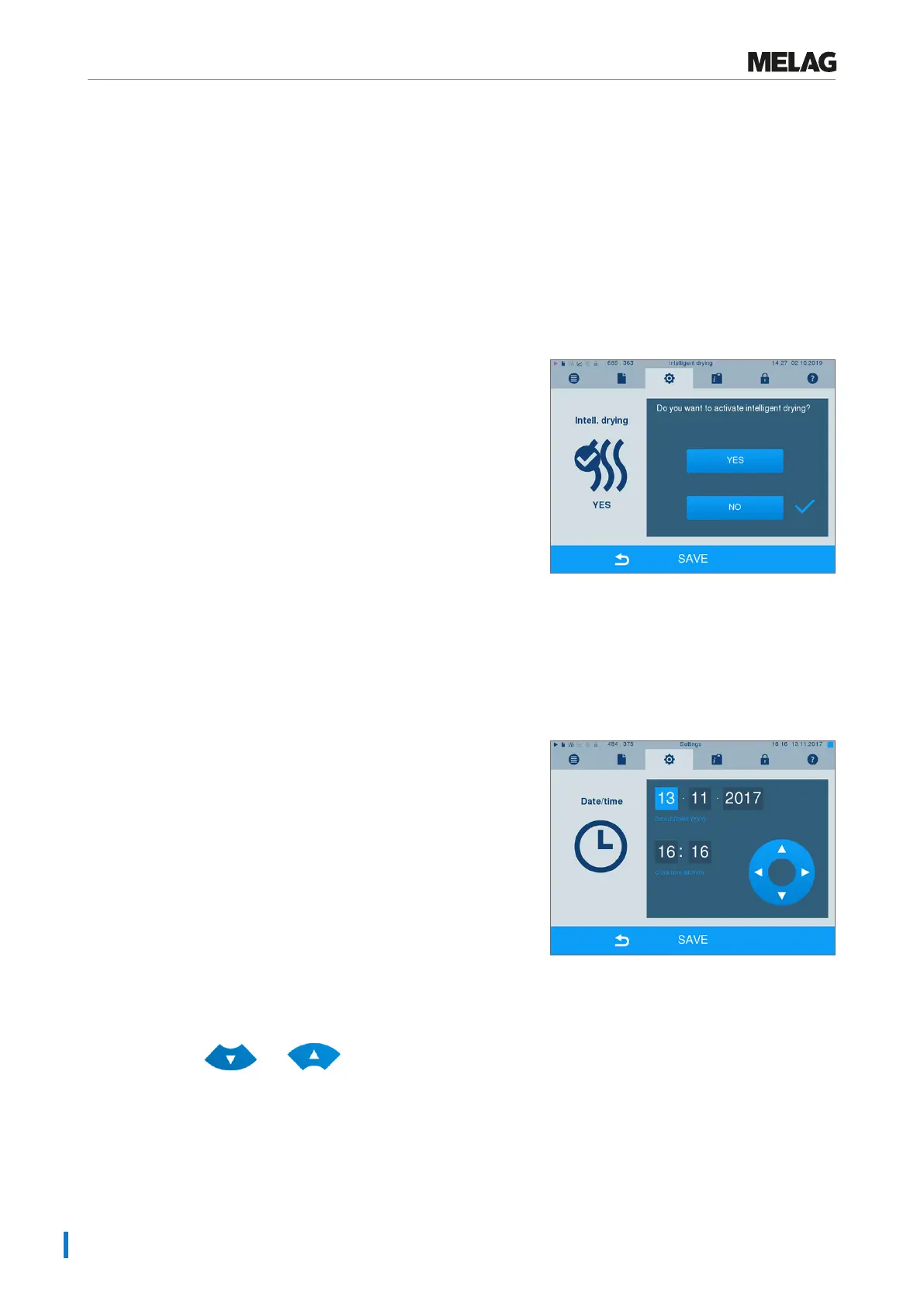
Intelligent drying is activated in the delivery state. Should you wish to deactivate intelligent drying, proceed
as follows:
1. Select menu Settings > Device settings >
Intelligent drying. The display switches to
the corresponding window.
2. If you wish to deactivate intelligent drying, select NO.
3. Confirm with SAVE.
Date and time
Correct batch documentation requires the correct date and time setting on the steam sterilizer. Ensure that
you take into account the clock change in autumn and summer, as this is not adjusted automatically. Once
the time has been set on the steam sterilizer, it is very accurate. Set the date and time as follows:
1. Select menuSettings >Date & time. The
display switches to the settings window.
2. Select the parameters which you wish to change
(day, month, year / hour, minute). The marked
parameter is depicted light blue, here e.g. the day.
3. Change the respective value via the pushbuttons
and . Repeat this step for all the
parameters which you wish to change.
4. Confirm the changes with SAVE.
Ê The display will be restarted after saving and then changes automatically to menuPrograms &
Tests.












 To Next Page