10 Settings
54
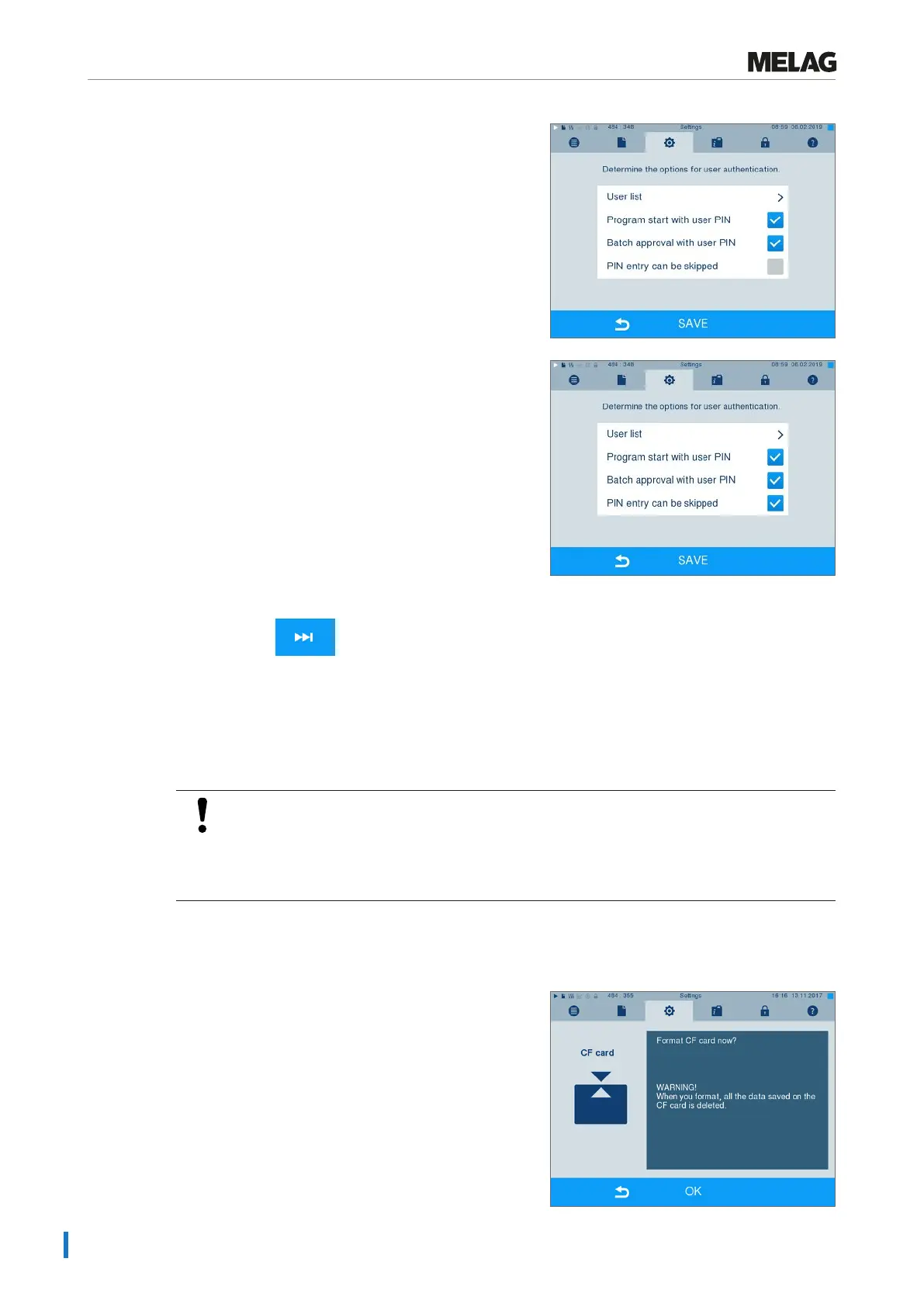
4. Set a checkmark next to Batch approval with
user PIN, to perform user authentication upon every
program end. The device door will open following
program end only after the user PIN has been
entered.
5. Set a checkmark next to PIN entry can be
skipped to enable the user PIN query to be skipped.
Ê The user PIN query continues to be displayed
before program start or after program end. Press
the key to skip the user
authentication.
6. Accept all the settings with SAVE, then leave the
menu.
Formatting the CF card
NOTICE
All data saved on the CF card is deleted during formatting.
n Check whether important data is stored on the CF card.
n Save any logs or other data on the computer or another memory medium.
1. Insert the CF card in the steam sterilizer card slot
correctly (tangible raised bar on the edge pointing
back right). Do not use force.
2. Select theSettings >Format CF card. The
display switches to the corresponding window.












 To Next Page