10 Settings
62
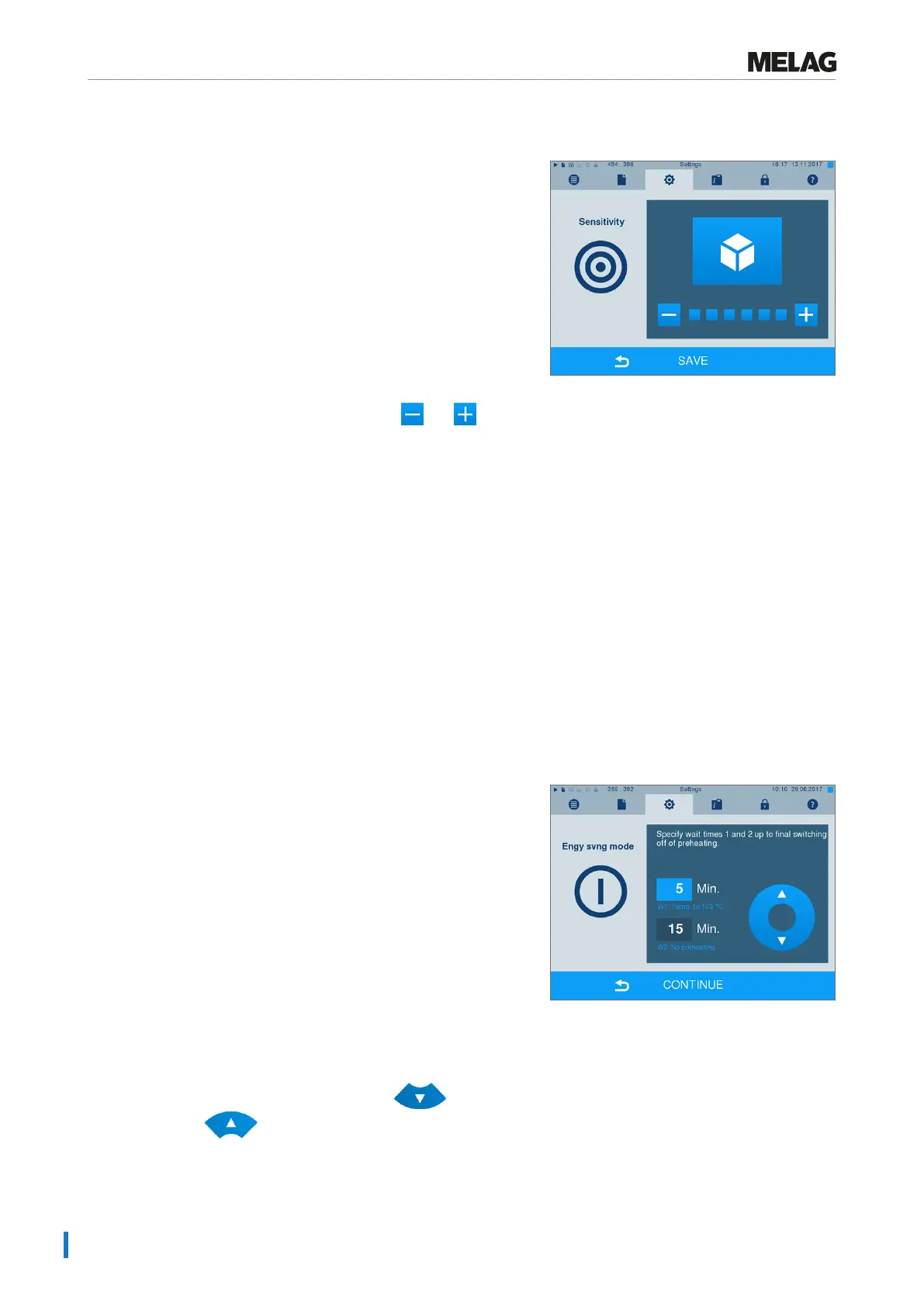
Sensitivity
1. Select menu Settings > Touchscreen
sensitivity. The display switches to the settings
window.
2. You can determine the pressure required to
activate a pushbutton using the and
pushbuttons.
3. Accept all the settings with SAVE and then leave
the menu.
Energy-saving mode
If the steam sterilizer is not be switched off during longer operating pauses, it can be operated in energy-
saving mode. This reduces the time which is required in order to pre-heat the double jacket steam genera-
tor to the necessary start temperature after deactivation. Two waiting times can be set in energy-saving
mode:
Waiting time 1 (W1): After a pre-set waiting time of 15min, the temperature of the double jacket steam
generator falls to 103°C. The program run time increases by approx. 2min upon the next start.
Waiting time 2 (W2): After a pre-set waiting time of 60min, the double jacket steam generator is no longer
heated. Accordingly, the length of the program run time increases by approx. 5min upon the next start, de-
pending on the length of the operating pause, as the double jacket steam generator must first be pre-heat-
ed to the necessary start temperature.
Setup of the energy-saving mode is described here:
1. Select theSettings >Energy saving mode
menu.
Ê The display switches to the settings window.
2. Select waiting time 1 directly by touching the
minute. The area is displayed light blue.
3. Change the minutes using the and
pushbuttons.
4. Repeat the steps for waiting time 2.
5. Press CONTINUE.












 To Next Page