10 Settings
59
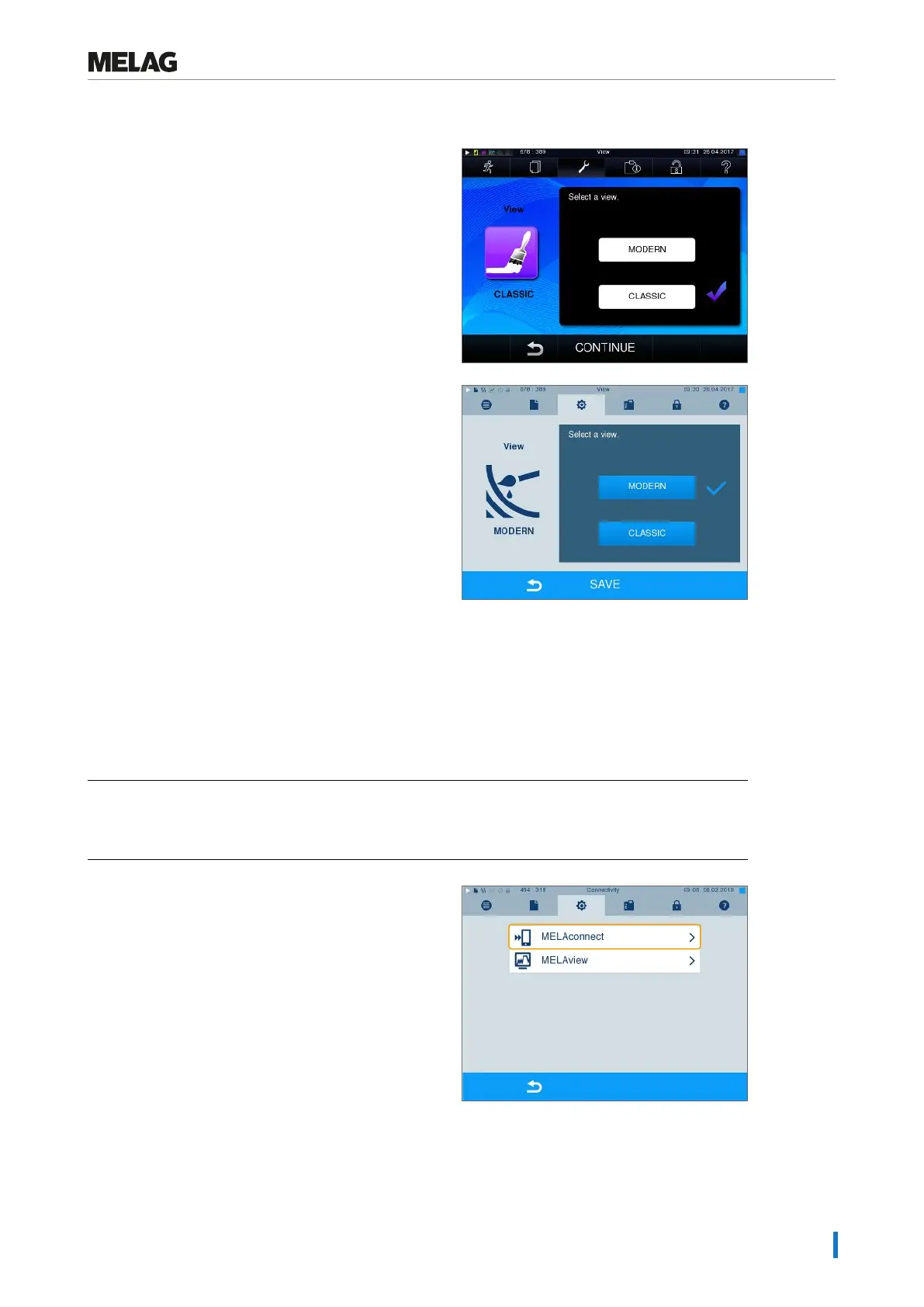
Switching from CLASSIC TO MODERN
1. Select theSettings >View menu. The display
switches to the settings window.
2. Press the MODERN button. The design changes
immediately.
3. Confirm the settings with SAVE. The display
changes automatically to the Settings menu.
MELAconnect
The MELAconnect app is used to monitor the preparation processes of your MELAG steam sterilizers on
the mobile end device (e.g. smartphone, tablet).
The following must be fulfilled or present:
ü
The device is connected to the (practice) network.
ü
MELAconnect is installed on your mobile end device.
ü
You are in MenuSettings >Connectivity.
1. SelectMELAconnect.
2. Open MELAconnect on your mobile end device.












 To Next Page