FOCKE MELER GLUING SOLUTIONS
4-6
MELTER OPERATION
Display and adjustment of the cylinder working temperature
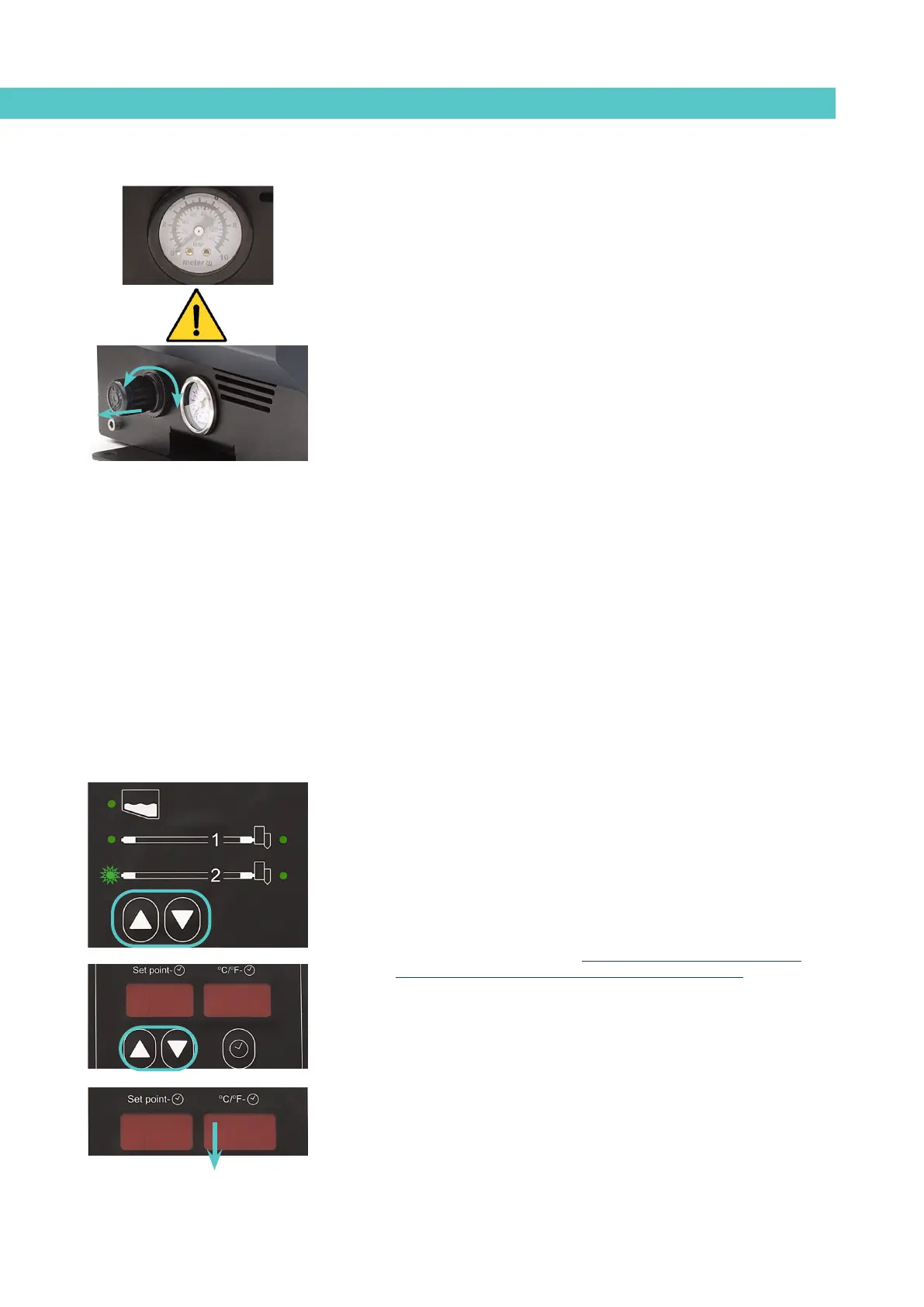
In this equipment, the air pressure with which the pusher cylinder pneumatic
control device operates is shown on the pressure gauge located on the base
of the melter. The pressure must be adjusted to the requirements of the
application.
Warning: The pressure must never exceed 6 bar.
To adjust the pressure, pull the control outwards and turn the regulator
clockwise (+) or anti-clockwise (-) as required.
Temperature adjustment
By default, the melters have the following parameter values:
• Tank and distributor set point temperature: 160°C
• 150ºC for hoses and 160ºC for applicators
• Display in °C
• Overheating value: 20°C
• Standby value: 40%
• Delay time: 10 mins
• Time programming: ON
The general procedure for adjusting the temperature of each of the
components is described below.
1. Use the up-down arrows to select the component for which you wish to
change the value.
The corresponding LED will blink quickly.
2. Use the up-down arrows under the display to select the desired value
for the set point temperature. Below 40°C, the temperature value
displays ‘OFF’, cancelling the heating of this component (hoses and
applicators only).
3. After ten seconds the LED will stop blinking and the display will change
by default to the tank set point temperature, saving the changed data.
Repeat this simple procedure for each of the components whose set point
temperature you would like to change.
40ºC40ºC
OFFOFF


 To Next Page