Installation
Rev 2.2
30Mellanox Technologies
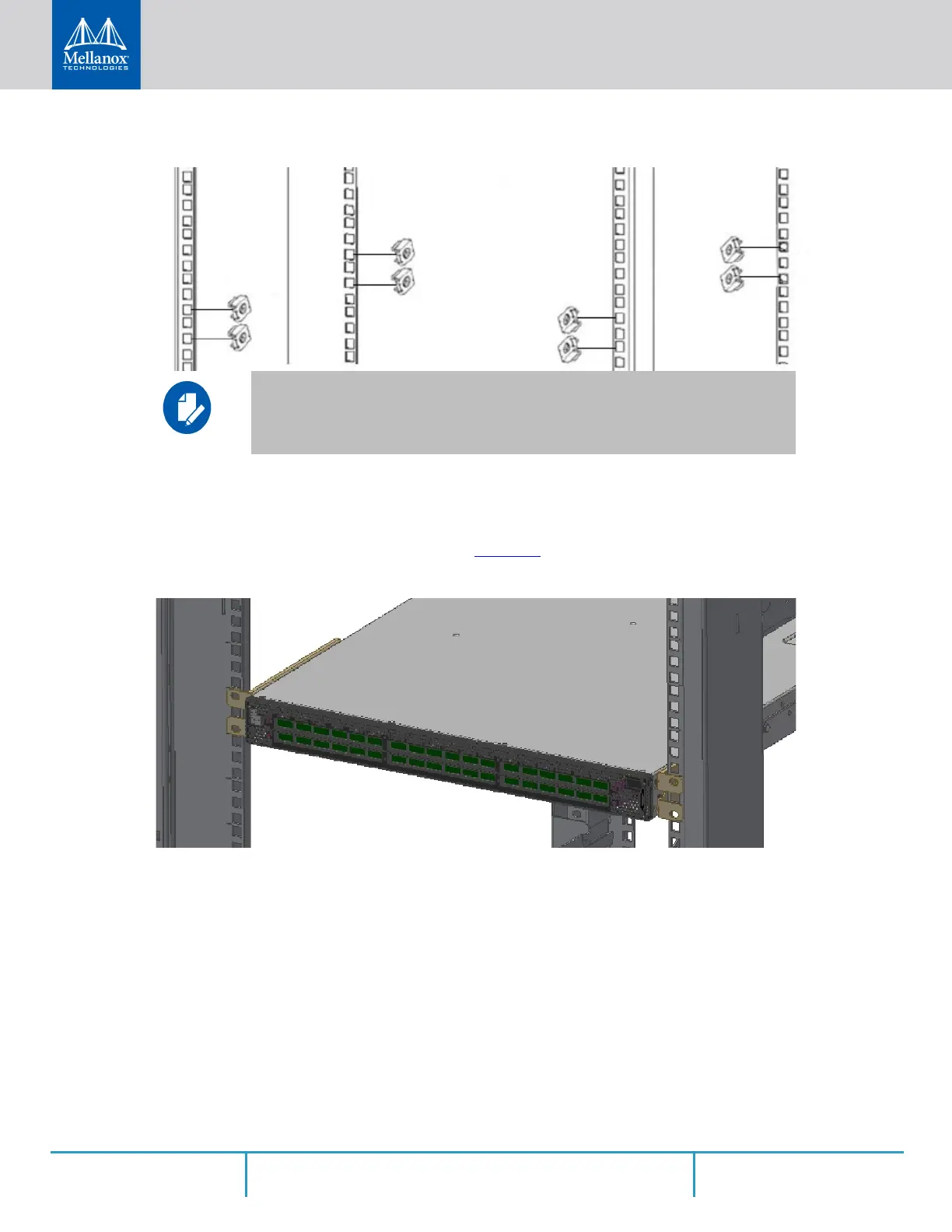
Figure 16: Installing the Cage Nuts
While your installation partner is supporting the system’s weight, perform the following steps:
Step 5. Mount the system into the rack enclosure, and attach the brackets installed on the system to
the rack’s posts. Secure the brackets to the rack’s posts by inserting four M6 screws in the
designated cage nuts, as described in
Figure 17. Do not tighten the screws yet.
Figure 17: Attaching the Brackets to the Rack
Step 6. Slide the two blades into the left and right rails, and adjust them to fit your rack's depth. Use
four M6 screws (D) to fix the blades into the rack. Do not tighten the screws yet.
While each rack U (unit) consists of three holes, the cage nut should be installed verti-
cally with its ears engaging the top and bottom holes only.



 To Next Page
 Loading...







