28
A real-time estimate of the dispensed media
temperature is indicated on the display while
dispensing.
When no heating is required the system will
automatically be in ow rate priority mode.
Option to pre-heat in
priority-to-temperature mode
In the priority-to-temperature mode, the system will
request to perform a pre-heating step in case the
conditions do not achieve the requested temperature
(±2 °C).
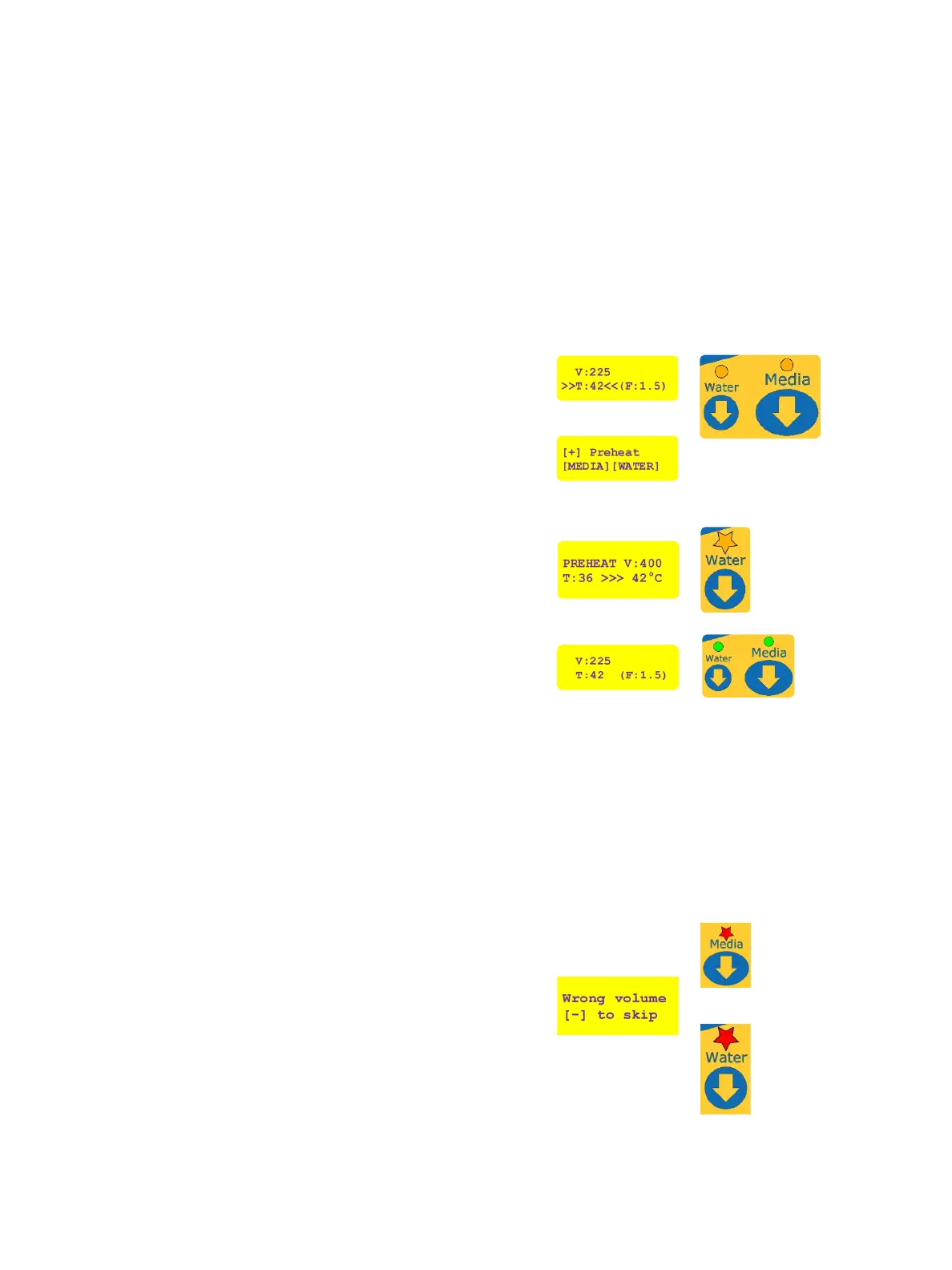
In this case the “Water” and “Media” LEDs will turn
orange, and arrows will indicate an issue with the
requested target temperature.
Press [+] to perform pre-heating of the lter and
tubing with 500 mL of pre-heated water. Ensure a big
enough container is positioned under the dispenser.
Pressing [MEDIA] or [WATER] would instead dispense
media or water according to the currently displayed
parameters, but without guaranteeing the nal
temperature.
During the pre-heating step, the “Water” LED will
blink orange and the display will indicate the current
temperature of the water in the system and tubing and
the remaining volume of pre-heated water to reach the
target temperature.
The “Media” and “Water” LEDs will turn green after
successful pre-heating and the current parameters will
be displayed.
The system is now ready to dispense media or water at
the target temperature.
After pre-heating, the system continuously
checks if the conditions do still meet the set
dispensing temperature.
If the system is left some minutes without
dispensing media, it may happen (depending
on the conditions) that the system will
request to repeat pre-heating. Perform
pre-heating only when ready to dispense.
Cancelling a dispensing procedure
Pressing [CANCEL] while media or water is dispensed
will stop the instrument properly. The respective
or “Media” LED or “Water” LED will ash in red.
Press [-] to acknowledge and clear the error.
Alternating with
!
or


 To Next Page