34
Troubleshooting
Issue Proposed solution
Instrument keeps
requesting to perform
pre-heating
When starting the instrument for the rst time, when tubing are full of air, or when using a
new lter, it may be needed to perform more than 5 priming to remove all air bubbles and
vent the lter. In case no air bubbles are observed in the lter, or the system is remaining in
the priming mode after more than 10 priming, check that the input ow rate is above 2 liters/
min, or that the lid of the container is opened, and that the input tubing is not kinked. If the
instrument cannot achieve a minimal ow rate during priming, it will not be possible to use
properly the instrument.
Leak at the lter/
instrument connection
When inserting the lter connector in the instrument, make sure to align properly the lter
male connector with the instrument female connector, as the O-ring may move or become
damaged. Turn o the instrument, remove the lter, and make sure the black O-ring is
correctly positioned in the recess of the lter connector. Change the lter if the O-ring shows
some damages.
Final volume out of
range
Repeat peristaltic pump calibration by opening the pump head and closing it again to force the
calibration process. Make sure the tubing is properly positioned and not twisted in the pump head.
Repeat owmeter calibration by pressing [WATER] for at least three seconds.
Make sure to use a container and that the balance weight is in the range of the measured
volumes.
Instrument keeps
requesting to perform
pre-heating
In priority-to-temperature mode, the target temperature can be reached only for volumes
above 200 mL. If smaller volumes of pre-heated media are necessary, please dispense a
volume above 200 mL into a sterile container and then transfer the right volume of pre-heated
media manually.
It may also happen that the conditions do not allow an accurate temperature to be set and
realized (impact of inlet water temperature, media bag temperature, target temperature,
media bag concentration, target concentration). If temperature accuracy is not critical, it is
possible to dispense the media (or water) by pressing the [MEDIA] button when pre-heating is
requested, or to switch to priority-to-ow-rate mode.
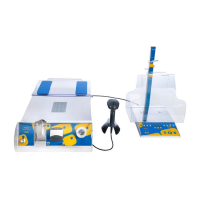
Barcode not scanned Ensure that the reader is properly connected to the instrument and the red scanning light is
visible when pressing the trigger
Tracking information
not accurate
The media bag has been reconstituted and used on another instrument. Please mark on which
instrument the bag has been reconstituted and used.
Dispensing outlet
causes splashes out of
the test container
Adjust the height of the dispensing arm properly to the ow by using the dispensing arm
screw.
Ensure that the base screw is correctly tightened on the dispensing stand.
Flow rate is low in
priority-to-ow mode
Check the ow rate value on the data matrix generator.
10 L media bag
does not t on the
instrument
Ensure the extension tray is pulled out.
Media bag does not
stick to the pads
Clean the pads regularly.
Media is not dissolved
after the foreseen time
Ensure sucient soft agitation of the media bag during and after lling with pre-heated water.
Stopcock valve cannot
be inserted in the
actuator
Ensure actuator is in the home position (press ON/OFF to reinitialize the instrument).
Check that the stopcock lever is aligned with the tubing (left tubing, when on the instrument).
Do not insert the stopcock by force if the actuator is not in the home position.
Stopcock valve cannot
be removed from the
actuator
Press [OFF] button before removing the media bag to move the actuator into home position.
Do not remove the stopcock by force if the actuator is not in the home position.
System power switch
turns o
The main unit power switch has an integrated circuit breaker. In case of overconsumption, the
switch will interrupt the current ow. Restart the instrument by switching it ON again.
Please contact our service team if the switch turns o frequently.


 To Next Page