15
Chapter 4 Congure the Router in Wireless Router Mode
L2TP
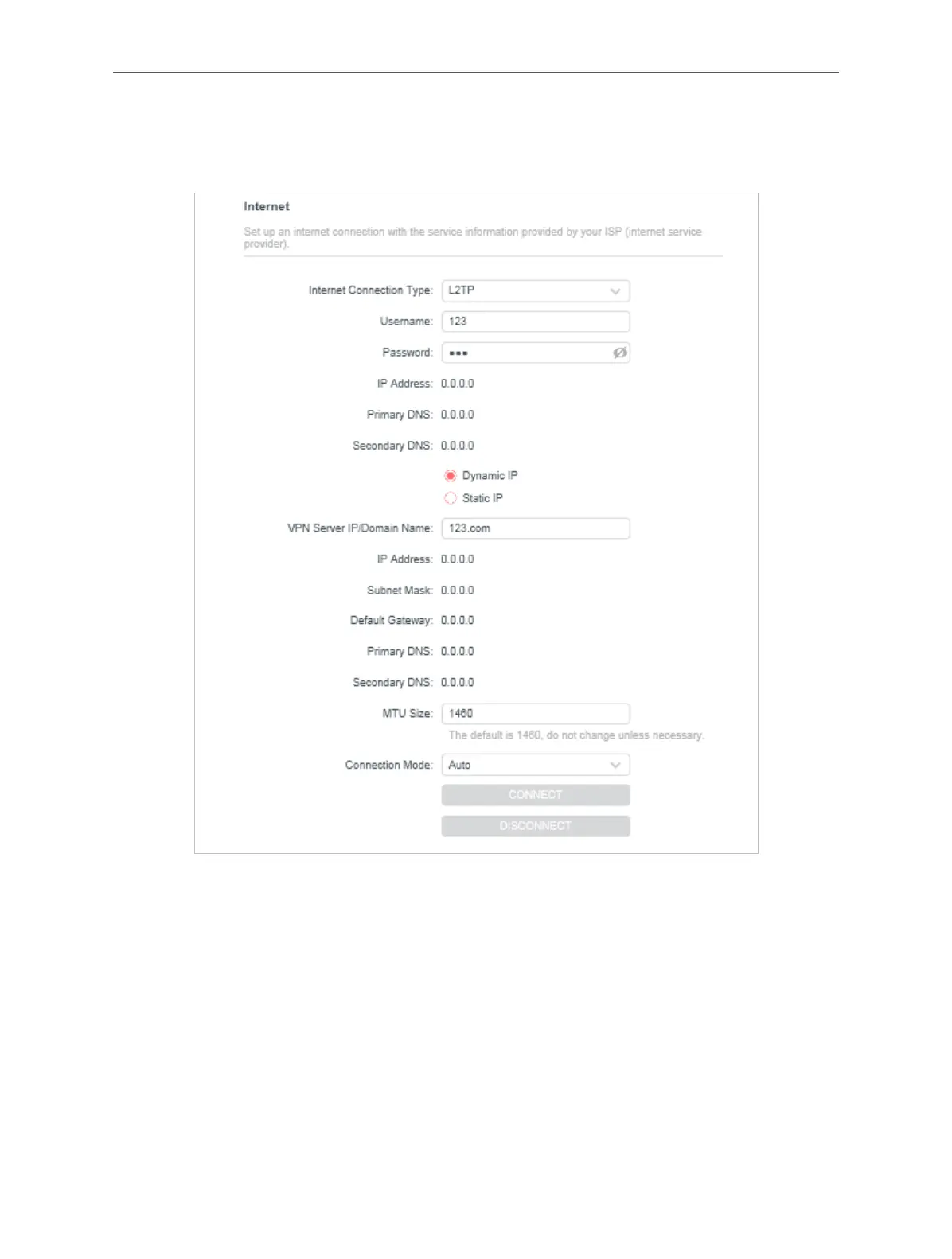
If your ISP provides L2TP connection, please select L2TP.
• Username/Password - Enter the username and password provided by your ISP. These
fields are case-sensitive.
• VPN Server IP/ Domain Name - Enter the VPN server’s IP address or domain name
provided by your ISP.
• MTU Size - The default MTU size is “1460” bytes, which is usually fine. It is not
recommended that you change the default MTU Size unless required by your ISP.
• Connection Mode
• Auto - In this mode, the internet connection reconnects automatically any it gets
disconnected.



 To Next Page