18
PROGRAMMING
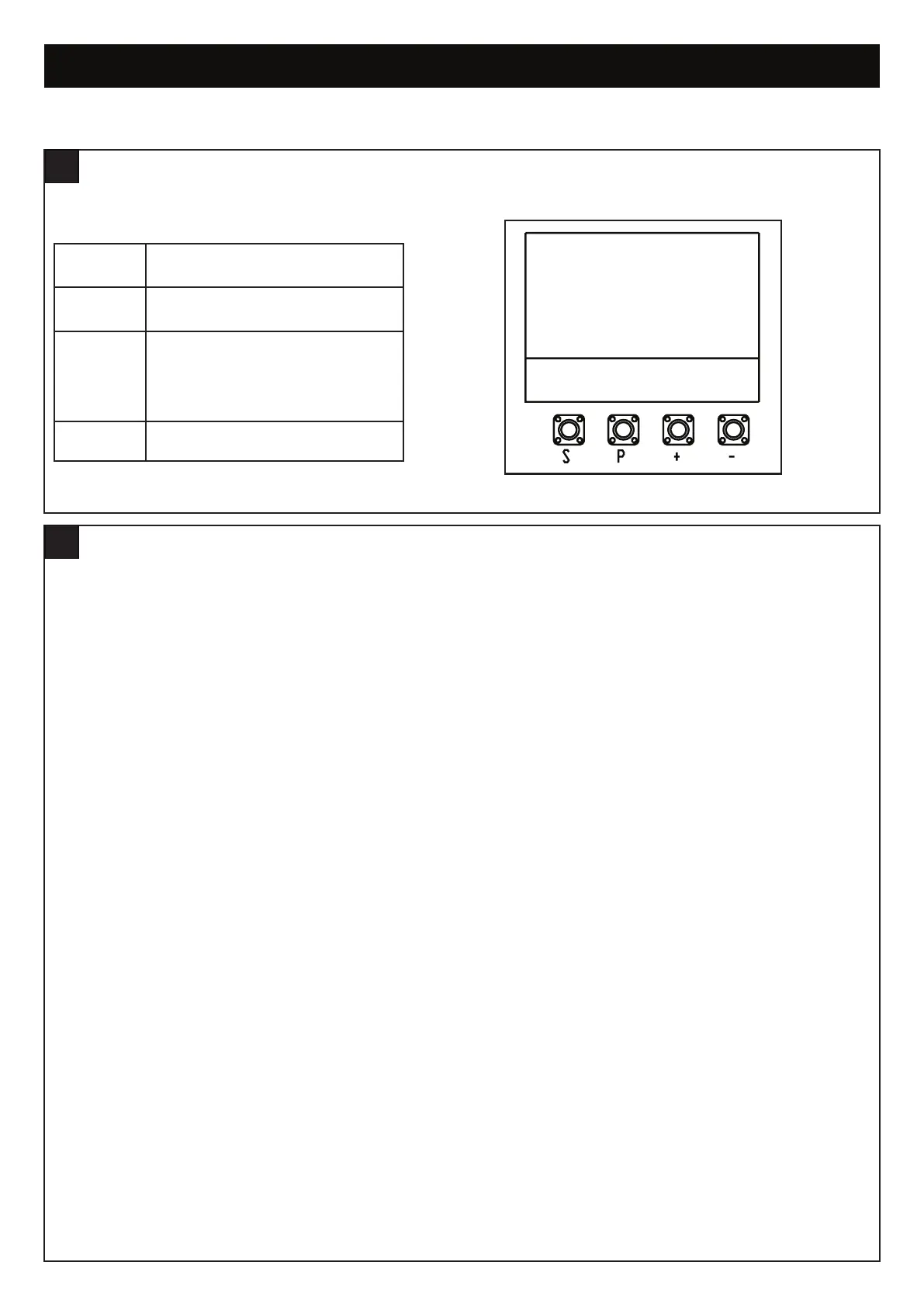
Programming buttons function (4 buttons):
LCD SCREEN MENU
18
Button Function
S
Program / delete remote controls and
specific functions
P
Enter programming mode, select
function and save.
NOTE long press of P button will save
the setting and exit out to the menu
screen.
+/-
Navigate through the menu and change
the value on display
The programming of the boards is divided in two steps:
1. Basic - including Initial Setup
2. Advanced - Password Protected Settings
Initial Set-up includes:
• Selection of motor type
• Motor direction
• Limits
• Forces.
After the Initial Set-up is complete, the opener will work as per default Basic Settings.
Initial Set-up is mandatory, if they are not completed, the opener will not work.
Initial Set-up is required before any further changes to Basic or Advanced settings can be made
PROGRAMMING - OVERVIEW
19


 To Next Page