EasyManua.ls Logo

Metapace S-2 - Page 20

Metapace S-2
210 pages
Print Icon
To Next Page IconTo Next Page
To Previous Page IconTo Previous Page
Loading...
10
Enter Setup
Metapace S-2 Hardware Manual
Working Mode
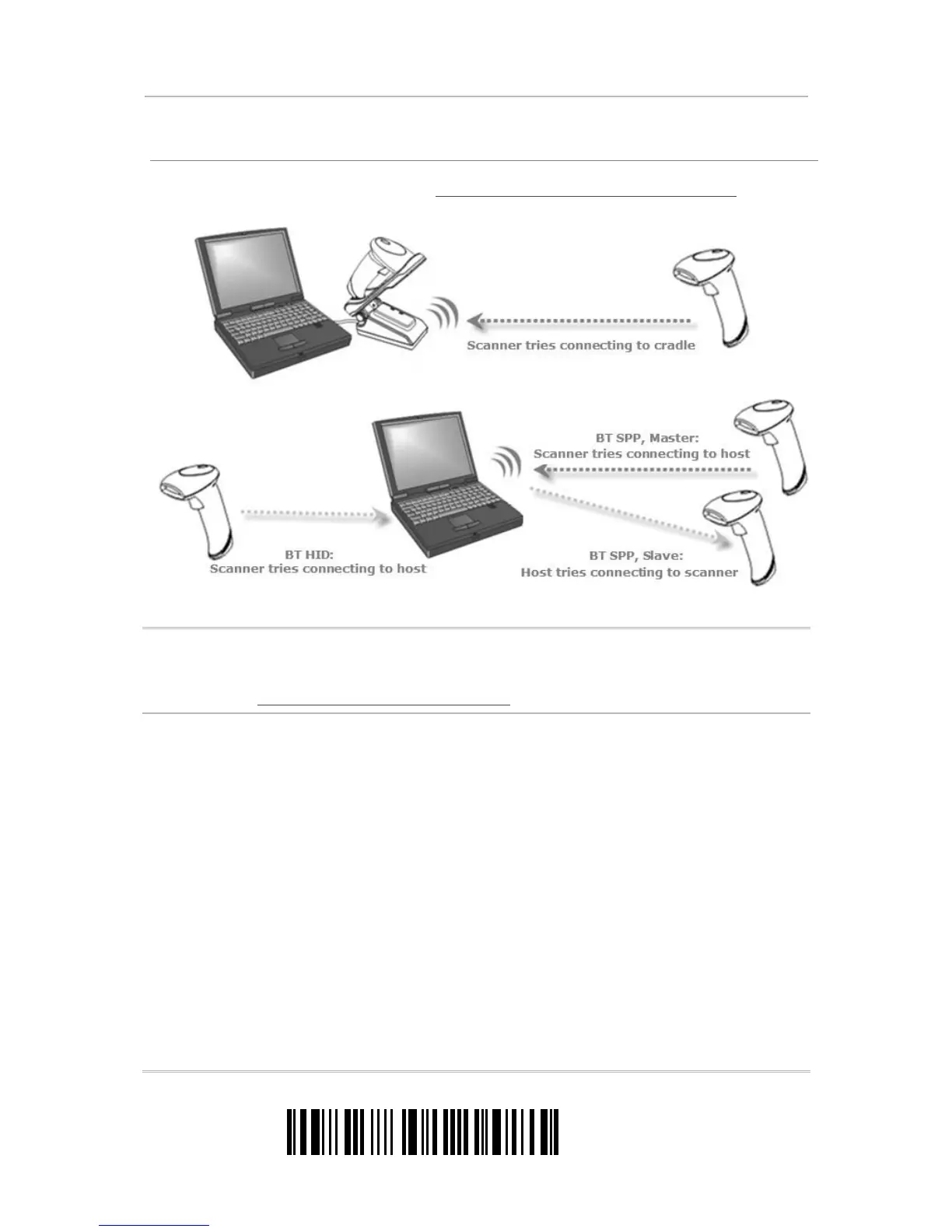
Upon powering up, the scanner will try to establish a connection with the cradle or a computer with
Bluetooth
®
wireless technology. Refer to Chapter 3 – Setting up a WPAN Connection for details.
The connection between the scanner and the cradle is made easy and reliable.
Note: If RS-232, USB Virtual COM or BT SPP is selected for output interface, the host can
directly send serial commands to configure the scanner. For example, run
HyperTerminal.exe and type the 6-digit command located under each setup label.
Refer to Appendix I
Host Serial Commands.

Table of Contents

Other manuals for Metapace S-2

Related product manuals