1.14 EFFECTIVE DECODING AREA
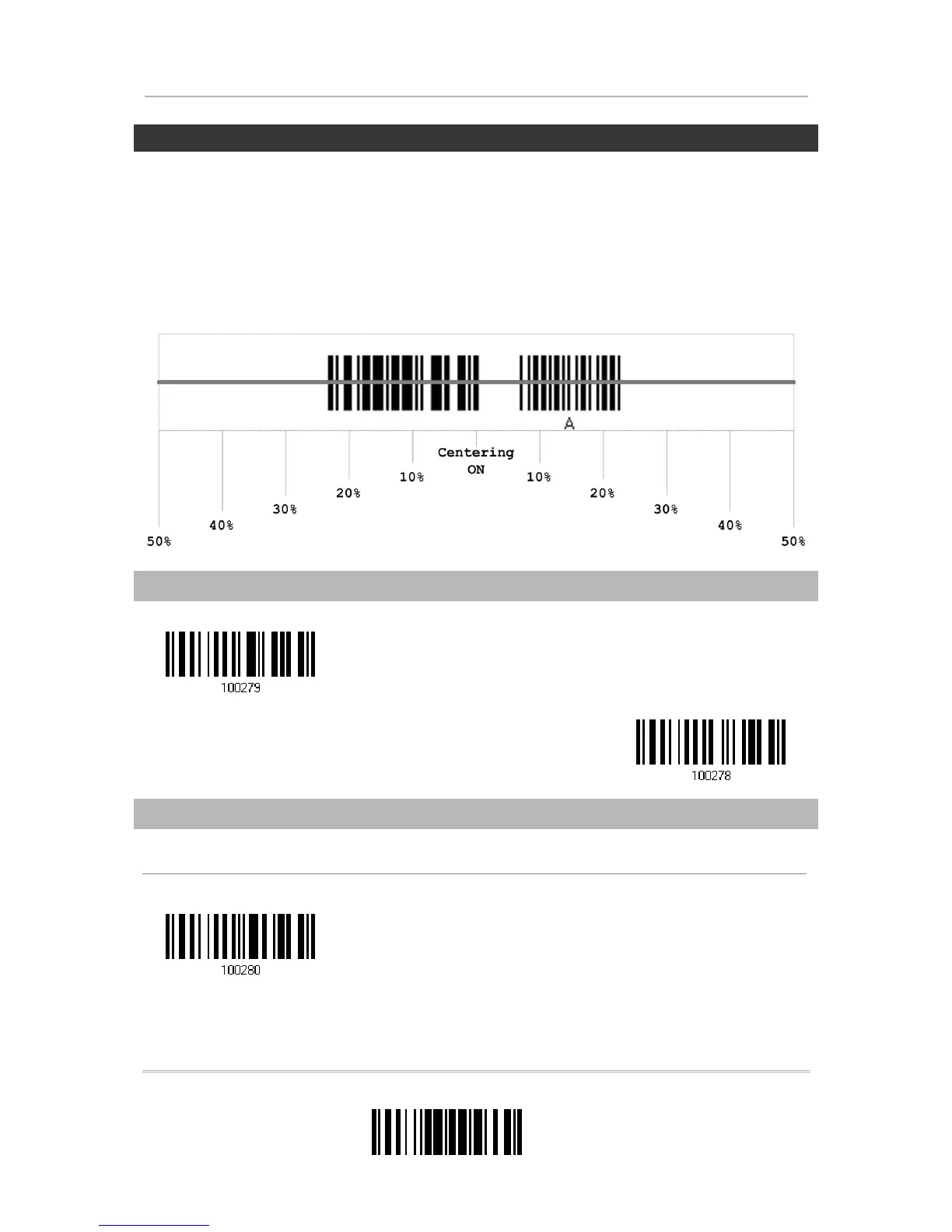
By default, the effective decoding area is 100% covered by the scanned area. However,
you may narrow down the decoding area to prevent reading the wrong barcode when a
number of barcodes are printed closely. The scanner will only read barcodes that appear
in the effective decoding area.
Read the label “Centering On” and specify the percentage to narrow down the decoding
area. For example, read “Left 10%” and then “Right 30%” for the scanner to decode
barcode “A” only.
1.14.1 POSITIONING WINDOW
1.14.2 ADJUSTING WINDOW
Percentage for Left Half
Centering On


 To Next Page