85
Update
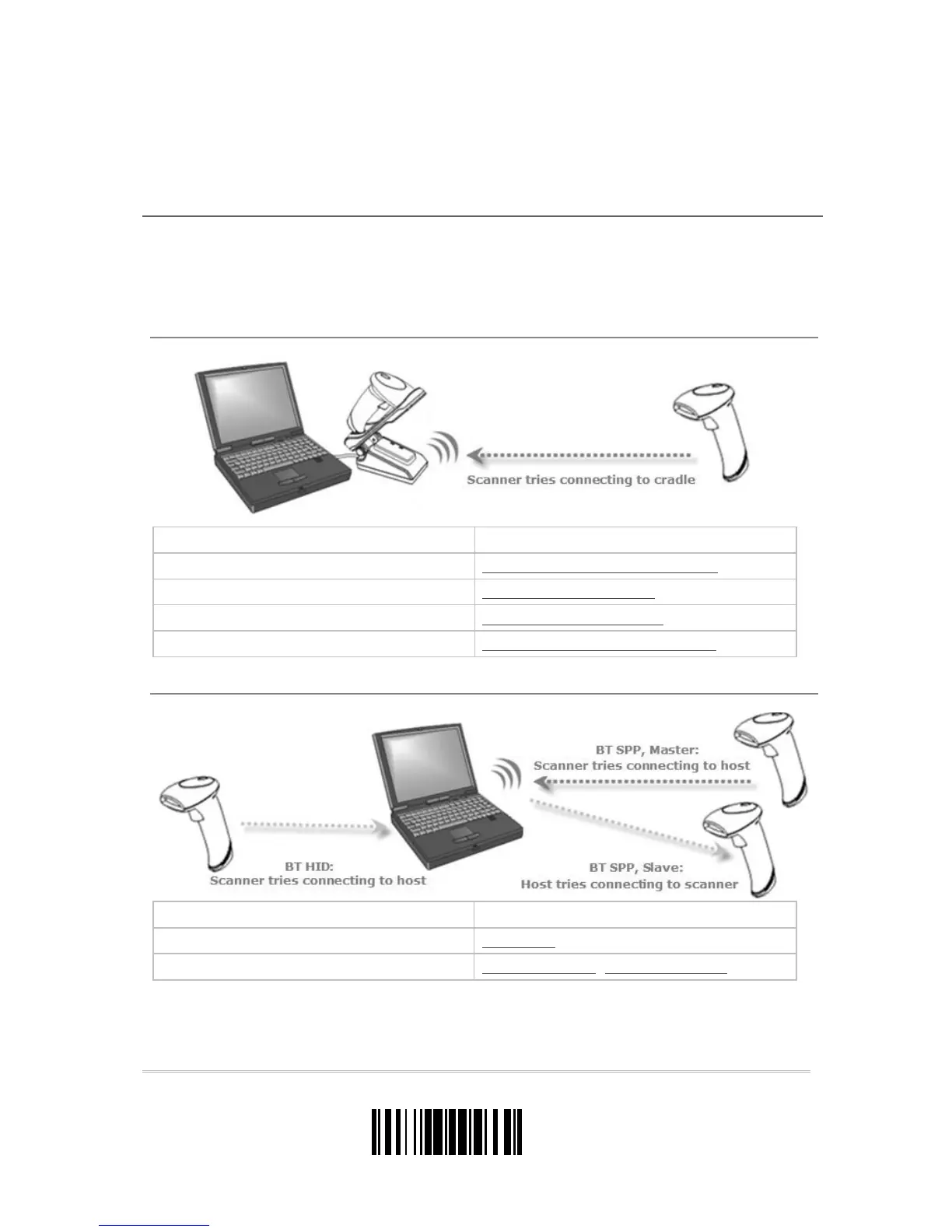
The Metapace S-2 scanner can be configured to send data to a host computer wirelessly
via the cradle, or to a notebook computer or PDA with Bluetooth
®
wireless technology.
Upon powering up, the scanner will be ready for establishing a WPAN connection.
To establish a connection via the cradle after reading “Set Connection” and “Serial No.” labels …
Interface Option Reference
Keyboard Wedge 2.4 Keyboard Wedge via the Cradle
RS-232 2.5 RS-232 via the Cradle
USB HID 2.6 USB HID via the Cradle
USB Virtual COM 2.7 USB Virtual COM via the Cradle
To establish a connection via a generic Bluetooth
®
dongle after pairing…
Interface Option Reference
BT HID 2.1 BT HID
BT SPP 2.2 BT SPP Slave, 2.3 BT SPP Master
Chapter 3



 To Next Page