MI 3201 TeraOhm 5 kV Plus Measurements
34
Notes:
- Timer information is displayed from the start of the measurement until the
completion of each step measurement.
- Timer information shows the complete measurement period after the completion of
the measurement.
- A high-voltage warning symbol appears on the display during the measurement to
warn the operator of a potentially dangerous test voltage.
- The value of capacitance is measured during the final discharge of test object.
Settting up parameters for the Step Voltage test:
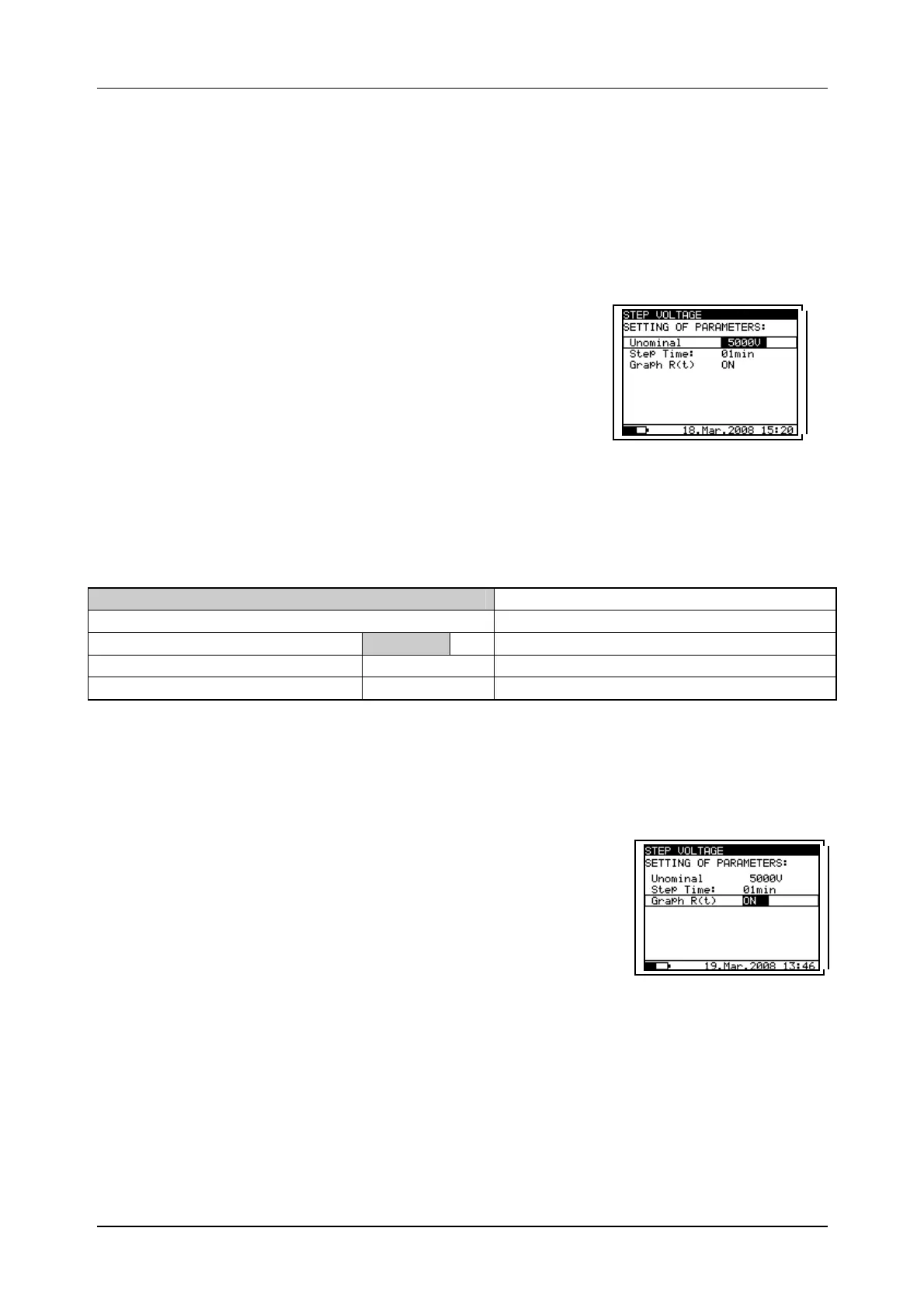
- Press the SELECT key, (the Set-up menu (Fig. 25)
will appear on the display).
- Select the parameter (line) to be set using the and
keys;
- Adjust the parameter using the and keys.
Complete the parameter adjustments by pressing either
the ESC or the START/STOP key (to run the
measurement directly). The settings displayed last will
be saved
Fig. 25. Set-up menu in Step
Voltage Test
Legend of displayed symbols:
STEP VOLTAGE
Name of selected function
SETTING PARAMETERS:
Unominal 5000V
Set test voltage – step 125 V
Step Time 01min
Duration of measurement per step
Graph R(t) ON
Enable/Disable Graph R(t)
Note:
- Maximum value for Step Time is 30 min.
Enable/Disable the graph R(t) and Set-up the graph R(t)
parameters in the Step Voltage function:
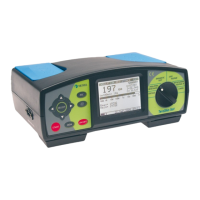
- Press the SELECT key, Set-up menu appears on display,
see the Fig. 26.
- Select the parameter Graph R(t) to be set using the and
keys;
- Enable/Disable the graph R(t) using the and keys.
- Press the SELECT key to Set-up the parameters of the
graph R(t), see the Fig. 27. Press the ESC key to return
to basic Set-up menu in the Step Voltage function.
- Complete the set-up adjustments pressing either the ESC
key or START/STOP key (to run the measurement
directly). The last displayed settings are stored.
Fig. 26. Set-up menu in
Step Voltage
measurement




 To Next Page