3. Operating QA-1290
This chapter explains the operating controls, switches and
menus of the QA-1290, details how to use them in testing,
and provides general information on printouts.
3.1 Control Switches
and Connections
Front Panel
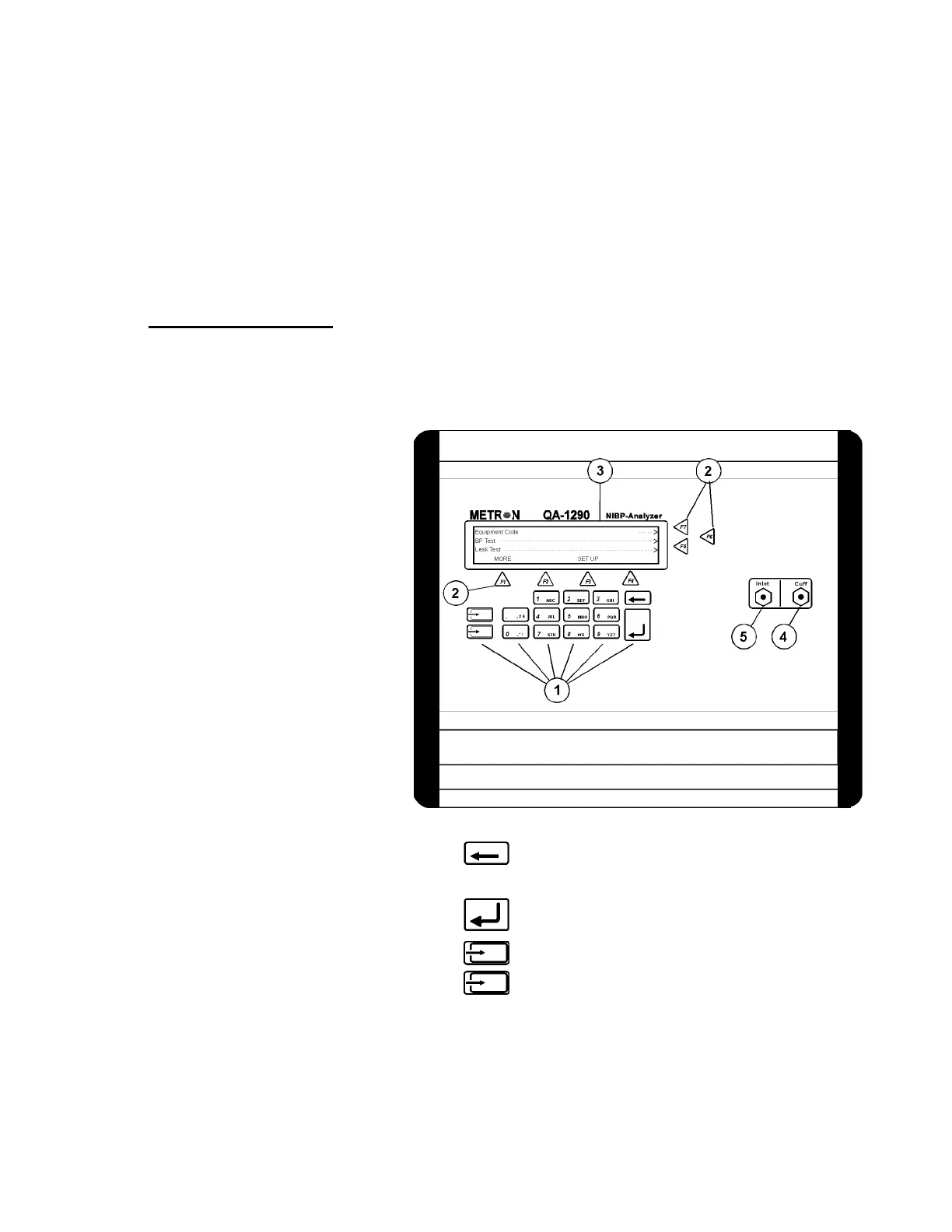
1. Key Pad
11 alphanumeric keys, used to enter information.
Delete: Prior to saving, deletes the last character
entered. After saving, deletes the entire
entry in the data field.
Enter: Saves data in field that was entered by
keying with the alphanumeric keys.
Only used for firmware upgrades.
See paragraph 3.8 below.
2. Function Keys
F1-F4 are used to select the functions shown in the
menu bar at the bottom of the display, i.e., for select-
ing the function that is directly above the key. F5-F7
are used to select a function, or enter information in
3-1


 To Next Page