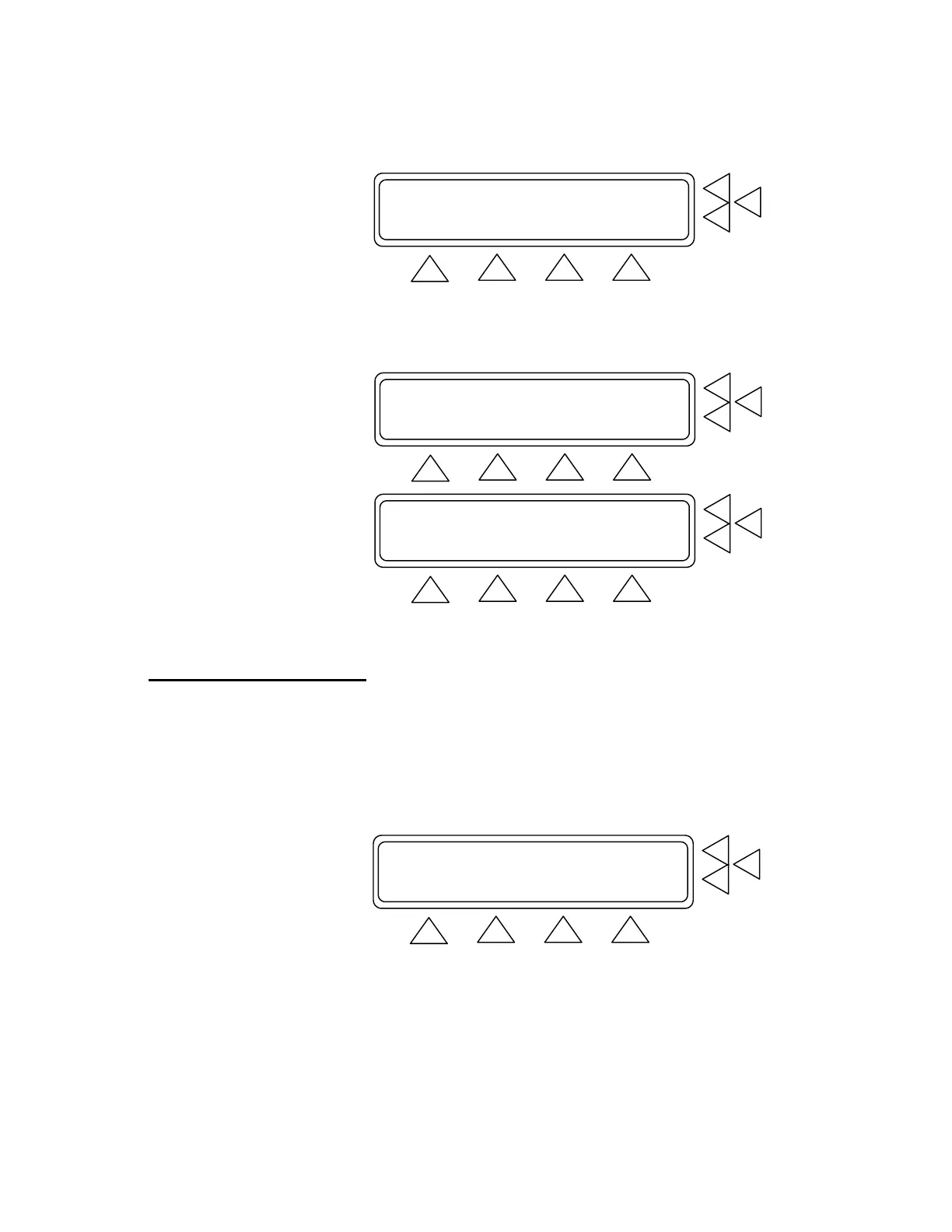
Measure Cuff Volume ...................> F7
Adult Preset Simulations...............> F6
Neonate Preset Simulations.............> F5
MORE GO BACK START MAIN MENU
F1 F2 F3 F4
Press START (F7). Pressurization of the cuff begins. The screen
changes while measurement occurs (see below), and a new menu
item, ABORT (F3) is added, which can be used to stop pressuriza-
tion.
Measure Cuff Volume F7
Cuff Volume = XXX ccm F6
F5
START GO BACK MAIN MENU
F1 F2 F3 F4
Measure Cuff Volume F7
Please Wait..... F6
F5
GO BACK ABORT MAIN MENU
F1 F2 F3 F4
When the measurement is completed the cuff volume is displayed in
cubic centimeters. Press GO BACK (F2) to return to the BP Test In-
dex Screen.
4.2 Setting Test Parameters
4.21 Preset Simulations ( select BP Test from Main Menu )
QA-1290 simulates a variety of patient conditions through preset and
programmable parameters. To select Adult Preset blood pressures
select (F6) below and (F5) for Neonate Preset Simulations.
Measure Cuff Volume ...................> F7
Adult Preset Simulations...............> F6
Neonate Preset Simulations.............> F5
MORE GO BACK START MAIN MENU
F1 F2 F3 F4
In either case you advance to a series of three screens in which
you select the appropriate preset. The presets are diastolic/ sys-
tolic pressure, mean arterial pressure (MAP), heart rate (HR) and
pulse pressure (PP). (See the first screen in the sequence below).
4-2


 To Next Page