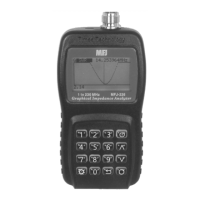
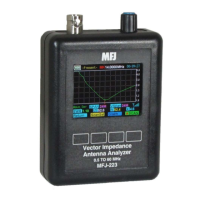
MFJ-223 Vector Impedance Antenna Analyzer
MFJ Enterprises, Inc
10 Version 1
circuits or matching networks. Pressing Run/Stop again toggles
the generator off.
4.2 S-Antenna Bar: The S-Antenna bar warns when your
antenna is being energized by powerful external signals from a
nearby transmitter. It also indicates when the analyzer's DDS
generator is running, but its primary function is to detect
interference when the generator is stopped. A full-scale reading
means power in excess of 0-dBm is being fed back into the
analyzer from an external source. In this event, disconnect the
analyzer immediately to avoid damaging the coupler. Although
marked in S-units, the meter is not logarithmic, so any reading
exceeding S2 or S3 could potentially interfere and cause
inaccurate readings.
Overload Warning: When testing, check the S-Antenna bar
with the generator turned off to see if disruptive RF levels are
being picked up by the antenna.
4.3 Single-Frequency Setup:
To enter the Single-
Frequency mode from the Boot Screen:
Press the Single command key. The bar-graph
(labeled Single) will appear.
Connect the test antenna to the analyzer and check
the S-Antenna scale.
Use the Encoder to select a step and tune to your first
test frequency.
Press the Run/Stop key to start the DDS stimulus
generator running.
Tune as needed to explore the antenna's
measurements of interest.
[ ] Press the Run/Stop key again to terminate the test
run.
The Run/Stop function conserves battery power, allowing the
analyzer to operate for extended periods without recharging.
4.4 DDS Signal Generator:
The analyzer's test generator
may also be used as a highly accurate RF signal generator for
aligning receivers, tuning networks, or driving amplifier chains.
Typical output power level is +5 dBm (±1 dB) with 20-dB or
better harmonic suppression. Frequency resolution is 100 Hz
from 0.5 to 60.0 MHz with <5 ppm error. Anytime the analyzer
is in Single-Frequency mode and the Run/Stop key is


 To Next Page