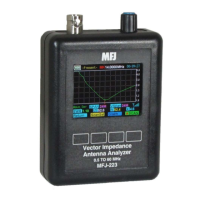
MFJ-223 Vector Impedance Antenna Analyzer
MFJ Enterprises, Inc
7 Version 1
If you don't wish to enter a call or name, simply leave the field
blank. To remove an existing entry, overwrite with blank
spaces.
2.5 Auto-Off Function:
The MFJ-223 has an optional
automatic-shutdown timer that conserves battery power during
long activity lapses and prevents discharging the battery if the
analyzer is left on by mistake. Your data current remains in
memory when the analyzer shuts down, so nothing will be lost.
To activate (or to defeat) the Auto-Off function, use the
following procedure:
Press the key labeled System to bring up the System
Menu.
Press Select to toggle between Auto Off and Callsign.
Select Auto Off.
Rotate Encoder clockwise to activate it,
counterclockwise to deactivate it.
Press Exit to return to the Boot Screen.
2.6 System Screen:
In addition to facilitating setup, the
System Screen posts other information such as the name and
revision of the current operating firmware, the text language,
reactance mode, and a battery DVM. It also counts the number
of times your analyzer has been booted since new (or since
reset).
2.7 Help Menu:
To access the analyzer's eight-page Help
Menu, bring up the MFJ Boot Screen and use the following
procedure:
Press the Help key to bring up the Help-Contents page
Select a specific page using the S-Prev and S-Next
keys, then press Enter
Alternatively, press Enter then Next to scroll through all
8 pages sequentially
Press Top to return to page 1 or Exit to escape back to
the MFJ Boot Screen
2.8 Overload Precautions:
Never connect your analyzer to
a feedline or device carrying a DC-bias voltage. If in doubt,
check the line with a voltmeter. Also, before connecting to
outdoor arrays, always short the coax plug momentarily to
discharge any accumulated static buildup. In addition to DC


 To Next Page