MFJ-223 Vector Impedance Antenna Analyzer
MFJ Enterprises, Inc
13 Version 1
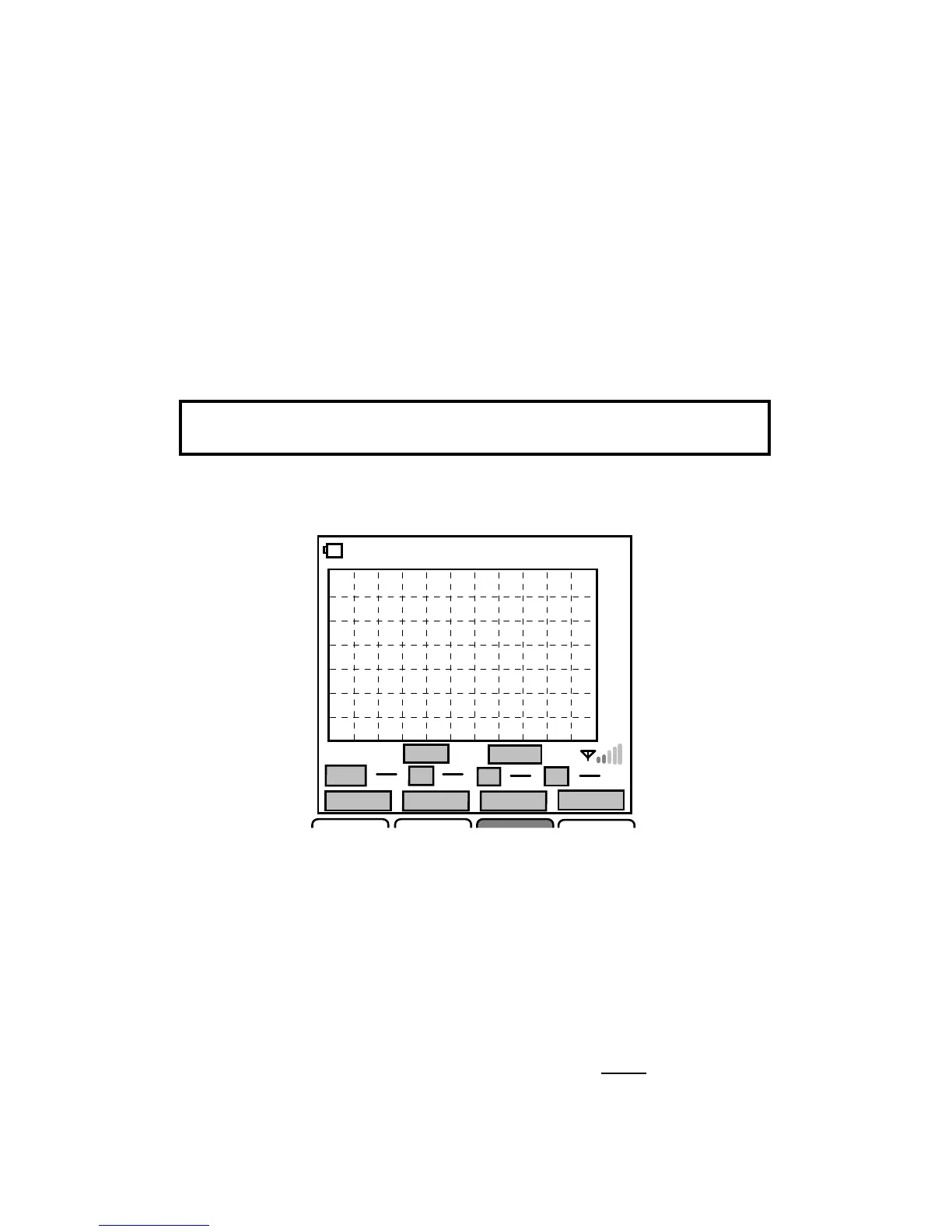
5.3 Interference Detector:
The cell-phone style signal bars
appearing in the lower right-hand corner of the screen warn of
potential RF interference. Like the S-Antenna bar, they show
deflection during scan runs, but the primary function is to warn
of high interference levels with the DDS scanner is turned off.
The scale is logarithmic with a range of -30 to +20-dBm (each
bar indicates a 10-dB increment). When more than one bar is
illuminated, interfering signals may be present. When three or
more bars are illuminated, disconnect the antenna line
immediately to protect the analyzer's coupler.
Signal Overload Warning: Before initiating scans, always
check the interference meter for powerful external signals.
5.4 Scan-Set Entry Procedures:
-Scan Set-
CF 14.0000MHz 00:02:30
1.0
1.5
2.0
3.0
9.9
Wave.SWR
SPAN
1.2M
VSPan 1.2M
SWR
Z
R X
Return
Present SPAN
SCAN
In Scan-Set mode, the four command keys are assigned the
following functions:
[Return] Returns analyzer to the Boot Screen
[Present] Toggles the analyzer between Scan-Set and Present
mode
[Span] Scrolls to select scan width: (.3M, .6M, 1.2M, 2.4M, 6M,
12M, 24M, 48M)
[SCAN] Turns on DDS generator and initiates Scan
To enter from the Boot Screen, press Scan.


 To Next Page