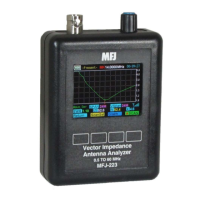
MFJ-226 Graphical Antenna Impedance Analyzer
11 Version 1A 1R02
Y Scale: Sets the amplitude range of your plot using the UP and
DOWN Arrows (Ex. SWR 3:1, 10:1, 30:1, etc.).
In swept mode, there are two calibrate menu functions to perform, the
Calibrate and Load Cal Data. Be sure to read the chapter describing
OSL calibration in detail. The Calibrate prompts will instructs you to
create an OSL cal-data file for the specific frequency span you wish
to scan. The OSL calibration establishes the analyzer's calibration
plane. Installing the OSL loads at the analyzer connector sets the
analyzer's point of reference (zero gain, zero phase shift) at the
analyzer's N connector. Installing the loads at the far end of a test
cable or transmission line sets the calibration plane out at the end
point to ensure accurate measurement through a line. When the cal
sequence is complete, the screen will prompt you to load that data
into one of four available calibrate memory files.
In the Load Cal Data, the OSL file you build is loaded into the
microprocessor.
Calibrate: Use the Up/Down Arrow keys to open one of four storage
files available to store your setup. The screen will then instruct you to
install the Open, Short, and 50-Ohm calibration loads in sequence.
Before attempting a calibration, be sure to read the Calibrate chapter
for additional information about "Local" and "Global" calibration
procedures and the analyzer's flash memory structure.
Load Cal Data: Use the Up/Down Arrow keys and choose a file
number (1-4) for your new data file and press Enter to transfer it into
the processor. Press the Return Arrow to exit if the storage file you
selected is invalid.
SAVING TEST DATA
In addition to four cal-data files, the MFJ-226 has 32 data files
available to save plots for later upload onto a PC as CSV files.
Save File: To save a plot, use the Up/Down Arrow keys to select one
of the 32 file locations and press Enter. If there is older data in the
file, your new data will overwrite it. This data will be retained when the
analyzer is powered down and may be recalled.
Grid: Set to yes to impose grid lines to overlay your plot screens.


 To Next Page