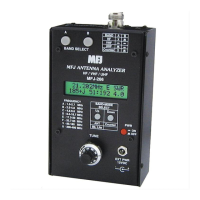
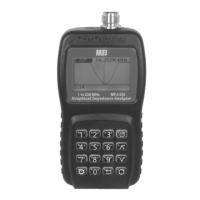
MFJ-226 Graphical Antenna Impedance Analyzer
18 Version 1A 1R02
level as the load resistor. For HF this may not be much of a difference
but VHF and UHF this could be a drastic difference.
The SHORT is more than sticking something in the connector to short
it out. The calibrated short is an “N” connector that is assembled with
the center pin and insulation and a brass or copper washer soldered
to the center pin and clamped to the connector case with the normal
connector hardware. This moves the plane of the short to the same
plane as the open and the load.
USING YOUR PC TO COMMAND THE ANALYZER
Computer Software Control
A PC host program is available for controlling the analyzer and
displaying measured data. The program is part of the Times
Technology Series and can control other analyzers in the series. The
driver and PC Host program is posted on the MFJ web site. Be sure
to install the program before connecting the analyzer to your PC.
Follow the driver installation instructions included with the drivers to
allow the MFJ-226 to connect to your computer.
To link your analyzer to the PC, step through Main Menu and select
PC Mode. Then, press Enter. This will bring up a “Waiting for Host
CMD” message.
PC MODE
WAITING FOR HOST CMD
Connect the MFJ-226 to the USB cable and computer. Launch the
program. It will automatically find the MFJ-226 and connect. Once the
COM port of the MFJ-226 is click on START. The button will become
Running. Click on it again to stop the function. Click on Quit to exit the
program.
Enter the START and STOP frequencies or the CENTER frequency
and SPAN width. Span width will choose the nearest width. The
maximum number of points measured is 127 and can be set less. You
can select MHz or KHz frequency input at the top right of the screen.
Select the mode and with the slider on the left of the screen set the
scale.


 To Next Page