ENGLISH
6.2 Programming the Programmable Outlets
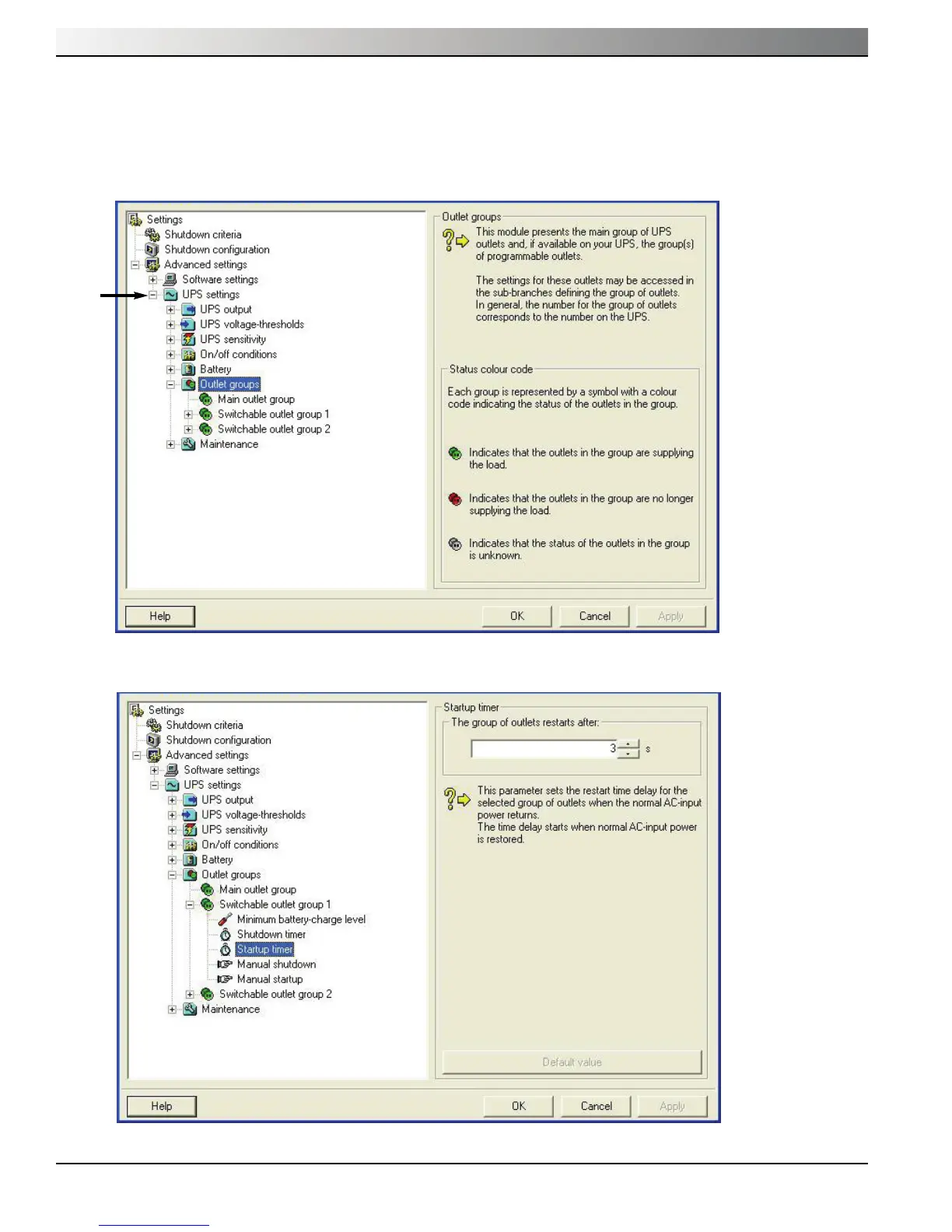
1. To open the Setting window, left-click on Start Menu / Programs / MGE UPS Systems / Personal Solution Pac /
Settings, or right-click on the PSP power plug located in the SYS Tray.
2. Click on the “+” symbol next to “UPS Settings” to expand the “UPS Settings” section.
3. Click on “Startup Timer” and change the “The group of outlets restarts after” to “0” to have powershare outlet provide
power at the same time the as main outlets.
Evolution
A — 2
86-81700-00 A01Appendices





 To Next Page