Installation
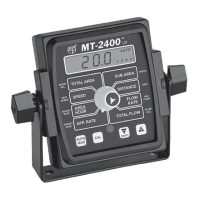
Mounting the Display Console
Select a mounting location which seems most workable,
and that best fits your needs. It should be con ve nient to
reach and high ly vis i ble to the op er a tor. DO NOT IN STALL
IN A PO SI TION THAT OB STRUCTS THE VIEW OF THE ROAD
OR WORK AREA. Whenever pos si ble, avoid lo ca tions that
ex pose the con sole to direct sun light, high tem per a ture,
strong chem i cals or rain.
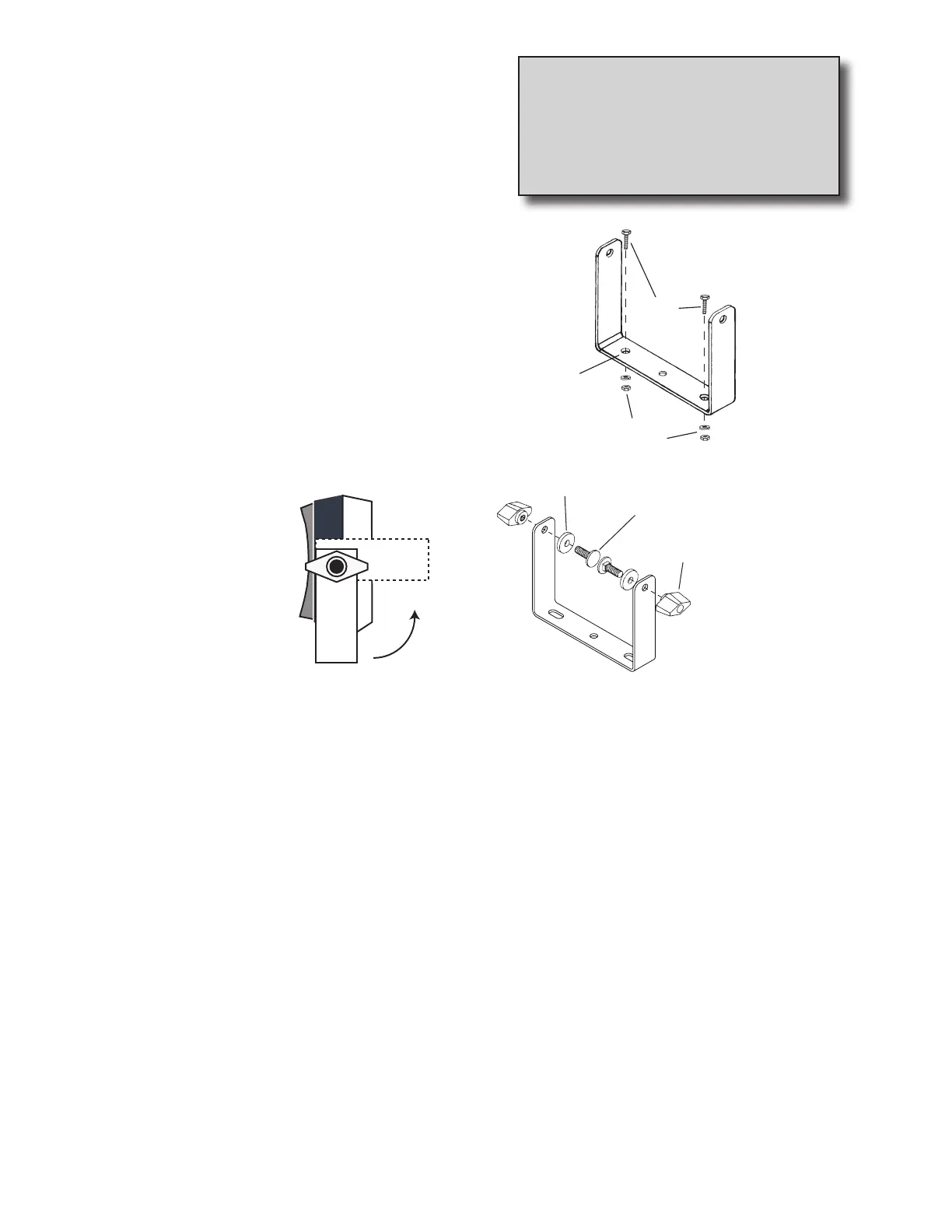
Place the mounting bracket in selected lo ca tion, mark
holes, drill 1/4” (7mm) holes and mount bracket with bolts,
lock wash ers and nuts pro vid ed. (Use self-tap ping screws if
not prac ti cal to use bolts.) See Illustration 1.
Put rubber washers on carriage bolts and put the bolts
through the bracket holes from the inside out. Loosely
attach the mount knobs onto the bolts. Place console
over carriage bolt heads and tighten knobs to se cure the
console. See Il lus tra tion 2.
Illustration 1
NOTE: Some systems may use two “L” brackets in place
of the “U” bracket for console mounting.
11
Tools Needed to Install MT-2400
• Screwdrivers • Pliers
• Set of Wrenches • Wire Cutter
• Electric Drill and Bits • Hacksaw
• 12-Volt Test Light • Center Punch
• Bench Vise • Hammer
CONSOLE END VIEW
Console easily adjusts for
side or dashboard mounting.
Drill ¼” (7mm)
holes for bolts,
or 3/16“ (5mm)
holes for self-
tapping screws.
Bolts
Lockwashers
and nuts
Rubber washer
Carriage bolts
Mount knob
Illustration 2


 To Next Page