30
Entering Wheel Circumference Value
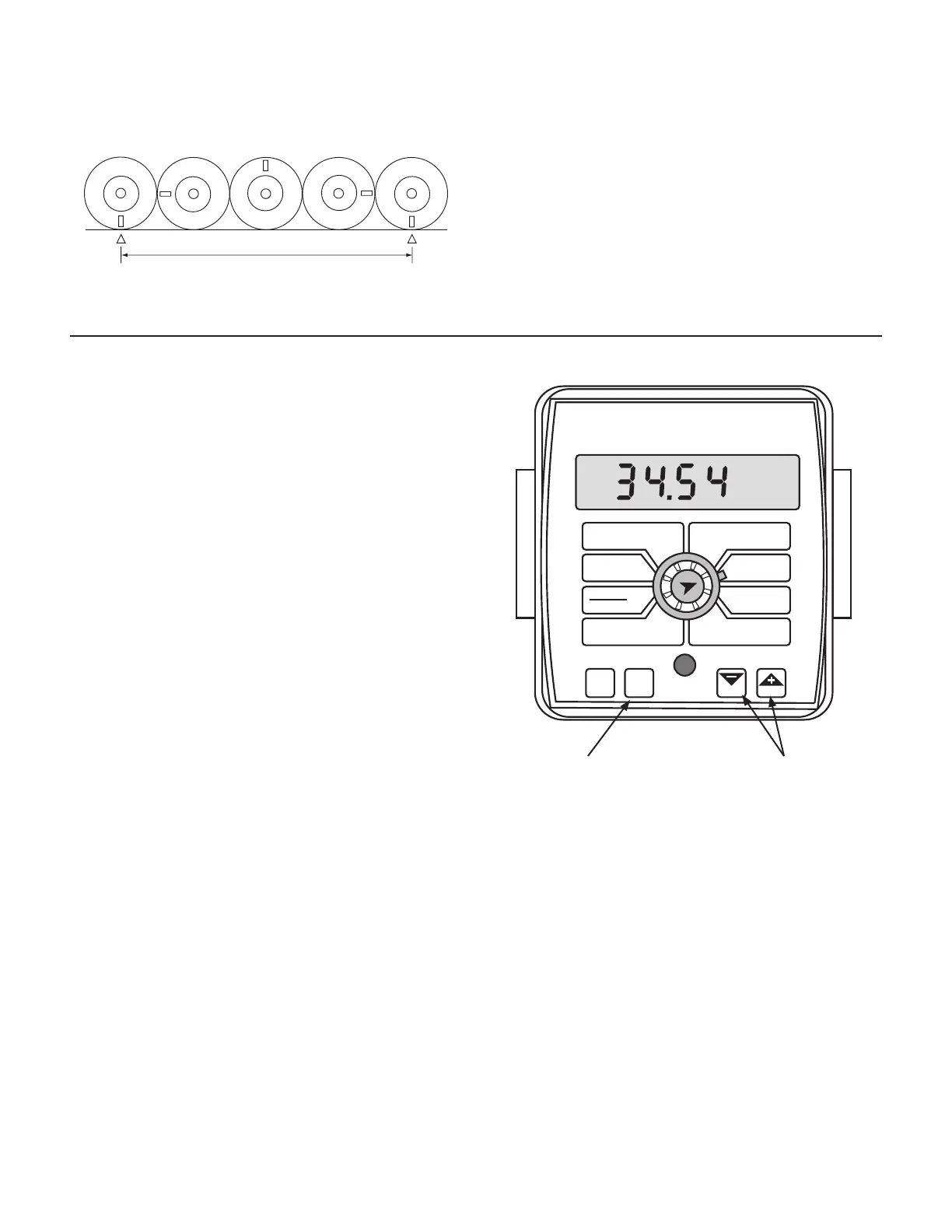
Having determined the correct wheel circumference (CIRC)
value, turn ig ni tion switch on to power up the console.
1. Turn all boom switches OFF.
2. Press and hold the “CAL” key for three sec onds to en ter
the cal i bra tion mode and turn the dial to “CIRC” position.
The display will alternate between the wheel cir cum fer-
ence (CIRC) and dis tance values at about three-sec ond
intervals. (When the word “CAL” appears, the num ber
dis played is the wheel cir cum fer ence (CIRC) value. See
Il lus tra tion 39. When the word “CAL” does not appear,
that is the distance val ue.)
3. When the display shows wheel circumference (“CAL” is
displayed), use the “+” or “-” keys to adjust the displayed
value to the desired number. When the number shown
on the display match es the desired value, you have
ar rived at the start ing cal i bra tion val ue. Exit “CAL” by
pressing and holding the “CAL” key for three seconds (or
con tin ue with other calibration settings).
NOTE: If you let go of the “+” and “-” keys while you are
ad just ing the CIRC value, the console will wait to make
sure you are finished. After 64 sec onds, the dis play will
start al ter nat ing be tween the wheel circumference (CIRC)
and distance values again. Make sure you know which
value you are adjusting.
NOTE: For fine-tuning the wheel cir cum fer ence (CIRC) value,
turn to page 32 and 33.
To determine circumference, measure the
distance of one complete wheel revolution
and divide by the number of magnets installed.
For the console to calculate the correct number of acres
(hectares), both the circumference of the sen sor-equipped
wheel and the implement width must be entered. Determine
the circumference of the sensor-mounted wheel to the
nearest tenth of an inch (millimeter) with the fol low ing
method:
METHOD
Mark tire with a piece of chalk and mea sure distance traveled
on the ground for one com plete rev o lu tion. See Illustration 34.
For accuracy, measure the wheel rev o lu tion sev er al times
and take the average. Divide that val ue by the num ber of
magnets installed on the wheel hub to get your starting
wheel cir cum fer ence (CIRC) cal i bra tion val ue.
Press “+” or “-” to
adjust displayed value.
Hold for three seconds
to enter CAL.
Calibration (cont)
Determining Wheel Circumference
Illustration 34
Illustration 35
WIDTH
CIRC
MIN
FLOW
FLOW
CAL
AREA
HOUR
APP. RATE
TOTAL AREA
SPEED
DISTANCE
FLOW
RATE
TOTAL FLOW
SUB AREA
BOOM
SEL
TEST
SPEED
ADJUST
RATE
TARGET
RATE
AUTO
MAN
CAL
RESET
CALHOLD
MT-2400
™
LR



 To Next Page