33
This procedure is used to verify the calibration of systems
WITHOUT an optional remote run/hold kit installed. In
order to achieve accurate measurements, each step in this
fine tuning procedure should be performed as precisely as
possible.
NOTE: If your system does have an optional run/hold kit
installed, refer to page 33 for instructions.
PREPARATION
• Once the system is fully installed and calibrated, se lect a
straight tract of ground that is similar to your ac tu al field
conditions and as level as pos si ble.
NOTE: Us ing a course with a different ground sur face,
such as a hard-surface road, will re sult in dif fer ent
read ings than exact field con di tions.
• Measure a distance of 1000 feet (500 meters). Clear ly
mark the beginning and end points with flags or some-
thing highly visible to the operator.
PROCEDURE
1. You are now ready to drive the measured course. Pick a
location on the vehicle to use as a marker for starting and
stopping the distance counting function (door handle,
mirror, step, etc.). Position the vehicle at the beginning
of the measured course with the marker adjacent to the
starting flag and STOP the vehicle.
2. With the console turned ON, turn the rotary dial to the
“DISTANCE” position. Be sure the display shows 0. If
not, reset the distance counter by pressing and holding
“RESET” until the display returns to 0 (approximately
three seconds). Booms must be OFF.
3. Begin driving the pre-measured course. The console
display numbers will increase, adding to the distance
total as you drive. STOP the vehicle when the marker is
adjacent to the ending flag. The vehicle MUST not move
until the remaining steps of this procedure have been
completed.
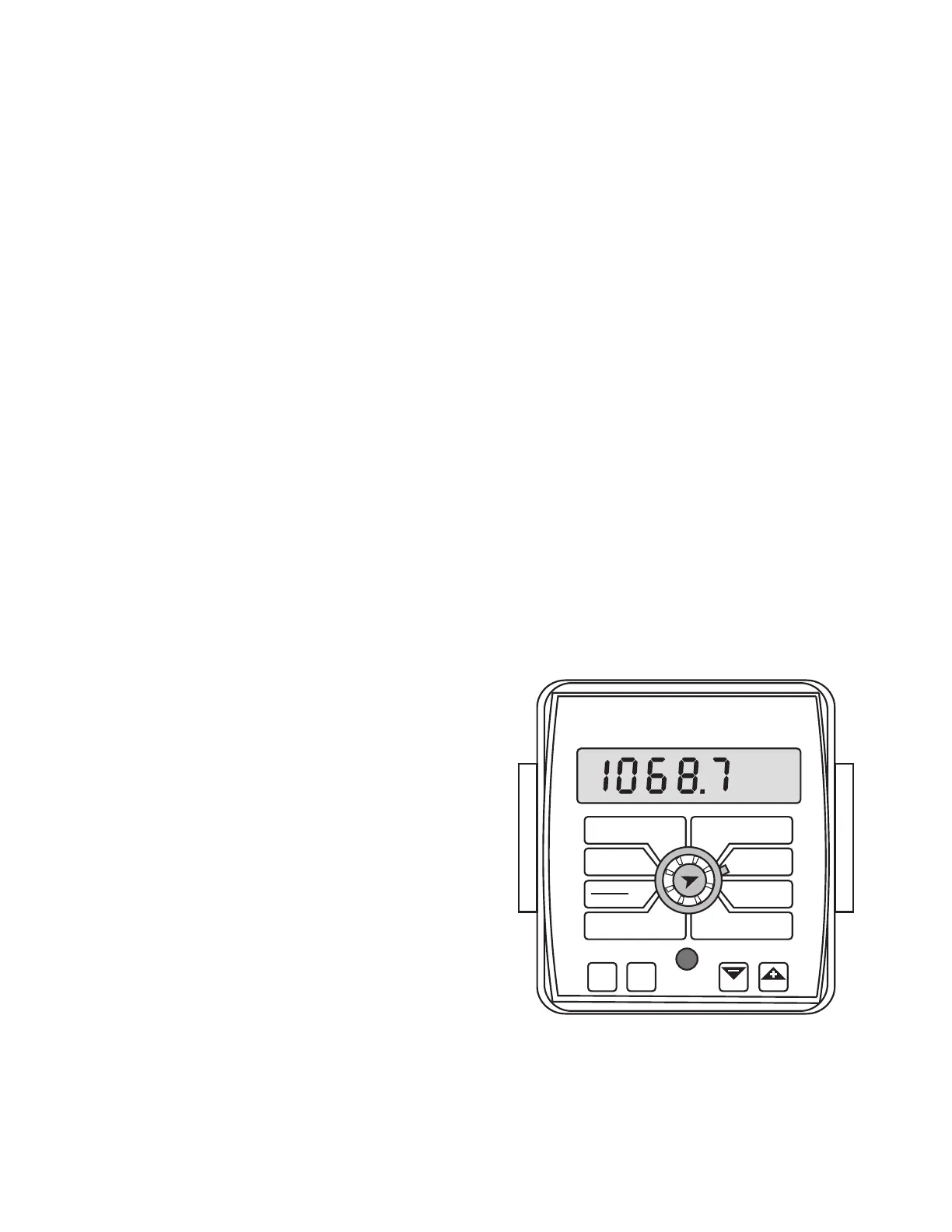
4. With the rotary dial still at DISTANCE (CIRC), press and
hold the “CAL” key for three seconds. Once the con sole
is in “CAL,” the display will alternate be tween the cir-
cum fer ence value and the distance measured at about
three-second intervals. (When the word “CAL” appears,
the num ber dis played is the wheel circumference (CIRC)
value. When the word “CAL” does not appear, that is the
dis tance value.) See Illustration 39.
5. When the display shows distance (“CAL” is not
displayed), ver i fy wheth er the number displayed is the
ex act dis tance you drove (with in “+” or “-” 1 - 2 %). If not,
while the display shows distance, press the “+” or “-” key
to ad just the fig ure to match the dis tance you ac tu al ly
drove. If the display reads too high, use the “-” key to
lower the dis played value. If the display reads too low,
use the “+” key to raise the displayed value.
6. When the number shown on the display match es (as
close ly as possible) the ac tu al dis tance driv en, you have
ar rived at the cor rect cal i bra tion val ue. If you can not
adjust the displayed distance to exactly match the actual
dis tance driven, adjust the figure as close as possible to
the actual distance. Then exit “CAL” by pressing “CAL”
for three seconds.
NOTE: If you let go of the “+” and “-” keys while you are
ad just ing the distance value, the console will wait to
make sure you are finished. After 64 sec onds, the dis play
will start al ter nat ing be tween the dis tance and wheel
circumference (CIRC) values again. Make sure you know
which value you are adjusting.
The speed sen sor is now calibrated. To verify proper
calibration, repeat the procedure a sec ond time. Write down
the new wheel cir cum fer ence (CIRC) number and keep it
in a safe place. If the cal i bra tion values are ever ac ci dent ly
changed, you can simply re-en ter this num ber.
Illustration 39
Calibration (cont)
Fine Tuning Speed/Distance Calibration Val ue (Without Optional Run/Hold Kit)
WIDTH
CIRC
MIN
FLOW
FLOW
CAL
AREA
HOUR
APP. RATE
TOTAL AREA
SPEED
DISTANCE
FLOW
RATE
TOTAL FLOW
SUB AREA
BOOM
SEL
TEST
SPEED
ADJUST
RATE
TARGET
RATE
AUTO
MAN
CAL
RESET
MANAUTO
CALHOLD
MT-2400
™
LR



 To Next Page