Resetting System Counters
The TOTAL AREA, SUB AREA, DISTANCE and TOTAL FLOW
counters maintain a running count during operation
regardless of the position of the rotary dial. When any
of these counters reach their maximum capacity, or when
you want to start a new count, the value in the register
may be reset to zero by performing the following routine.
Counters may be reset independently of each other.
Place the Run/Hold switch in the HOLD position.1.
Turn the rotary dial to the counter position to be reset.2.
Press and hold the RESET button until the display reads 3.
zero.
Release the RESET button and resume normal operation. 4.
See Illustrations 35.
WIDTHBOOM
SELECT
TEST
SPEED
TARGET
RATE
ADJUST
RATE
CIRC
FLOW
CAL
SPEED
DISTANCE
TOTAL
FLOW
TOTAL AREA
PRESSURE FLOW RATE
SUB AREA
ON
OFF
ON
OFF
12345
B O O M S
RUN
HOLD
CAL
AUTO
MAN
RESET
MT-3405 M
™
AUTOMATIC RATE CONTROLLER
MANAUTO
CALHOLD
V 1 2 3 4 5
MIN
FLOW/
PRESSURE
APP. RATE
WIDTHBOOM
SELECT
TEST
SPEED
TARGET
RATE
ADJUST
RATE
CIRC
FLOW
CAL
SPEED
DISTANCE
TOTAL
FLOW
TOTAL AREA
PRESSURE FLOW RATE
SUB AREA
ON
OFF
ON
OFF
12345
B O O M S
RUN
HOLD
CAL
AUTO
MAN
RESET
MT-3405 M
™
AUTOMATIC RATE CONTROLLER
MANAUTO
CALHOLD
V 1 2 3 4 5
MIN
FLOW/
PRESSURE
APP. RATE
WIDTHBOOM
SELECT
TEST
SPEED
TARGET
RATE
ADJUST
RATE
CIRC
FLOW
CAL
SPEED
DISTANCE
TOTAL
FLOW
TOTAL AREA
PRESSURE FLOW RATE
SUB AREA
ON
OFF
ON
OFF
12345
B O O M S
RUN
HOLD
CAL
AUTO
MAN
RESET
MT-3405 M
™
AUTOMATIC RATE CONTROLLER
MANAUTO
CALHOLD
V 1 2 3 4 5
MIN
FLOW/
PRESSURE
APP. RATE
36
Operation (cont)
Version/Hour Display on Start-up
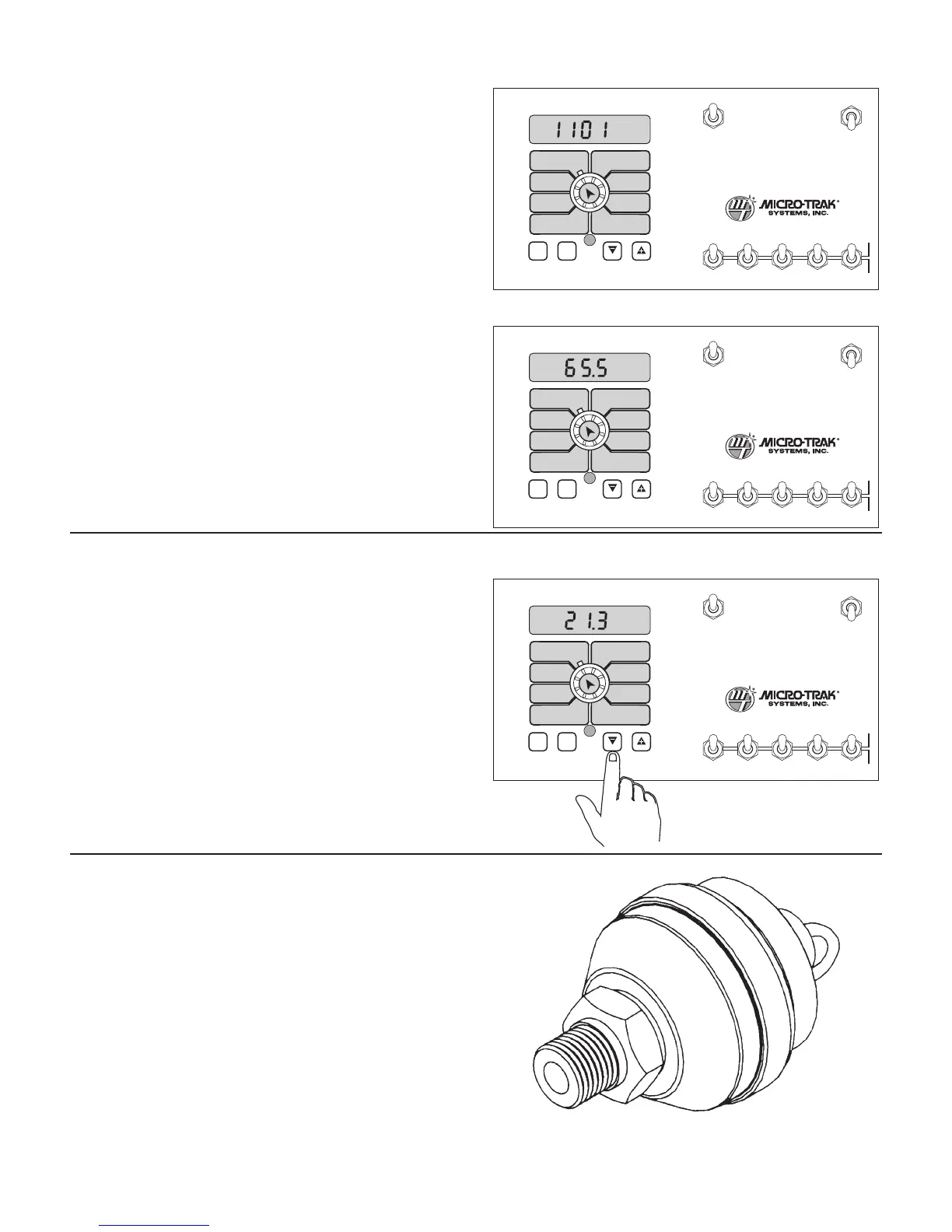
Illustration 33
Illustration 34
Illustration 35
On start-up, the MT-3405M console briefly allows the operator
to view the software version that is programmed into the
console, and the amount of operating hours logged. For
approximately one second the display will show the software
version (“1101” refers to version 1.1.01). See Illustration 33.
Then, for approximately two seconds, the display will show
the operating hours that are logged on the console (in 0.1-
hour increments). See Illustration 34. These settings cannot
be cleared by the operator.
Pressure Offset
If your system is set-up to run in “Pressure-only” or “Hybrid”
mode (see Control Chart on page 29), you must null the
pressure offset. Until the pressure offset is nulled, the pressure
display will be blank.
To null the pressure sensor:
Place the 1. RUN/HOLD switch in HOLD.
T2. urn the rotary dial to PRESSURE.
Press and hold the “-” switch for three seconds. A “0” 3.
should show on the display.
NOTE: The pressure offset can be re-nulled if a new sensor
is installed, or at any other time, but the display cannot
be blanked once it is set. (In other words, if the sensor is
removed, the pressure display will still show a value, not
blank.)



 To Next Page