September 2012
3.4.2 ASSIGNED (ALTITUDE)
The user can input an assigned altitude given by ATC. When used with the altitude buffer value, an audio alert
and display indicator advises when the aircraft has climbed or descended, from the assigned altitude.
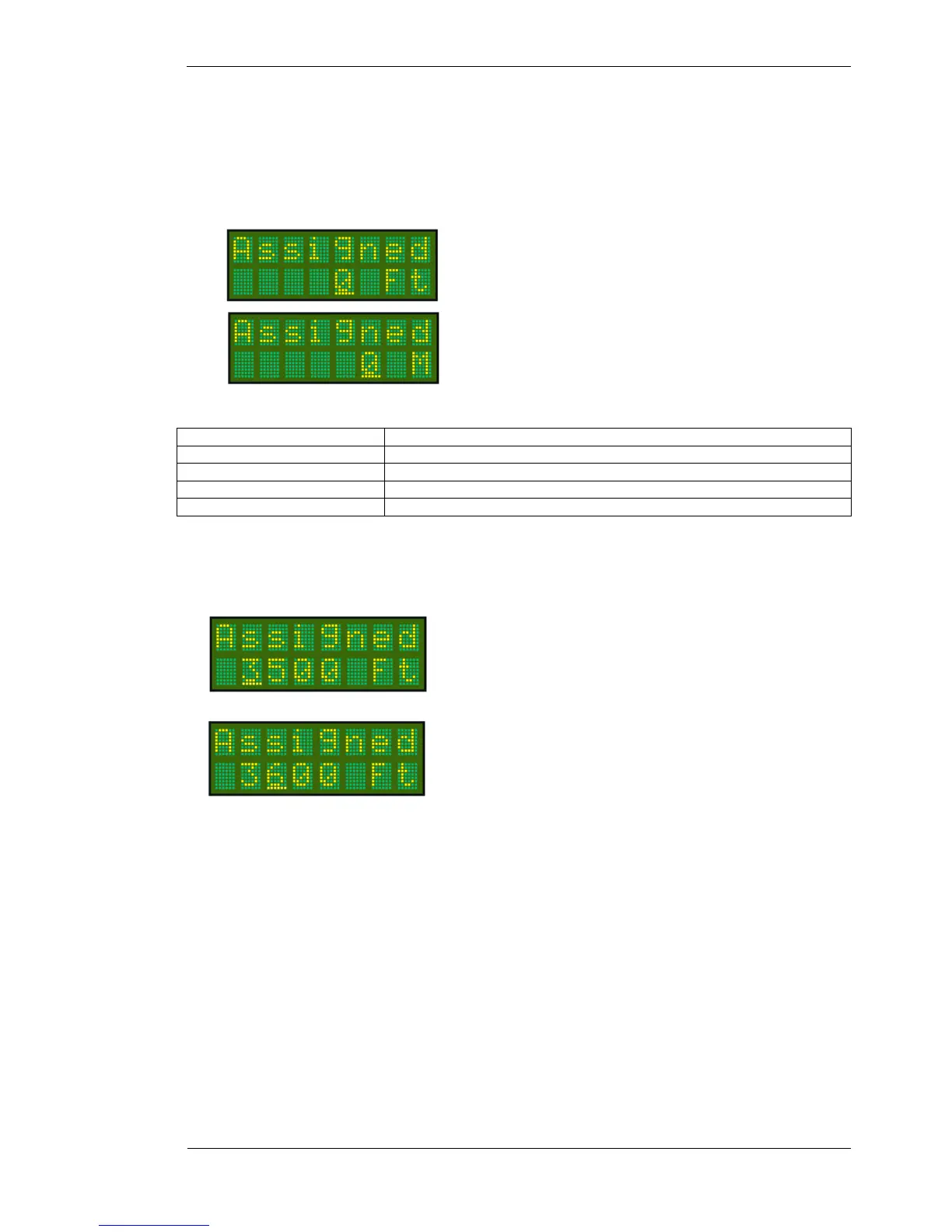
When the Altitude option of the mode menu is set to Feet, the
Assigned altitude is adjusted in feet.
When the Altitude option of the mode menu is set to Meters,
the Assigned altitude is adjusted in Meters.
Press MODE key (2 times) To select Assigned option
Press CODE SELECT knob Increment displayed value in units of 500 feet / 100m
Rotate CODE SELECT knob Increment displayed value in units of 100 feet / 10m
Press ENTER key To set default value. The default is 0.
Press toggle key To save and display returns to current operational display
When entering an altitude…
Press the CODE SELECT knob to increase the height value in units
of 500FT / 100M.
Rotate the CODE SELECT knob to increase or decrease the height
value in units of 100FT / 10M.
Press the ENTER key to return the ASSIGNED ALTITUDE to the default value of 0, or
Press the Toggle key to save the height value, and return to the operational display.
If Assigned is set to 0, the altitude alert function is disabled. The assigned altitude function is only active when
the SELECTMODE knob is set to DISP ALT.



 To Next Page