September 2012
4.1.3 ALTITUDE (UNITS)
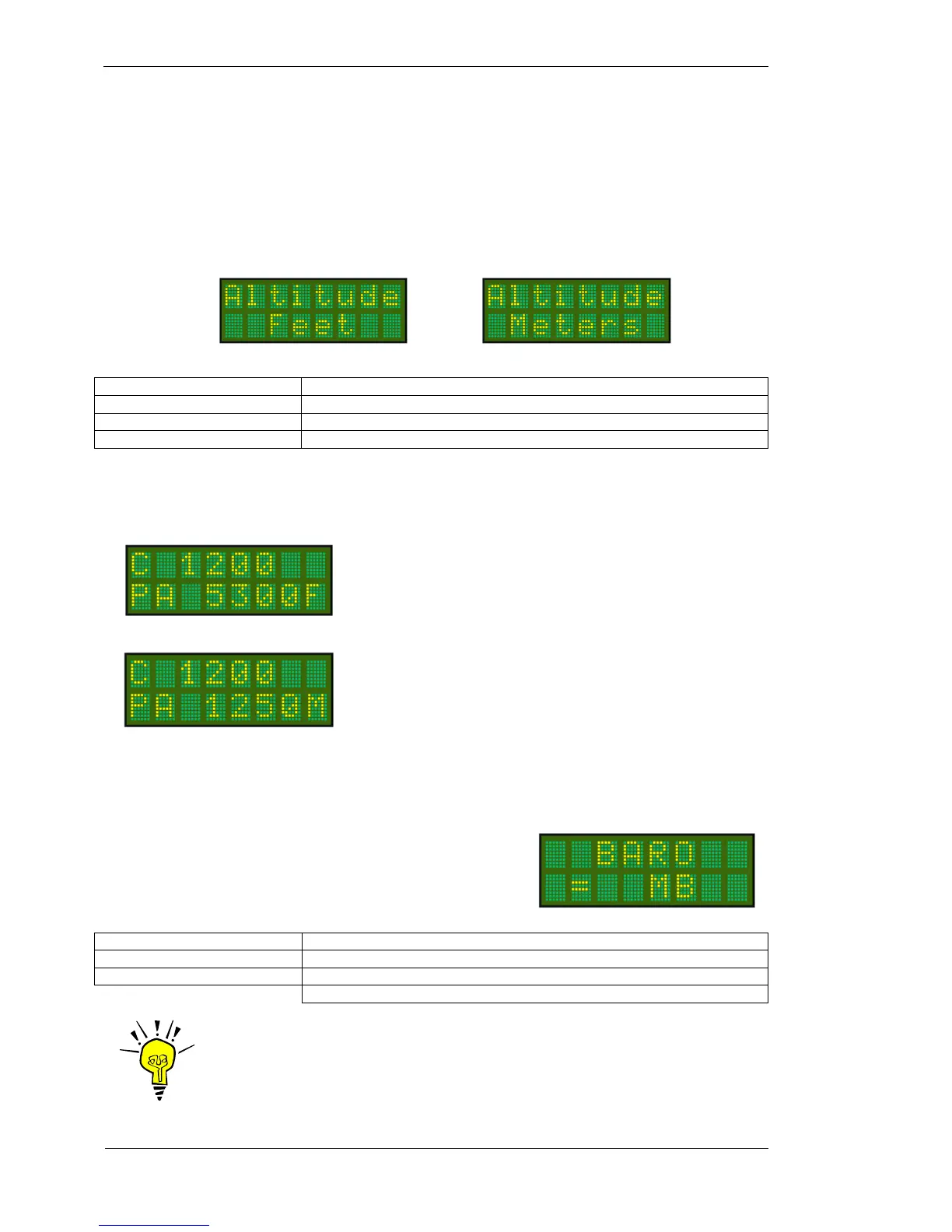
The altitude data can be displayed as feet, flight level, or meters. Once the Altitude units are set, all altitude data
is displayed in these units.
The options are: F = FEET e.g. 15000F
M = METERS e.g. 5000 M
Press MODE key (4 times) To select Altitude option
Rotate CODE SELECT knob Scroll to select desired units. Options are Feet or Meters.
Press ENTER key No operation. (No default value)
Press Toggle key The display moves to BARO menu item
In both examples below the PA characters displayed at the lower left indicate “pressure altitude”, where the
QNH / BARO value has been left at the default value (1013mB or 29.92HG) in the MODE menu.
4.1.4 BARO
This item sets the barometric pressure units used by the T2000SFL.
The user can select from MB = millibars, or HG = inches Mercury.
We recommend that the user selects the same units as those used in
the sub-scale of the aircraft’s altimeter.
Press MODE key Until BARO message appears
Rotate CODE SELECT knob Set BARO = MB/HG The default is MB
Press ENTER key The message SAVED appears briefly on the display
The display moves to Rem Stby menu item
IMPORTANT NOTE
Where the altitude units have been set to meters, the BARO setting is fixed to
milli-bars (MB) only.
5300 FEET. Units in feet are indicated by the F character at the
right hand end of the lower display line. All altitude data will be
displayed in feet.
1250 METERS. Units in meters are indicated by the M character
at the right hand end of the lower display line. All altitude data
will be displayed in meters.



 To Next Page