Microair Avionics T2000SFL Transponder User Manual
T2000SFL User Manual 01R8-2 Page 8 of 28 18
September 2012
3.0 CONTROL FUNCTIONS
This section describes the transponder control keys and their functions. Many of the control keys have more
than one function, and some keys access multi-option menus, which can be scrolled.
3.1 SELECT MODE KNOB
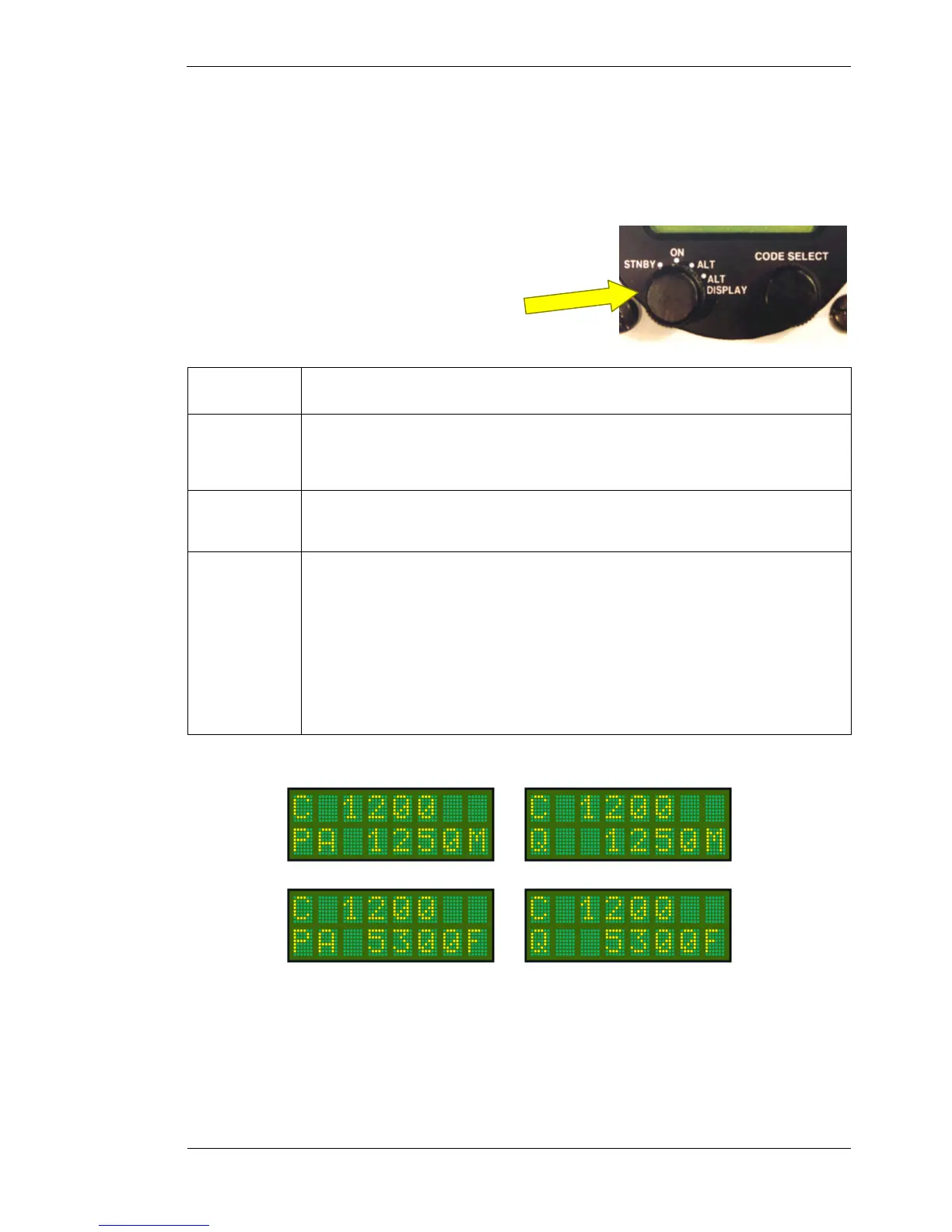
The SELECT MODE knob allows the user to switch the transponder
between the 4 operating modes.
STANDBY
In standby the transponder is powered up, but will not transmit.
On the active display line the letter X appears on the left hand side.
ON
Will reply to Mode
blind encoder is normally powered up in this mode, but
can be powered down if encoder power option is set OFF (refer E/C POW
in Initialisation and Setup
section).
On the active display line the letter A appears on the left hand side.
ALT
Will reply to Mode
interrogations, with the mode
encoder information. In the absence of a
valid encoder input, only the C framing pulse will be sent.
On the active display line the letter C appears on the left hand side.
ALT DISPLAY
The standby code is replaced with the encoder altitude. If the pressure has been set via the
Baro option of MODE MENU, the displayed altitude will be adjusted for barometric air pressure.
Altitude will be displayed in units set in ALTITUDE option of MODE MENU.
The DISPLAY ALT only displays altitude if a valid encoder input is being received. When
climbing above the transition level/layer, the user must reset the transponder at the same time as the
aircraft’s altimeter to 1013mb or 29.92HG.
If altitude is replaced on the bottom line of the display with VSI data if selected in the DSP ALT
option of the MODE MENU.
On the active display line the letter C appears on the left hand side.
Select Mode Knob
Encoder altitude for “pressure altitude”
(1013mB or 29.92HG)
Adjusted encoder altitude for local
QNH or BARO setting



 To Next Page