September 2012
2.0 DISPLAY FUNCTION
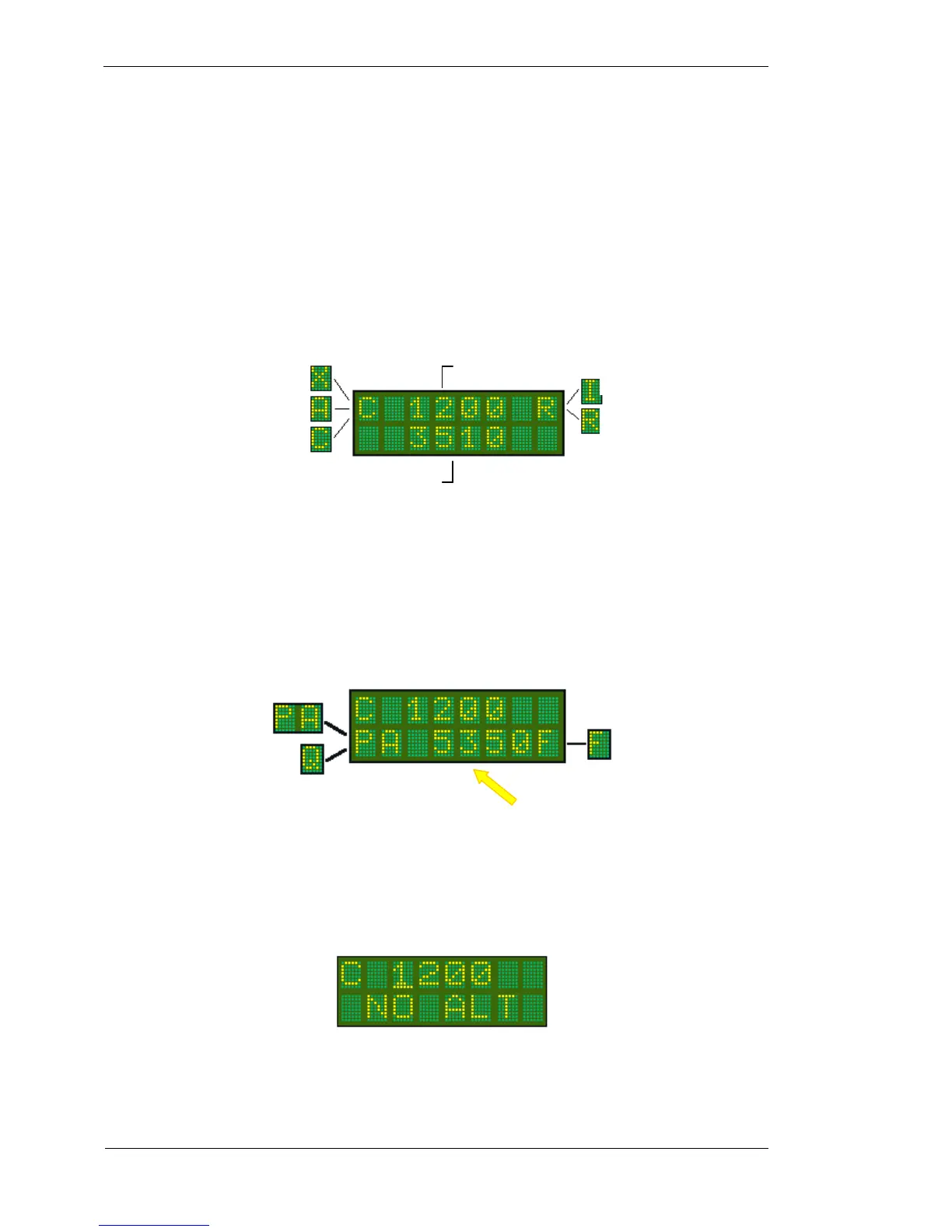
The T2000SFL is a dual line display of 8 characters each, with the active code on the top line, and the standby
code on the bottom. With the SELECTMODE knob set to either the ON or ALT positions, the active code is
displayed on the top line, and the standby code is displayed on the bottom line.
In the top left corner the operational mode character (X, A, or C character) is displayed. At the top right is the
Mode A/C annunciator (R character) which also flashes with every transponder reply transmitted. If the ID key
is pressed to activate the ident function, the R character is replaced with an I character while the ident function
is operating.
With the SELECT MODE knob in the ALT DISPLAY position, the active code is displayed on the top line,
and the encoder altitude is displayed on the bottom line. If the latitude units are set to feet the altitude is
followed by the F character. If the altitude units are in metres, the altitude is followed by the M character. If no
QNH or BARO value has been entered (default 1013mB or 29.92HG), the raw encoder output is displayed as
“pressure altitude”, and the characters PA appear at the lower left. If a QNH / BARO value has been set, the Q
character appears at the lower left.
The altitude value is rounded to the nearest 10 foot increment. Be aware that where the altitude data input is
received in increments of 100ft the rounding can only be in 100ft steps also.
If the Encoder is not powered or not fitted, the message NO ALT will appear on the display.
The T2000SFL will transmit the encoder altitude (pressure altitude) only, in accordance with normal mode C
operation. The adjusted QNH / Baro altitude is never transmitted.
Standby Code
Pressure Altitude as sent
from the altitude encoder.
X - STANDBY
Neither code or altitude are sent
A - MODE 3A
Transmit ON – Only ID code sent
C - MODE C
Transmit ON – ID Code and altitude sent



 To Next Page