September 2012
3.4.4 DSP ALT
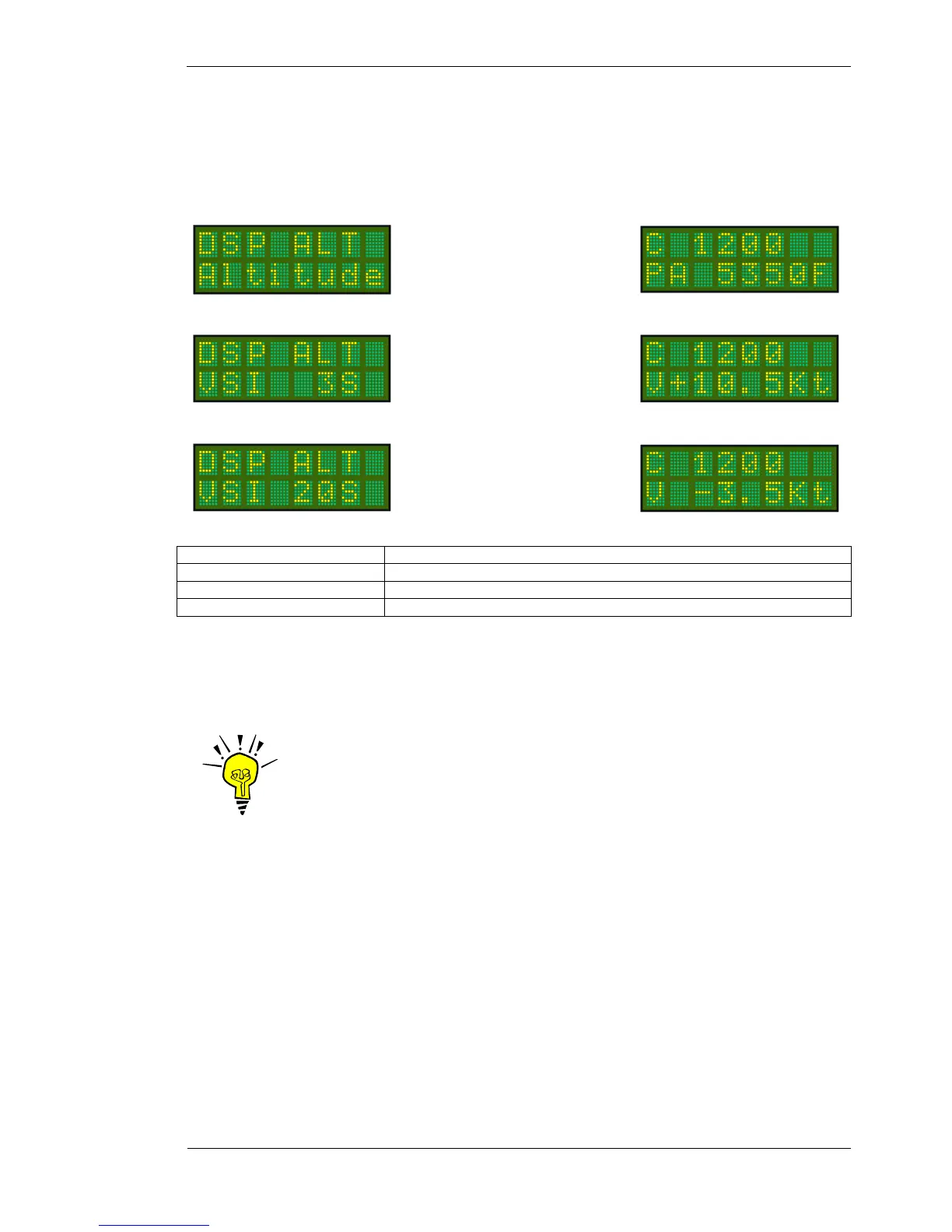
This MODE menu option allows the user to select from the following data sources to display on the bottom line
when the SELECTMODE knob is in the DSP ALT position:
Press MODE key (4 times) To select Dsp Alt option. The current setting is displayed.
Rotate CODE SELECT knob To select from Altitude / VSI 3S / VSI 20S
Rotate ENTER key To save Dsp Alt data option
Press Toggle key Display returns to current operational display
The altitude and VSI data units (feet or meters) are determined by the ALTITUDE option in the PROGRAM
MODE menu (refer section 4.1.3).
IMPORTANT NOTE
The VSI function is only available with the Microair EC2002 altitude
encoder, set to Microair 1ft format. Any other altitude data resolution is not
sufficiently sensitive for good VSI operation. If the serial altitude data is not
Microair 1ft format, the VSI function is NOT displayed.
Displays altitude data sourced
from the altitude encoder.
Displays the VSI data derived
from the altitude encoder data,
with a 3 second average.
Displays the VSI data derived
from the altitude encoder data,
with a 20 second average.



 To Next Page