EasyManua.ls Logo

Microcare LCD MPPT 20 - 5 Mppt Operation; Front Panel Description

Microcare LCD MPPT 20
47 pages
Print Icon
To Next Page IconTo Next Page
To Previous Page IconTo Previous Page
Loading...
23
MPPT OPERATION
5. MPPT OPERATION
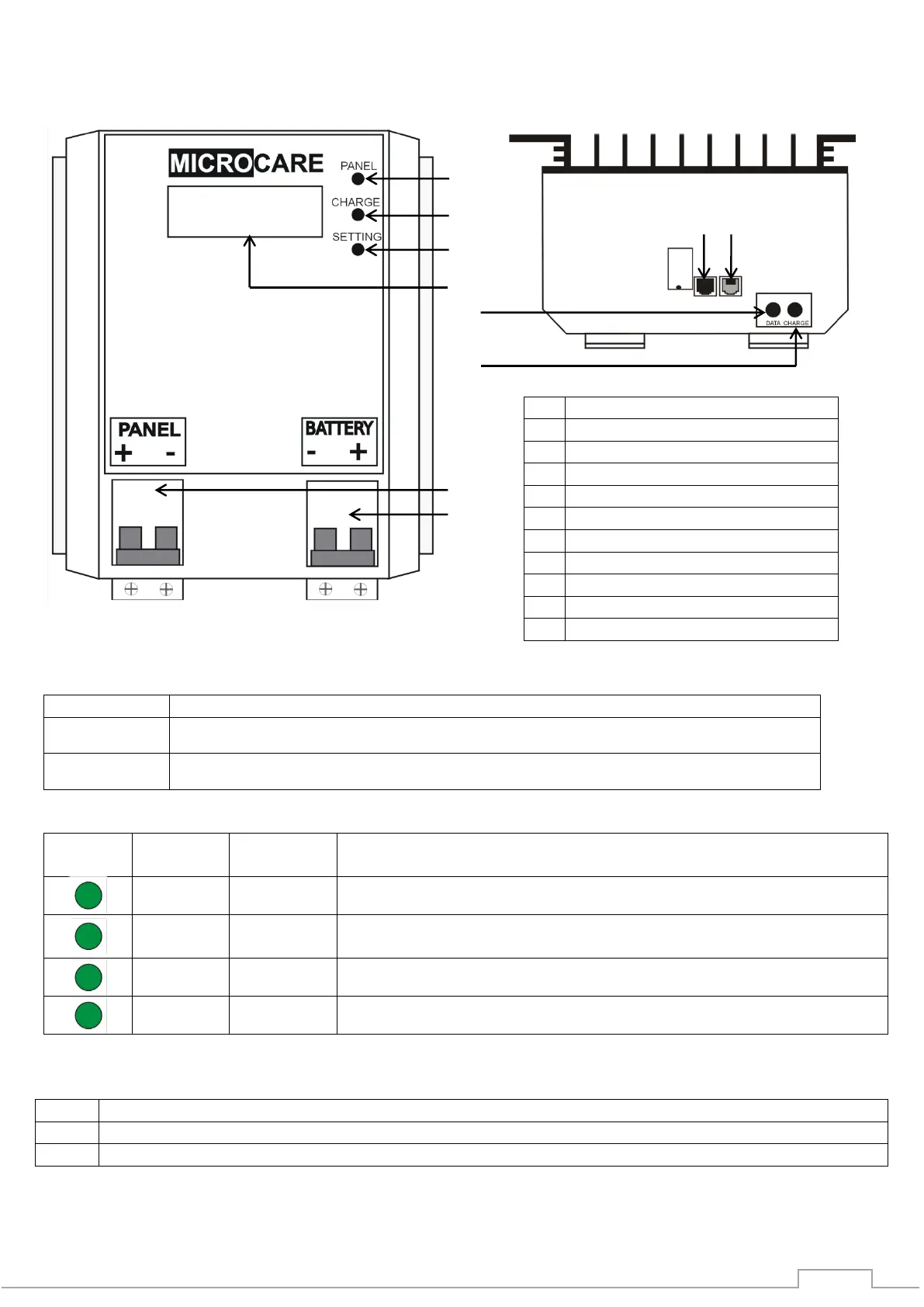
5.1 Front Panel Description
Button Function Description
Button Name
Function description
Data
Increments programming values,
Charge
Stores selected programming values, selects charging modes
MPPT Status LED’s
Indicator
Indicator
Name
LED
Status
Description
Panel
Steady ON
Indicates that the solar panels are producing power
Panel
Flashes
Indicates that the battery is connected and no panels
connnected
Charge
Flashes
Indicates that the MPPT is charging
Setting
Steady ON
Indicates that the 4-Pin termination plug is inserted
RJ12 Connections
No
Description
9
RJ12 Connection For factory programming only. “ Do not use”
10
RJ12 Connection RS232 External connection output
Note: This manual applies to all LCD MPPTs with Firmware: V7.35
1
2
3
4
5
6
7
8
Description
1
Panel LED
2
Charge LED
3
Setting LED
4
LCD Display
5
Data Button
6
Charge Button
7
Panel Circuit Breaker
8
Battery Circuit Breaker
9
RJ12 - Do Not use
10
RJ12 External Connection
9 10

Table of Contents