EasyManua.ls Logo

MicroElektronika EasyPIC4 - Page 17

Default Icon
34 pages
Print Icon
To Next Page IconTo Next Page
To Previous Page IconTo Previous Page
Loading...
EasyPIC4 Users Manual
MIKROELEKTRONIKA SOFTWARE AND HARDWARE SOLUTIONS FOR THE EMBEDDED WORLD
1177
page
MikroElektronika
Development
tools
EasyPIC
ICD
4
LLEEDDss
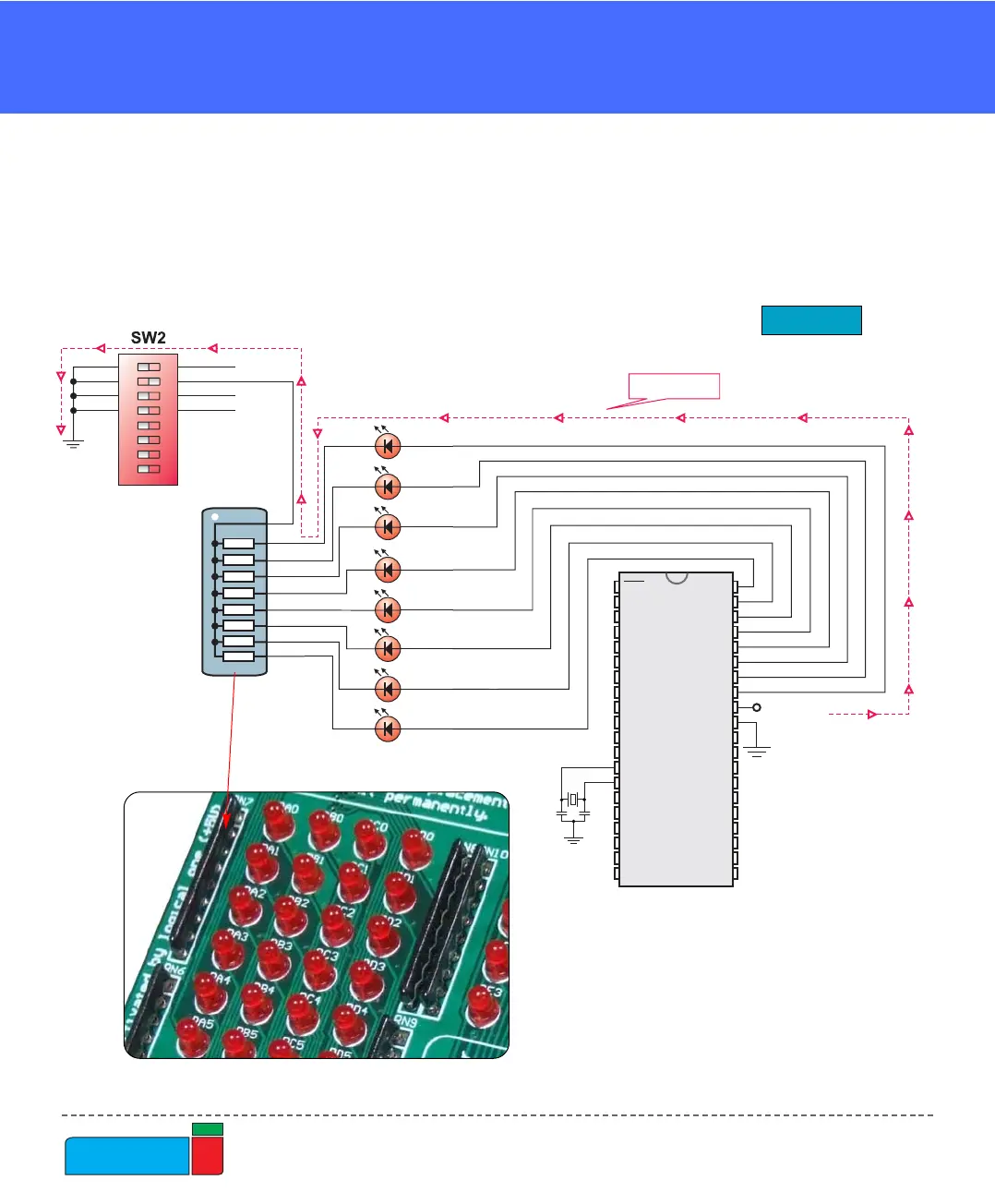
The LEDs are enabled when the corresponding switch on SW2 is on. When enabled,
LEDs will display the state of the corresponding microcontroller pin; otherwise the
LEDs will always be off, no matter what the port state is, as no current can flow
through LED.
RN7
R-SIL 8/9
1
2
3
4
5
6
7
8
9
RB0
RB1
RB2
RB3
RB4
RB5
RB6
RB7
1
ON
432 5876
PORTD LED
PORTC LED
PORTB LED
PORTA/E LED
VCC
PICxxxx
RA0
RA1
RA2
RA3
RC0
RC1
RA4
RA5
RE0
RE1
RE2
RC3
RD0
RD1
RC4
RD3
RD2
RC5
RC6
RC7
RD4
RD5
RD6
RD7
RB0
RB1
RB2
RB3
RB4
RB5
RB7
RB6
RC2
VDD
VSS
OSC1
OSC2
MCLR
VDD
VSS
CURRENT FLOW
X1
8MHz
C6
22pF
C7
22pF
Figure 19.
LED schematics