EasyManua.ls Logo

MicroElektronika EasyPIC4 - Pushbutton Switches and Reset

Default Icon
34 pages
Print Icon
To Next Page IconTo Next Page
To Previous Page IconTo Previous Page
Loading...
PICflash
On-Board USB
programmer
R17
10K
Reset
VCC
C14
100n
PICxxxx
RA0
RA1
RA2
RA3
RC0
RC1
RA4
RA5
RE0
RE1
RE2
RC3
RD0
RD1
RC4
RD3
RD2
RC5
RC6
RC7
RD4
RD5
RD6
RD7
RB0
RB1
RB2
RB3
RB4
RB5
RB7
RB6
RC2
VDD
VSS
OSC1
OSC2
MCLR
VDD
VSS
VCC
X1
8MHz
C6
22pF
C7
22pF
EasyPIC4 Users Manual
1188
page
MIKROELEKTRONIKA SOFTWARE AND HARDWARE SOLUTIONS FOR THE EMBEDDED WORLD
MikroElektronika
Development
tools
PPUUSSHHBBUUTTTTOONN SSWWIITTCCHHEESS
EasyPIC
ICD
4
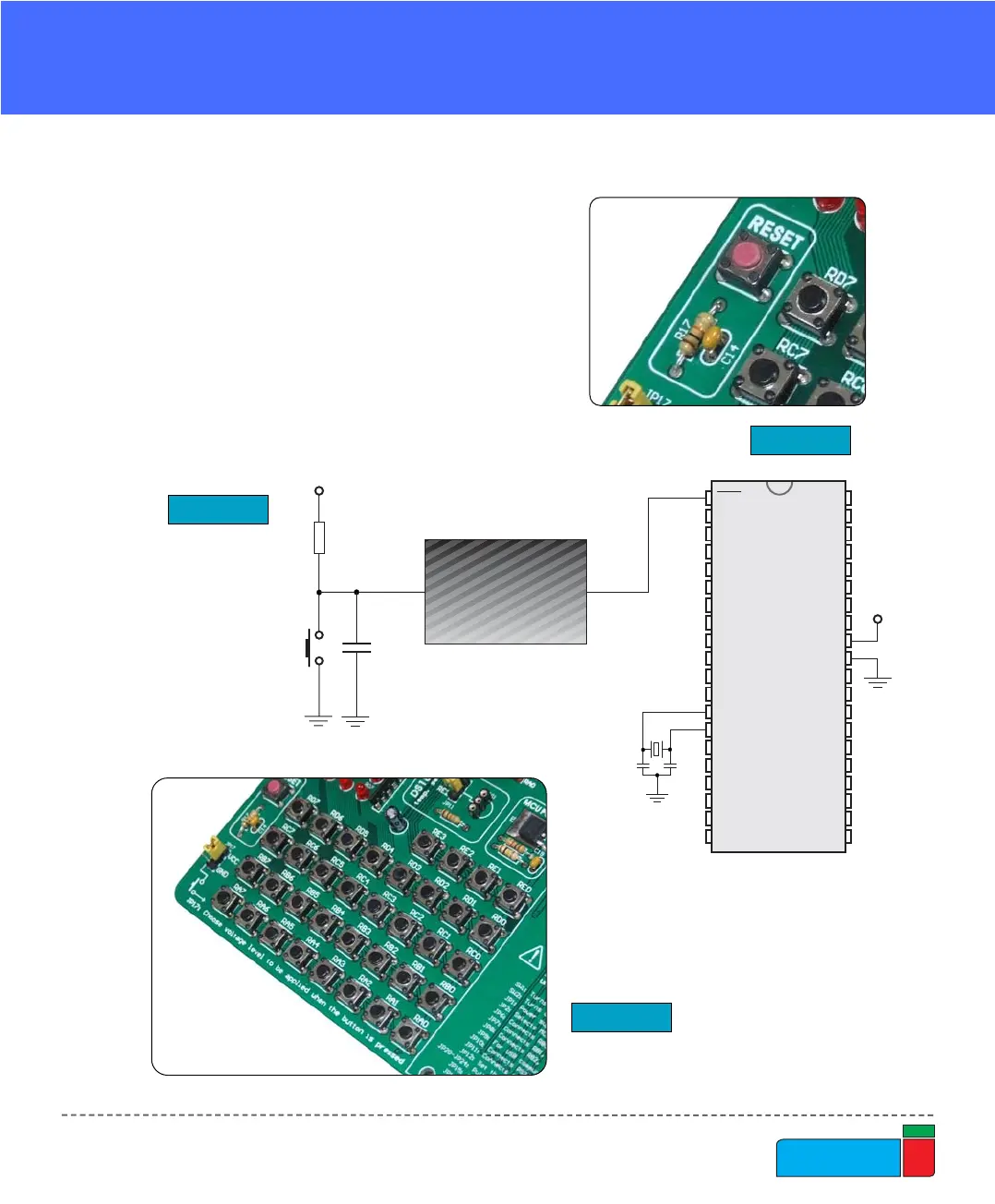
EasyPIC4 has 36 push buttons, which can
be used to change states of digital inputs
to microcontroller's ports. There is also
one switch that acts as a RESET. Reset
switch schematic is shown in Figure 21.
PUSHBUTTON SWITCHES
Figure 22.
Pushbutton switches
Figure 20.
Reset switch
Figure 21.
Reset switch schematic