EasyManua.ls Logo

MicroElektronika EasyPIC4 - PS;2 Communication for Peripherals

Default Icon
34 pages
Print Icon
To Next Page IconTo Next Page
To Previous Page IconTo Previous Page
Loading...
EasyPIC4 Users Manual
2288
page
MIKROELEKTRONIKA SOFTWARE AND HARDWARE SOLUTIONS FOR THE EMBEDDED WORLD
MikroElektronika
Development
tools
EasyPIC
ICD
4
PPSS//22 CCOOMMMMUUNNIICCAATTIIOONN
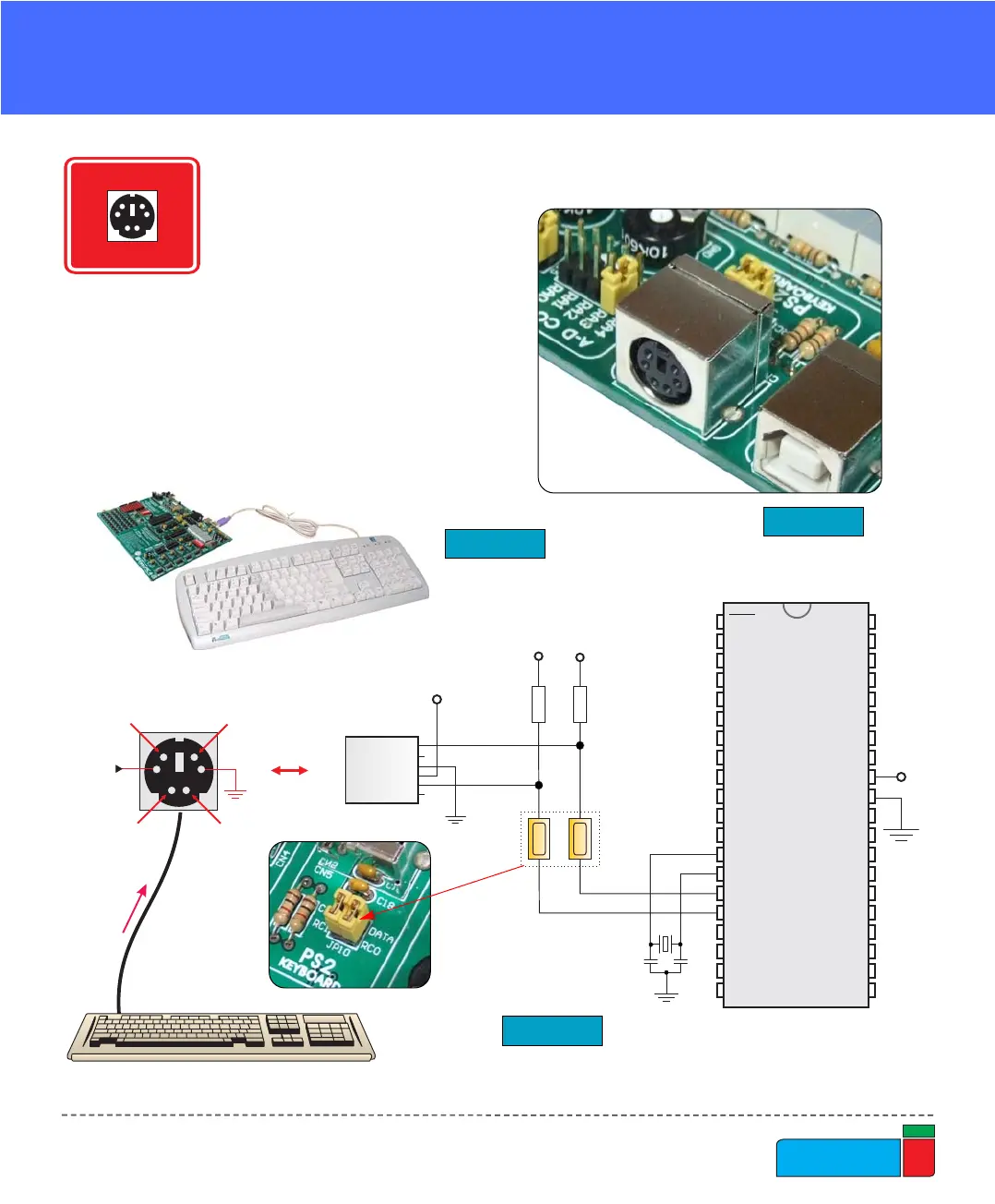
The PS/2 connector allows direct con-
nection between EasyPIC4 and
devices that use PS/2 communication,
such as PC, keyboard or mouse. For
example, the microcontroller can be
connected to a keyboard to capture
pressed keys or it can be connected to
a PC to act as a keyboard. CLK and
DATA lines are used for data tansfer.
In this case, they are connected to pins
RC1 and RC0 respectively.
PS/2 COMMUNICATION

+5V
DATANC
NC
CLK
VCC
PICxxxx
RA0
RA1
RA2
RA3
RC0
RC1
RA4
RA5
RE0
RE1
RE2
RC3
RD0
RD1
RC4
RD3
RD2
RC5
RC6
RC7
RD4
RD5
RD6
RD7
RB0
RB1
RB2
RB3
RB4
RB5
RB7
RB6
RC2
VDD
VSS
OSC1
OSC2
MCLR
VDD
VSS
X1
8MHz
C6
22pF
C7
22pF
R37
10K
DATA
NC
GND
VCC
CLK
NC
PS2
CONNECTOR
VCC
R38
10K
JP10
VCC VCC
Figure 41.
Figure 39.
PS/2 connector
PS/2 communication schematics
Figure 40.
Keyboard connected to
development board
PS/2 READY
DEVELOPMENTDEVELOPMENT
PS/2 READY