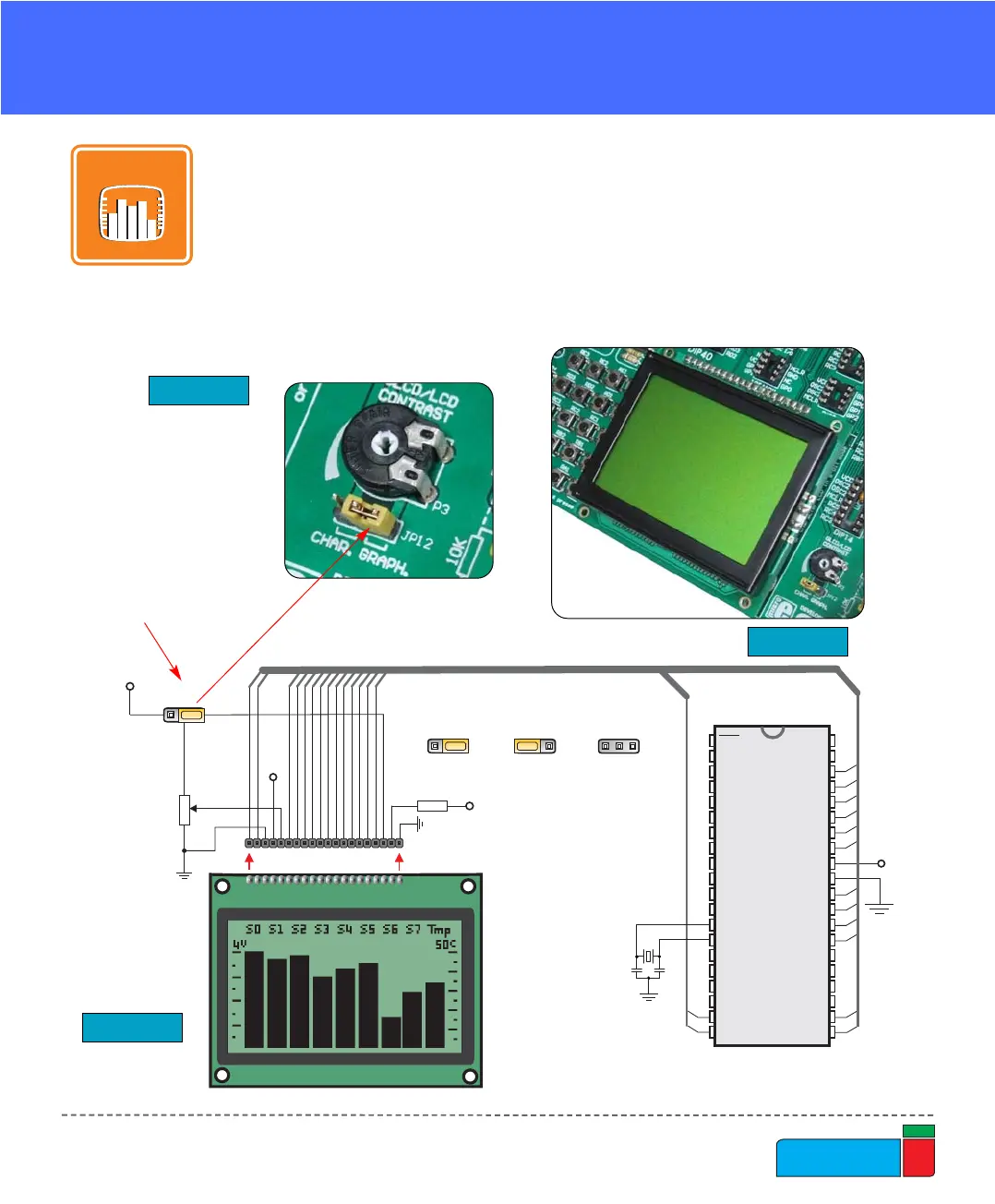
In order to enable GLCD,
jumper JP12 should be set
to the right-hand position,
labeled as GRAPH.
GRAPHIC LCD
A graphic LCD (GLCD) allows advanced visual messages to be displayed. While a
character LCD can display only alphanumeric characters, a GLCD can be used to
display messages in the form of drawings and bitmaps. The most commonly used
graphic LCD has the screen resolution of 128x64 pixels. Before a GLCD is con-
nected, the user needs to set the jumper JP12 (Fig. 28) to the right-hand position.
The GLCD’s contrast can be adjusted using the potentiometer P3, which is placed
to the right of the GLCD.
GRAPH.CHAR.



 To Next Page