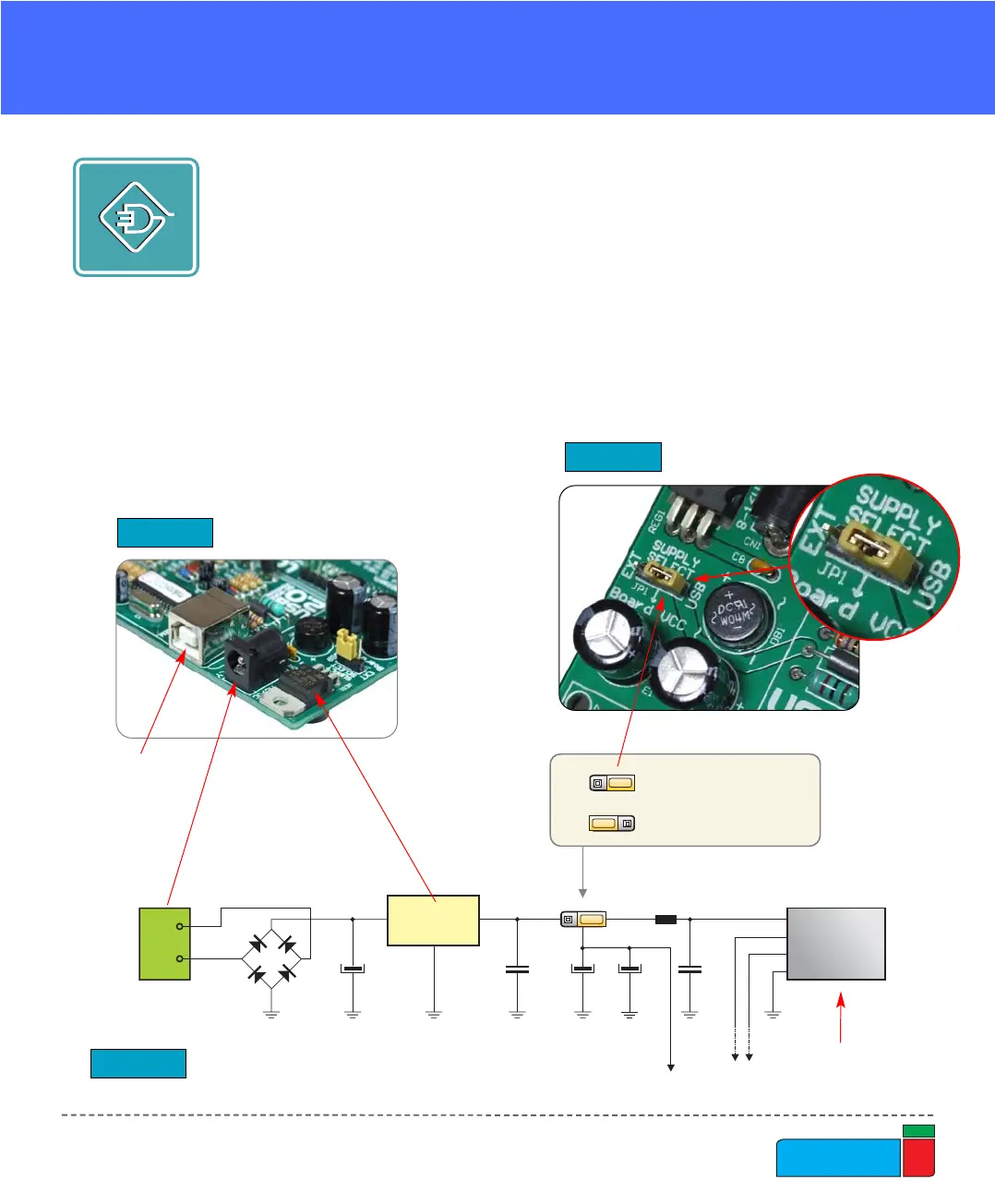
As a power supply source, users can select either a regulated supply from the USB
cable (default) or an external power supply. In case of the USB power supply, the
system should be connected to a PC using the USB programming cable, while the
jumper JP1 should be set in the right-hand position.
In the case of an external power supply, the EasyPIC4 board produces +5V using
an LM7805 voltage regulator. The external power supply can be AC or DC, with a
voltage between 8V and 16V and the jumper JP1 should be set in the left-hand posi-
tion. In Fig. 7 you can see USB and external power supply connectors.
POWER SUPPLY
JP1 in the left-hand
position: system will
take power from the
external AC/DC
power adapter.
JP1 in the right-hand
position: system will
take power from the
USB cable.
USB and power supply connectors
Figure 7.
Figure 8.
Power supply select jumper
Figure 9.
JP1 is set to USB power supply
EXT
USB
USB
connector
USB
connector
External power
supply connector



 To Next Page