© Microhard Systems Inc. 106
4.0 Configuration
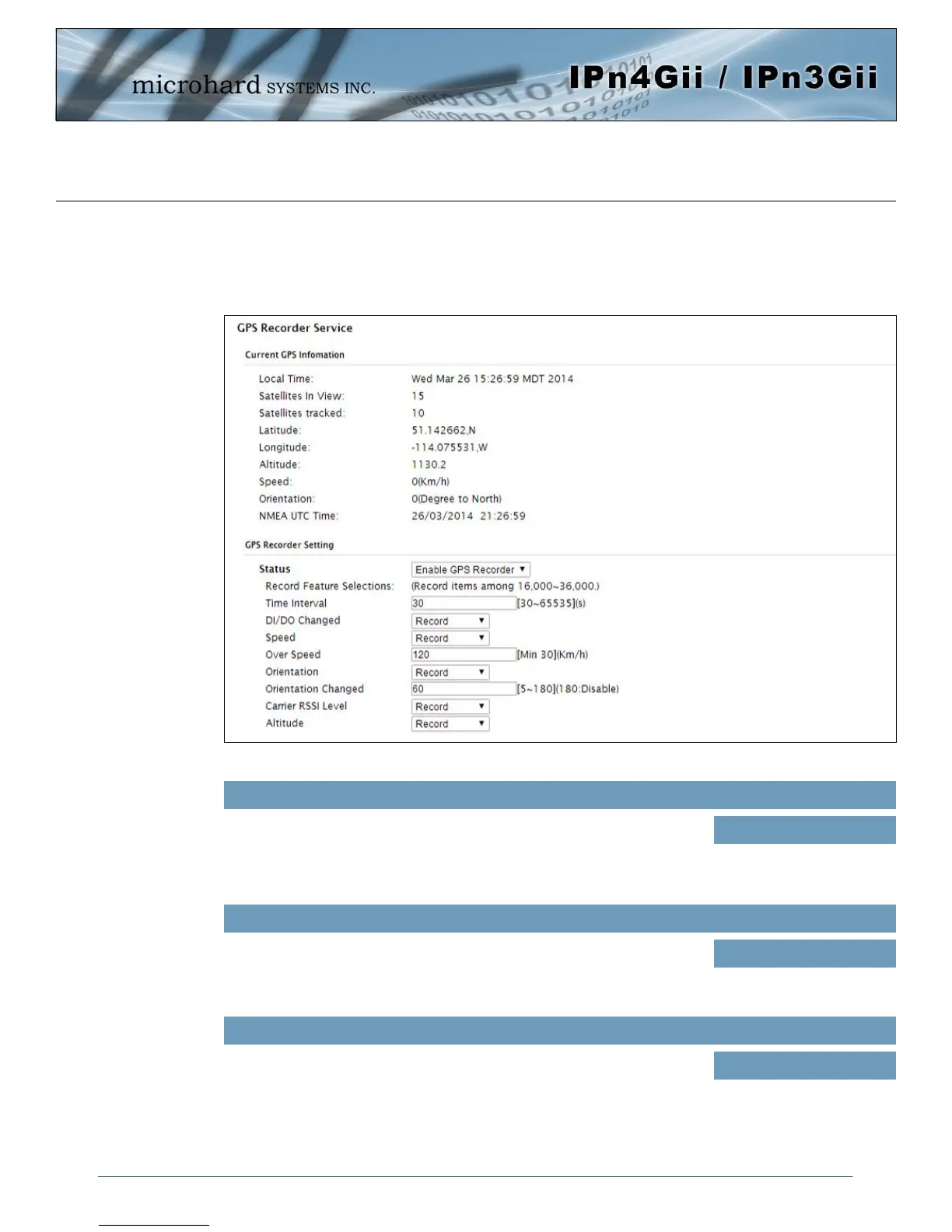
4.10.5 GPS > Recorder
The IPnXGii can be configured to record events based on time intervals, and/or an event trigger and store
them in non-volatile memory. These events can then be viewed within the WebUI, on a map, or sent to a
remote server in a number of different formats.
Image 4-10-6: GPS > GPS Recorder Service
Status
Use the Status parameter to enable the GPS recording functionality of the
IPnXGii. The total number of records that can be recorded varies between
16,000 and 36,000, depending on the number of GPS parameters that are
recorded.
Values (selection)
Disable
Enable GPS Recorder
Time Interval
Define the interval at which the IPnXGii will record GPS data. If there is no
valid data available at the specified time (i.e. no connected satellites), the
unit will wait until the next time valid information is received.
Values (seconds)
300
DI/DO Changed
The IPnXGii can detect and report the current GPS info when a digital input
or output status changes, regardless of the time interval setting.
Values (selection)
Record / Don’t Record



 To Next Page