© Microhard Systems Inc. 26
4.0 Configuration
4.1.2 System > Settings
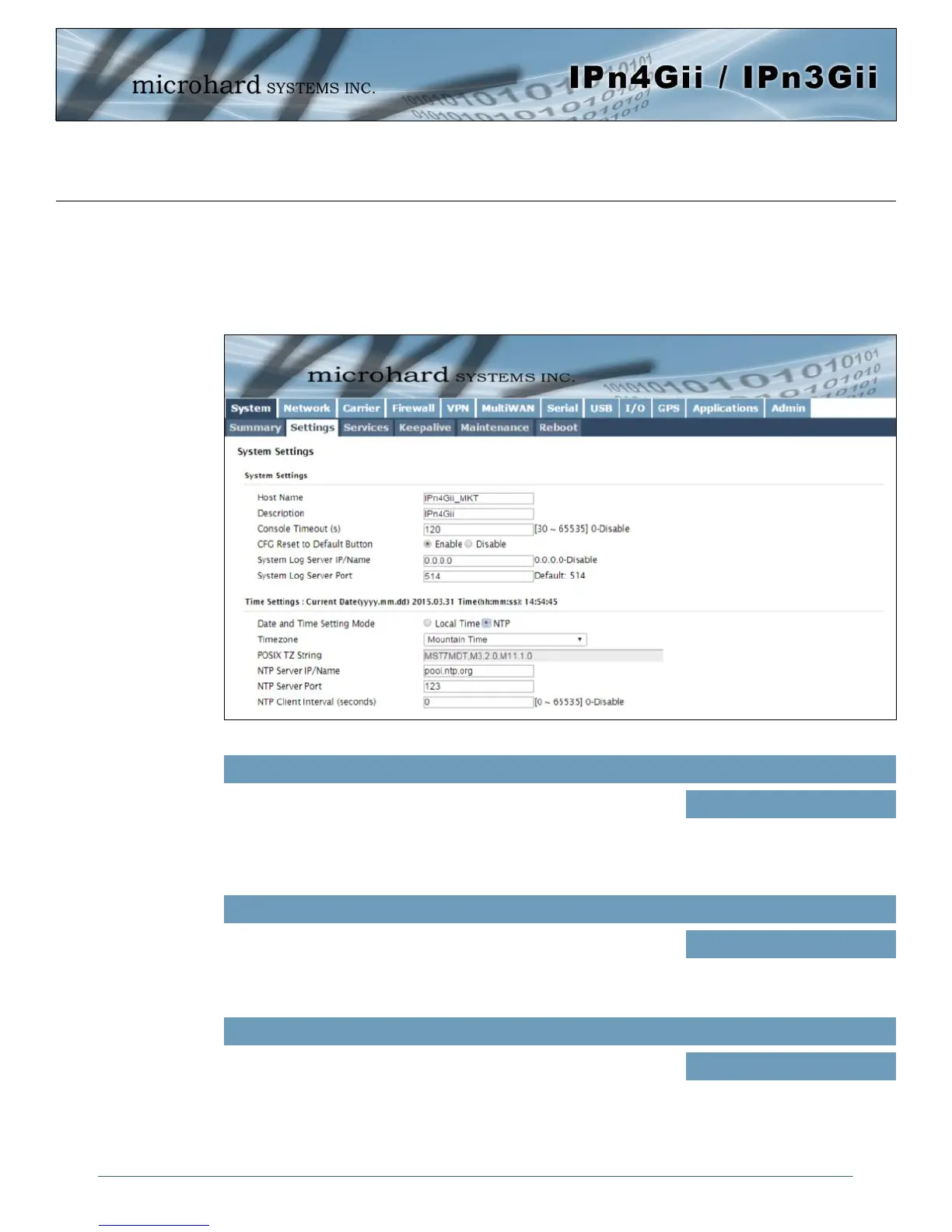
System Settings
Options available in the System Settings menu allow for the configuration of the Host Name, Description,
Console Timeout and System Log server settings.
Image 4-1-2: System Settings > System Settings
The Host Name is a convenient identifier for a specific IPnXGii unit.
This feature is most used when accessing units remotely: a convenient
cross-reference for the unit’s WAN/Carrier IP address. This name
appears when logged into a telnet session, or when the unit is
reporting into Microhard NMS System.
Host Name
Values (characters)
IPnXGii (varies)
up to 30 characters
Console Timeout (s)
This value determines when a console connection (made via Console
Port or Telnet) will timeout after becoming inactive.
Values (seconds)
60
0-65535
CFG Reset to Default Button
Enabled by default, when the CFG button on the front of the IPnXGii is
held down for 10s while the unit is powered up, the unit will reset and
all settings will be reset to factory defaults. When disabled the unit will
reset, but the settings will not be overwritten.
Values (Selection)
Enable
Disable



 To Next Page