© Microhard Systems Inc. 95
4.0 Configuration
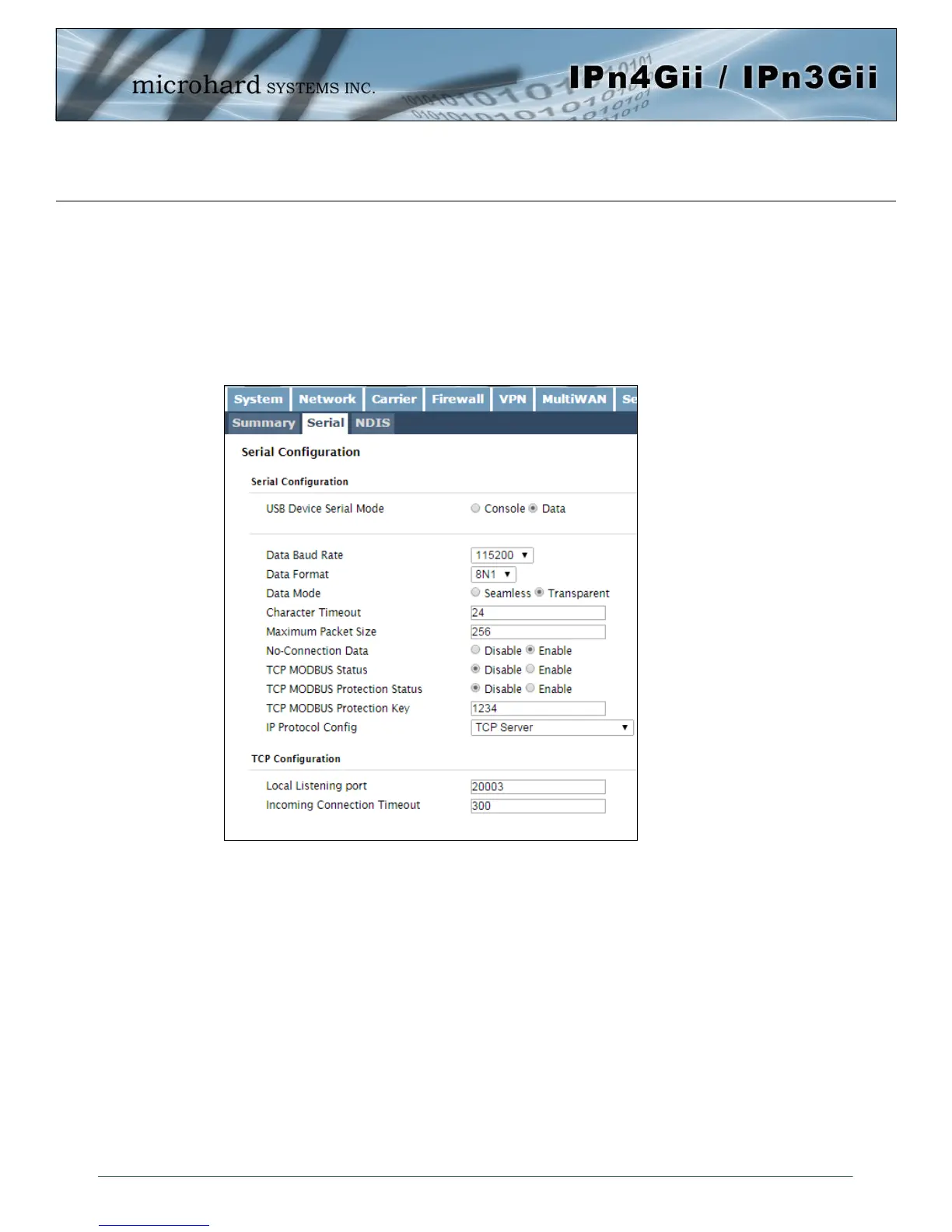
4.8.2 USB > Serial
Console Mode:
When the USB port in configured as Console Mode, the port acts as a console port.
Data Mode:
USB Data Mode is Disabled by default. If USB Data Mode is selected and there is a desire to switch it back
to Disabled (console mode) via the USB-to-Serial connection to it, the escape sequence of '+++' may be
entered at the Data Baud Rate for which the port is configured.
For more information about any of
the Data Port field parameters refer
to RS232 Configuration.
Image 4-8-2: USB Configuration Data Port



 To Next Page