© Microhard 49
4.0 Configuration
4.1.5 System > Reboot
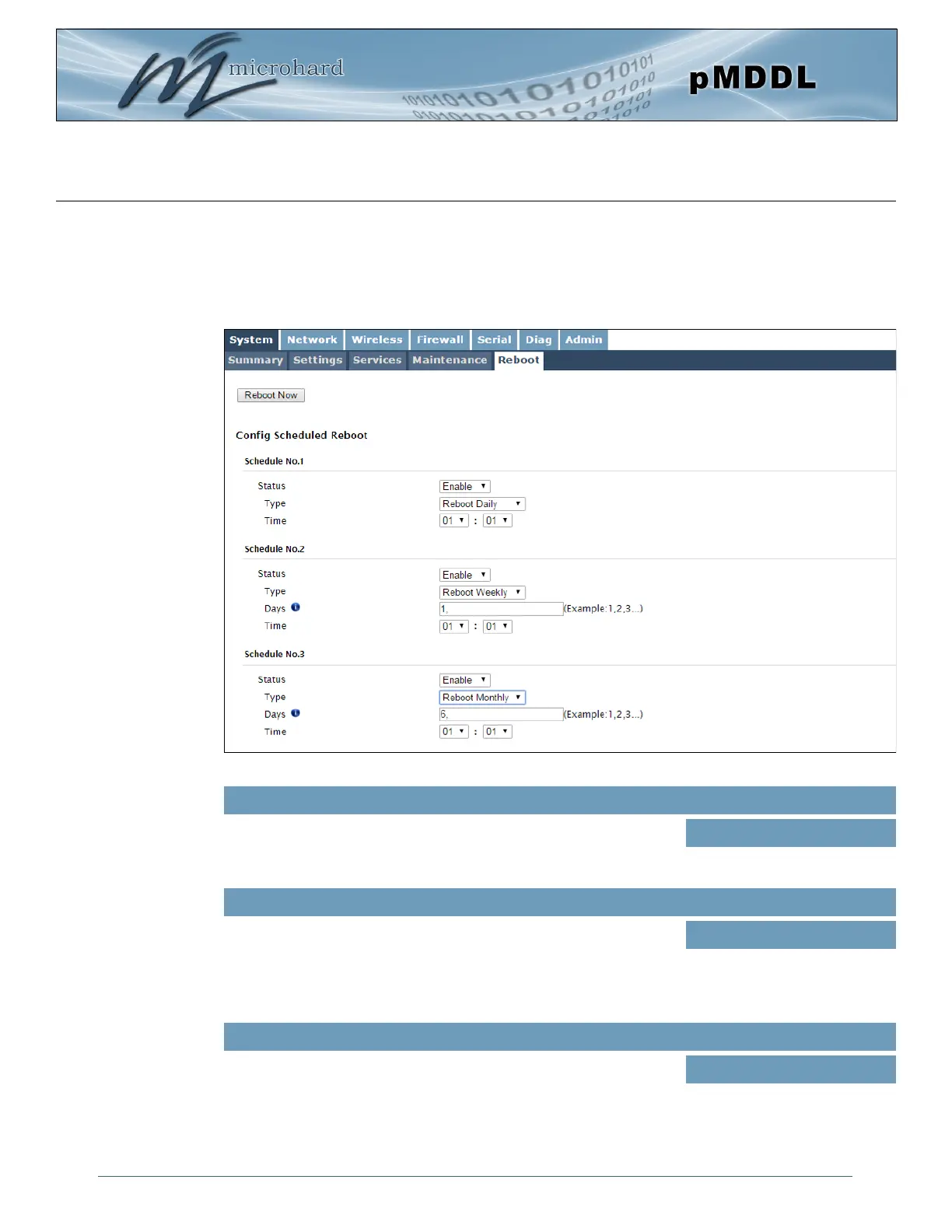
The pMDDL can be remotely rebooted using the System > Reboot menu. As seen below a button ‘Reboot
Now’ is provided. Once pressed, the unit immediately reboots and starts its boot up procedure. An
automatic Scheduled Reboot (up to 3) can also be configured to force the pMDDL to reboot daily, weekly
or monthly.
Image 4-1-7: System > Reboot
Enable or disable the Scheduled Reboot.
Status
Values (selection)
Enable / Disable
Set the reboot schedule to reboot the modem once a day, week or
month at a time and date specified below.
Type
Values (selection)
Reboot Daily
Reboot Weekly
Reboot Monthly
When set to Weekly, set the day (1 is Sunday, 7 is Saturday) in which
to reboot the modem. In a monthly configuration it is simply the date of
the month (1 to 31). Once the day or date has been selected, specify
the time (24hr clock) in which to initiate the scheduled reboot.
Days / Time
Values
(varies)



 To Next Page