© Microhard 19
2.0 Quick Start
To connect to an
existing network,
contact your Network
Administrator for valid
network settings.
2.3.2 Configuring the Slave/Remote
The following procedure describes the steps required to set up a pMDDL unit as a
Slave (S). A Slave provides a single wireless connection (i.e to an Master) and pro-
vides a wired connection to a PC or other devices.
✓ Use Section 2.1 Getting Started to connect, power up and log in to a second
pMDDL unit.
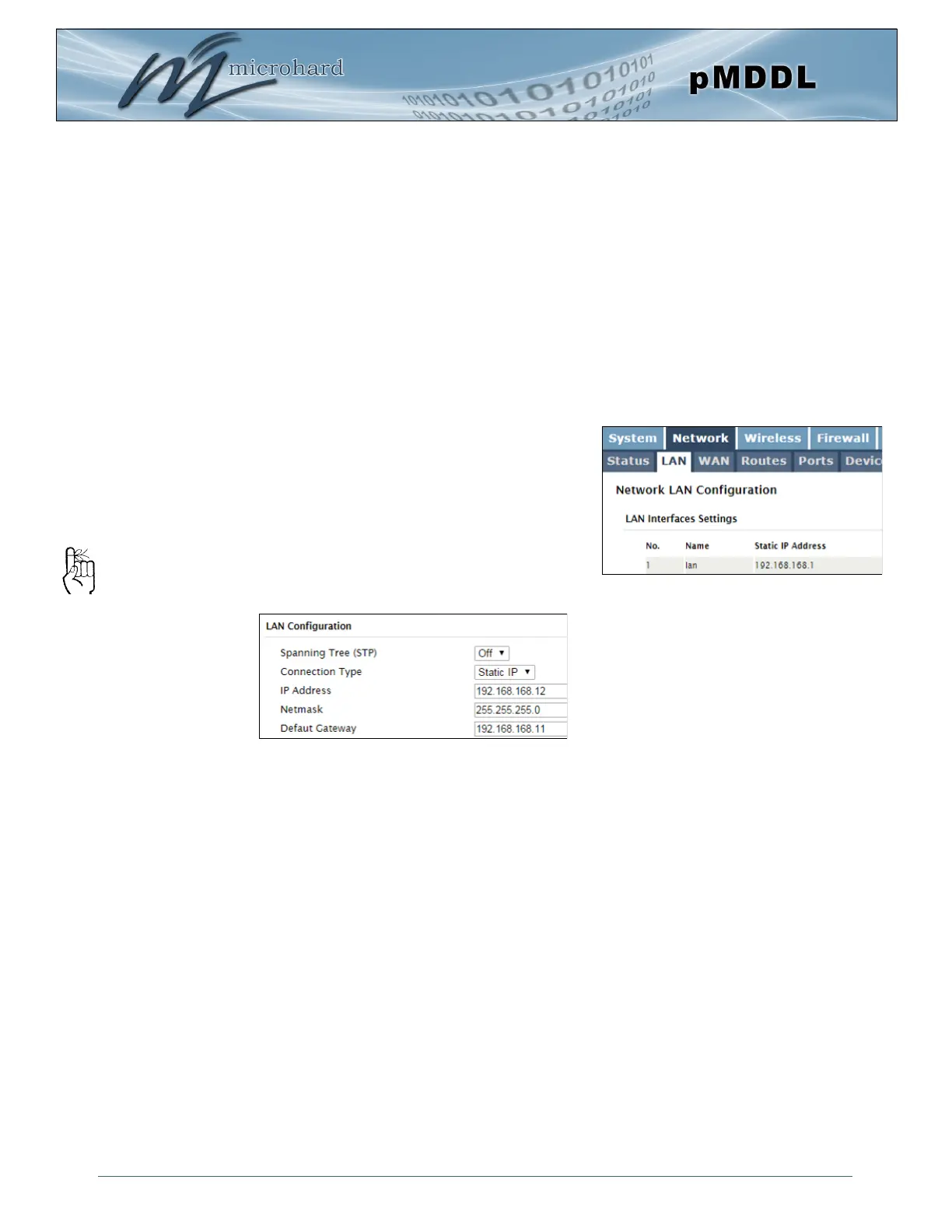
✓ Give the pMDDL unit an unique IP address.
Choose Static IP for the Connection
Type.
Enter the following Network
Information:
IP Address: 192.168.168.12
IP Subnet Mask: 255.255.255.0
Default Gateway: 192.168.168.11
Click on the Submit button to write the
changes to the pMDDL. The Cancel but-
ton will revert back to last values saved to
the unit.
Once the IP Address is changed, you
will need to type the new address into
your browser to continue the configu-
ration.
Refer to Section 5.2.2 LAN for additional
information.
Select Network from the top/main
navigation.
Select LAN from the submenu list.
Select Edit on the LAN interface 1.



 To Next Page