LVS-95XX Series Barcode Quality Station Operations Manual
LVS-95XX Series Barcode Quality Station Operations Manual - English Page 74 of 94
View Section
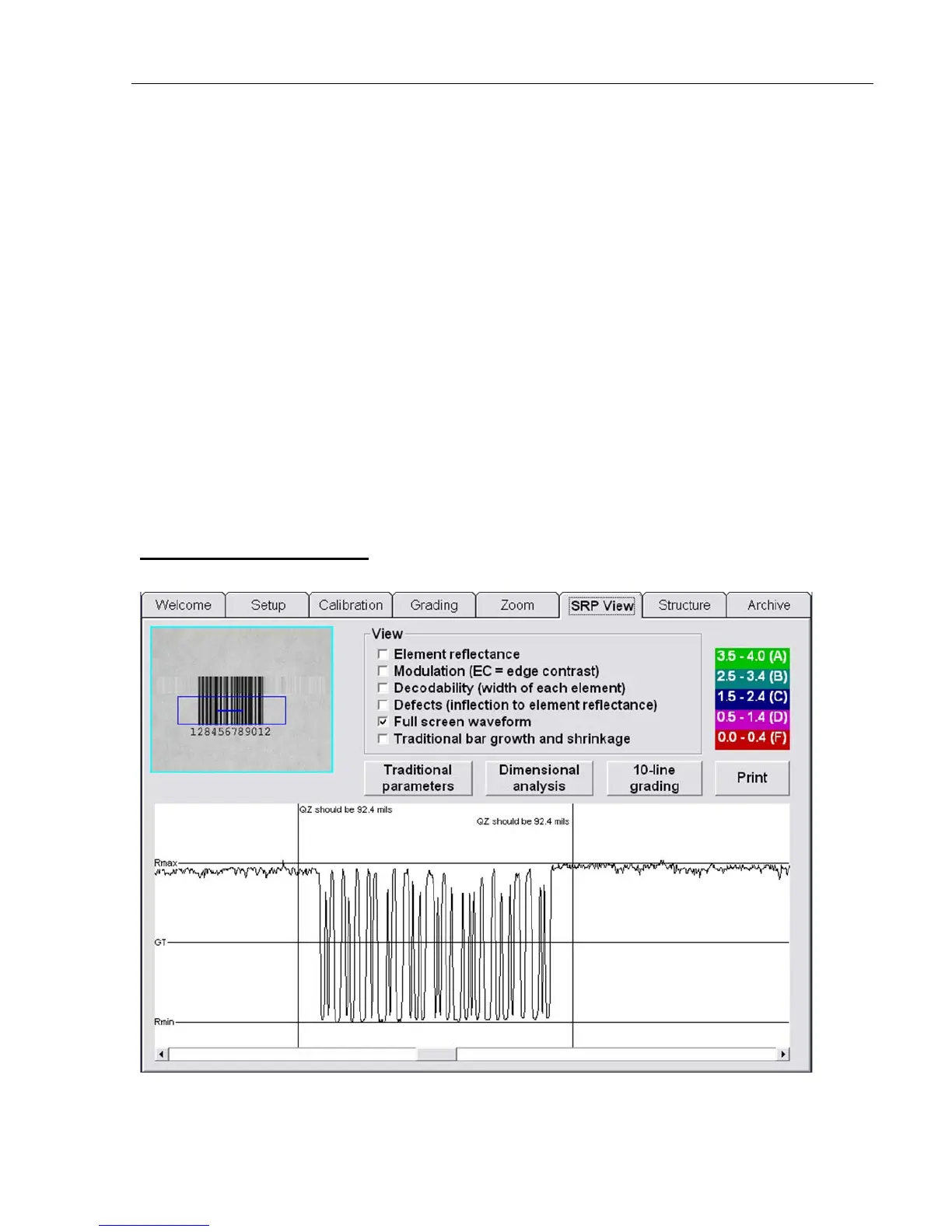
Under the View section, you can select what kind of error will be super-imposed onto the SRP graph. Rmax
and Rmin numbers are also displayed.
Options include:
• Element reflectance
• Modulation (EC = Edge Contrast)
If “Modulation” is selected, the modulation for each dark/white transition is displayed. The lowest
modulation for that scan line is displayed in red.
• Decodability (width of each element)
• Defects (inflection to element reflectance)
• Full screen waveform
• Traditional bar growth and shrinkage
The background of the SRP View Tab screen represents the bars and spaces of the actual barcode symbol.
The global threshold is also displayed.
The Up and Down arrows on the keyboard allow you to inspect every scan line. Each scan line is
approximately 0.05 mm (.002”) apart.
Full Screen Waveform
The Full Screen Waveform feature allows you to view the entire Scan Reflectance Profile at one time.



 To Next Page