LVS-95XX Series Barcode Quality Station Operations Manual
LVS-95XX Series Barcode Quality Station Operations Manual - English Page 77 of 94
Traditional Parameters Button
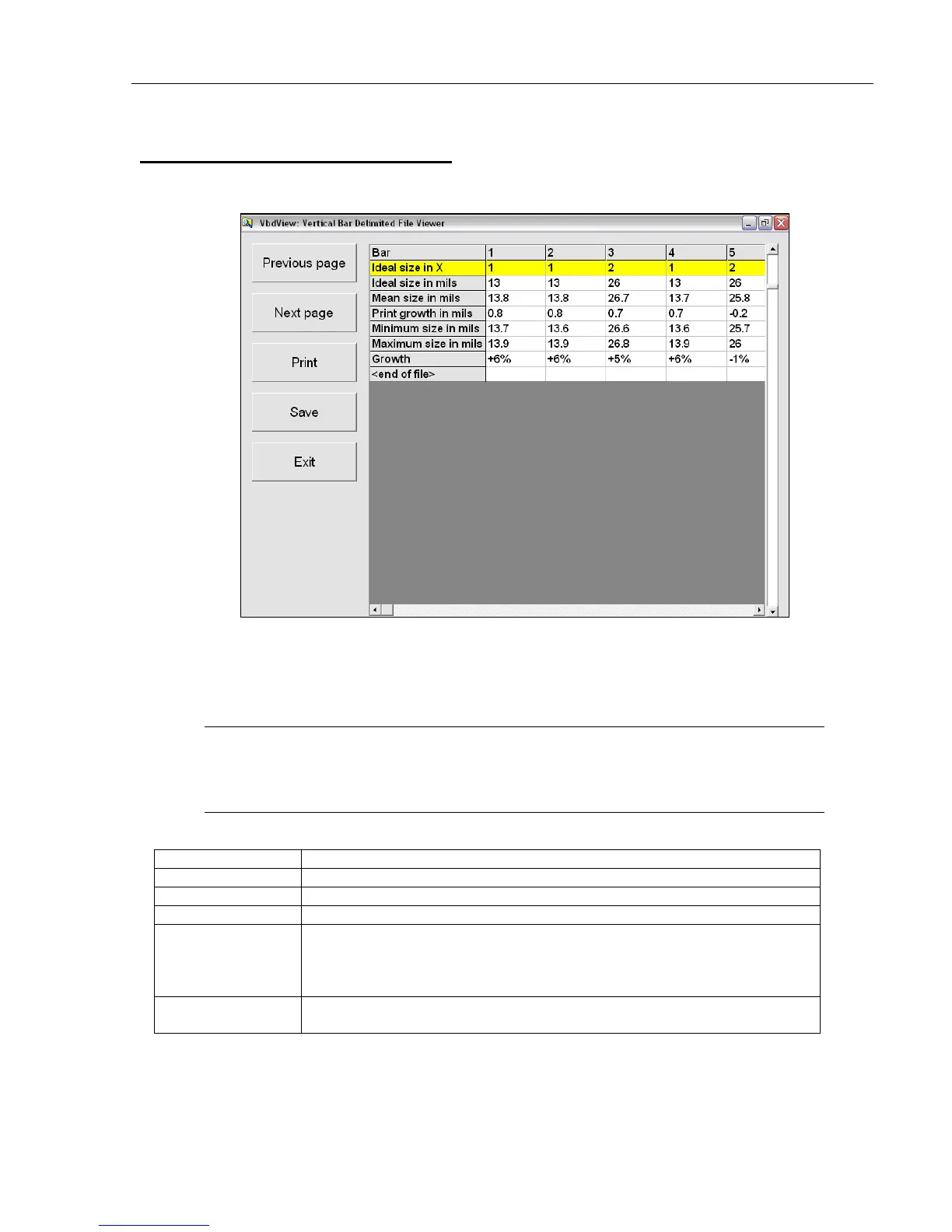
Click the Traditional parameters button to view a graphical representation of the barcode. After clicking this
button, the following page appears:
For Databar stacked symbols, this feature works independently for each row in the symbol. Click the row of
interest to view the traditional parameters for that given row.
The barcode size is measured in Mil or Micron units; this is determined by selecting English or Metric on the
Setup tab | System Settings section.
Note:
Mil - thousands of an inch (.001)
Micron (also known as micrometer) – 1 millionth of a meter
Options on this page include:
Option Description
Previous page Click this button to access the previous page.
Next page Click this button to access the next page.
Print Clicking this button prints the barcode parameters.
Save Clicking this button saves your changes. After clicking this button, enter
a file name and click the Save button.
All files are saved as delimited files using the vertical bar (|) as the
record separator.
Exit Clicking this button exits the screen. The SRP View Tab main screen
appears.



 To Next Page