LVS-95XX Series Barcode Quality Station Operations Manual
LVS-95XX Series Barcode Quality Station Operations Manual - English Page 87 of 94
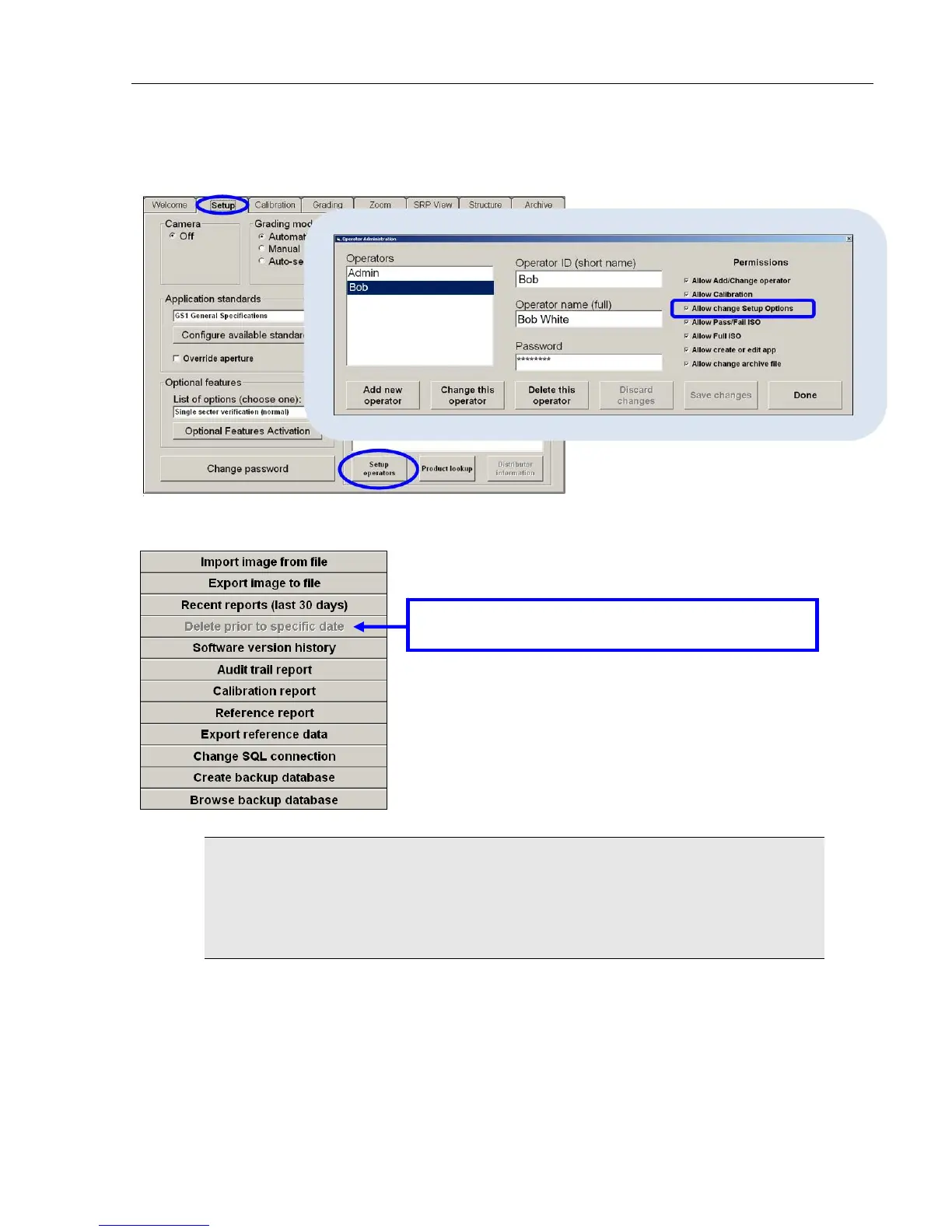
Only users who are granted the “Allow change Setup Options” permission are able to delete files; this
permission can be found by clicking the “Setup operators” button on the “Setup” tab screen.
The “Delete prior to specific date” button is disabled for users not granted the “Allow change Setup Options”
permission.
WARNING: A full database causes the LVS-95XX software to stop functioning. A
warning message, along with further instructions, appears when the database reaches
50% capacity, and every 5% thereafter. For example, at 50% capacity, a warning
message appears and if ignored, the message re-appears at 55% capacity, and then at
60% capacity.
This button is disabled for users not granted the “Allow
change Setup Options” permission.



 To Next Page